What to Do Immediately After a Cyber Breach? The Rapid Response Plan in 2026
Introduction
In our interconnected digital world, hacking attempts have become a common phenomenon — it’s only a matter of time before you’re targeted. With the evolution of cybercriminal methods, you may find yourself unintentionally interacting with one of them, or unknowingly clicking a phishing link. There are actions you can take immediately upon discovering a breach to minimize damage.
The numbers reveal the reality: 60% of breaches involve the human element (Verizon DBIR 2025), and average breach detection time reaches 277 days. But response speed makes a critical difference — every hour of delay costs the organization thousands of dollars. Response within the first 24 hours reduces damage by up to 60%.
In this article, we provide a step-by-step guide on what to do to protect yourself immediately upon discovering a breach.
What Are the Signs of a Cyber Breach?
Before discussing how to handle a breach, it’s important to know its common signs:
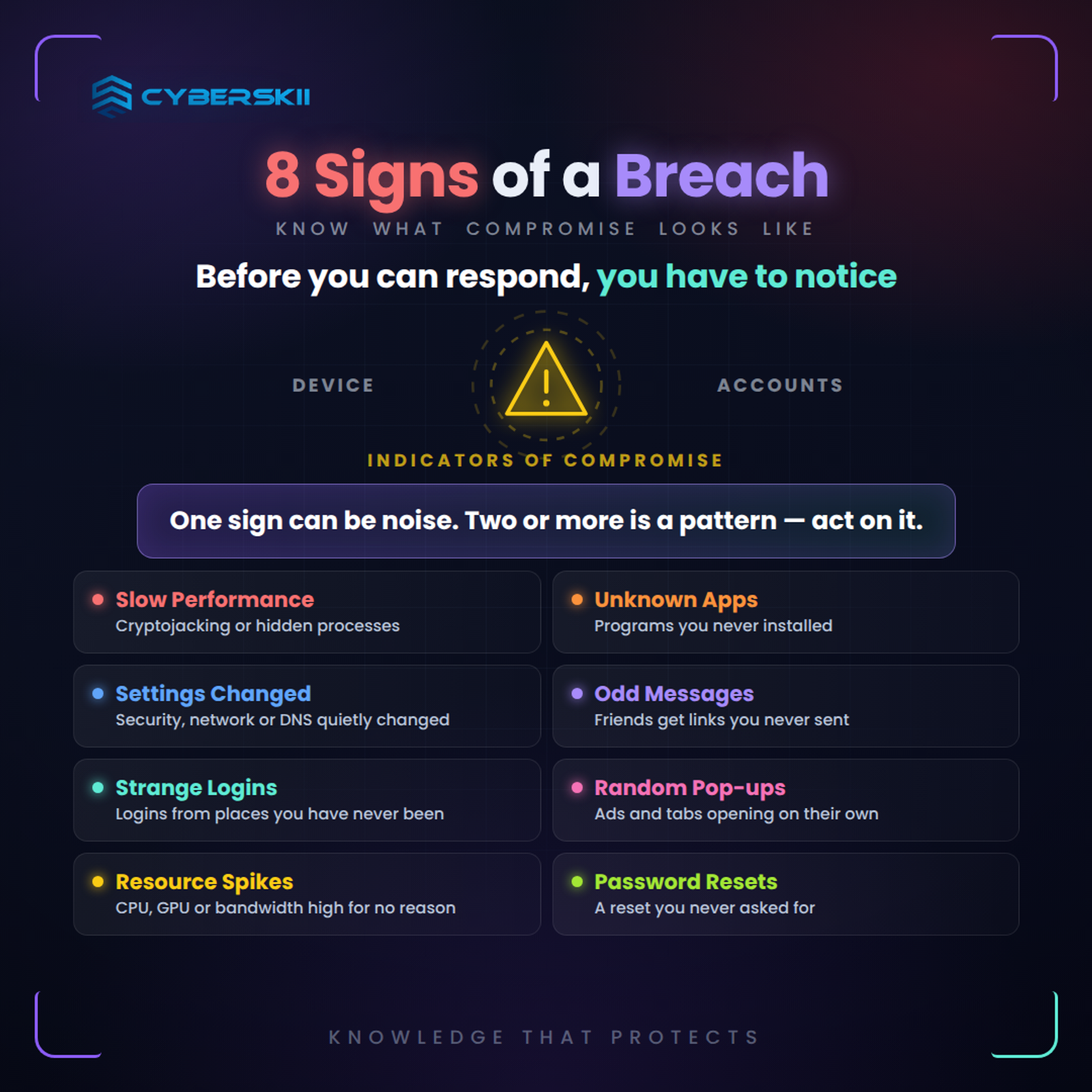
1- Slow device performance
This may be due to the attacker exploiting your device’s resources (e.g., cryptojacking) or running background processes.
2- Strange apps or programs appearing
These may be malware installed without your knowledge. Check installed programs list regularly.
3- Changes in device settings
The attacker may change protection, network, or DNS settings to redirect your traffic.
4- Unexpected messages
You may receive emails or texts containing malicious links, or alerts that your friends received strange messages from you.
5- Unusual account activity
You may notice unauthorized logins to your accounts from unusual geographic locations.
6- Random pop-ups
Adware opens ads even when you’re not browsing. Your browser opens strange tabs.
7- Unexplained resource consumption
High CPU, GPU, or internet usage without obvious reason.
8- Password resets
“Your account password has been changed” — a message you didn’t request.
Important Tips After Cyber Breaches
Since prevention is better than cure, Kaspersky security experts provide valuable advice on steps to take when noticing any suspicious activity to avoid falling victim to a breach:
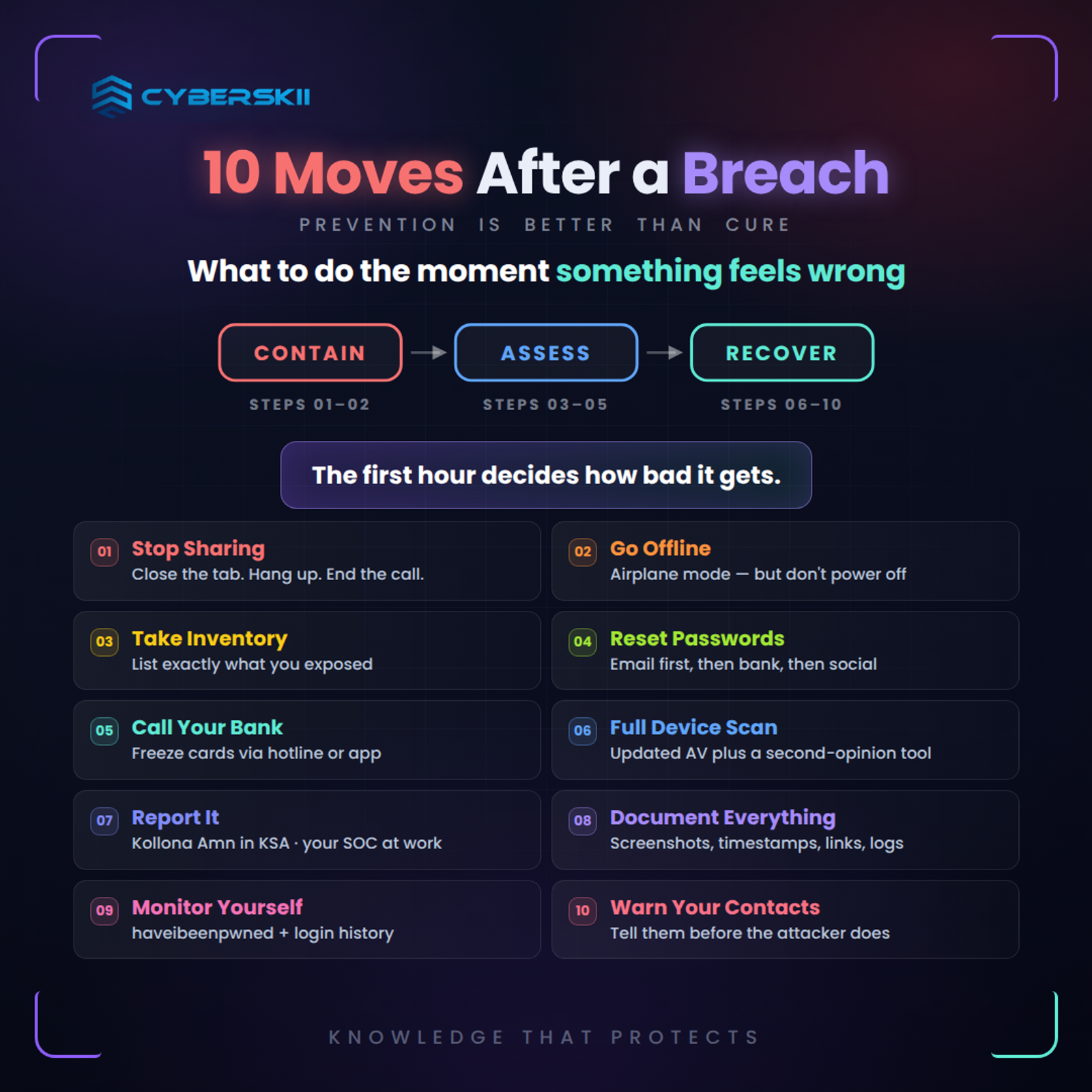
1. Don’t Disclose Additional Information
If you feel suspicious when directed to a website after clicking a link, or when asked for your data such as your name, email, phone number, or bank card information, don’t hesitate to close the site immediately.
If you’re talking to someone on the phone and the conversation seems strange, hang up immediately and don’t answer if they call back. If you’re in an online meeting using a video call app, end it immediately and close the app.
In 2026, deepfakes make voice and video calls more deceptive. Your relative’s or colleague’s voice may be fake. A safe word among family or team has become a necessity.
2. Disconnect Your Device From the Internet Immediately
This step is essential when installing any apps at someone’s request, or if someone tampered with your computer using remote control tools. If this happened, malware may have reached your computer or smartphone. In this case, to prevent cybercriminals from remotely controlling your device, disconnect it from the internet by turning off Wi-Fi and mobile data, or unplug the Ethernet cable from your computer.
Quick steps:
For Phone:
Put the device in Airplane Mode.
For Computer:
- Turn off Wi-Fi, unplug Ethernet cable.
- Don’t shut down the device if you want to investigate later — this loses some digital evidence.
- In a work environment, notify the IT department before any action — they may need to collect evidence.
3. Put Yourself in the Hacker’s Position
If you’ve actually visited a suspicious website or talked on the phone, try to remember any information you entered on the site or shared with the caller. Was it your address and name, or phone number, or bank card number? Or perhaps your password or two-factor authentication code sent to you via SMS?
If you only shared your name, address, and phone number, you won’t need to take any further action. But the situation may worsen if you shared more sensitive information, such as: passwords, photos of personal documents, or banking information. If you fell prey to that trap, Kaspersky experts say you should follow the next steps.
Quick inventory of what you may have exposed:
• Low risk: Basic personal data (name, address, date of birth).
• Medium risk: Email, phone number, ID photos.
• High risk: Passwords, OTPs, bank card numbers, ID photos.
• Critical risk: Banking access credentials, company data, admin permissions.
4. Change Passwords Immediately
You should change your passwords regularly for all your accounts. However, if you’ve ever been exposed to a hacking attempt through one of the apps, it’s essential to quickly log in to the relevant account and change the password immediately.
If your device itself was compromised and you disconnected it from the internet, use another device instead of connecting the potentially compromised one. When trying to access any services, manually enter the site address instead of clicking links in emails.
Priority order:
- Start with the primary email — it’s the recovery key for all your other accounts.
- Then banking and financial accounts.
- Then social media.
- Then other services (shopping, work, etc.).
- Use a password manager (Bitwarden, 1Password) to generate unique strong passwords.
- Enable MFA on every account — blocks 99.9% of breaches.
5. Contact Your Bank or Service Provider
If you shared bank card numbers or any other financial information with hackers, contact the bank immediately. You can usually block cards through a dedicated hotline for those matters, as well as through the mobile app and your personal account on the website.
6. Scan Your Device with Trusted Protection Software
After disconnecting the device, run a full scan with updated protection software:
- For individuals: Bitdefender, Norton, or Microsoft Defender + Malwarebytes Free.
- For organizations: CrowdStrike Falcon, SentinelOne, Microsoft Defender for Endpoint.
- Second scanning tool: Malwarebytes Free + Kaspersky Virus Removal Tool — for a second opinion.
- Full system reset: In serious cases (ransomware, banking trojans), it may be necessary to fully reinstall the system.
7. Report to Authorities
- In Saudi Arabia: National Cybersecurity Authority via the “Kollona Amn” app.
- In UAE: e-Crime portal or cybercrime.gov.ae.
- In Egypt: EJUST in Egypt, Information Network Security Agency.
- For companies: Contact your SOC or CISO first — they may have a documented response plan.
8. Document Everything
Collect evidence to help investigation and potential legal use:
- Screenshots: Of messages, alerts, anything unusual.
- Dates and times: When did you first notice the problem? When did you enter your data?
- Save information: Suspicious links, domains, phone numbers.
- Account logs: Email logs, Authenticator apps, account settings.
9. Monitor Your Digital and Financial Activity
- Have I Been Pwned: haveibeenpwned.com to detect your email appearing in new leaks.
- Credit reports: Equifax, Experian, TransUnion.
- Login History: Review “Recent Activity” in every important account regularly for 3 months.
- Google Alerts: Google Alerts on your name, phone number, email.
10. Notify Your Contacts and Family
If your account was stolen, the attacker may use it to impersonate you and deceive your contacts. Notify them immediately:
- “My account was hacked — don’t interact with any messages from me until I confirm I’ve regained control.”
- Warn them about typical scenarios: “I need an urgent transfer,” “Click this link.”
- Use an alternative communication channel (phone call, different personal WhatsApp) to confirm.
What to Do After Recovery? Steps to Prevent Recurrence
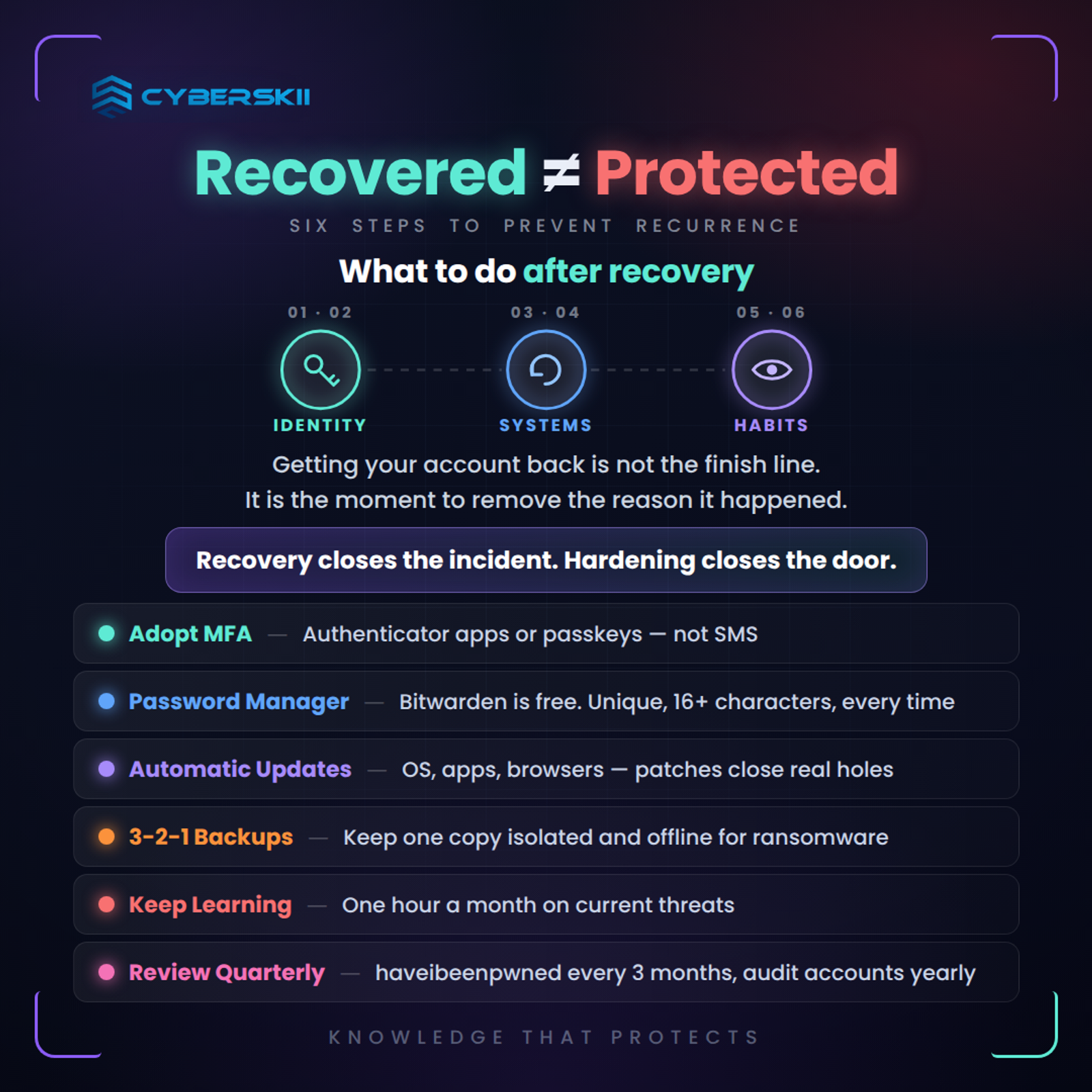
1- Adopt MFA: If you weren’t using MFA, enable it immediately. Use Authenticator apps or Passkeys instead of SMS.
2- Password manager: Free Bitwarden is sufficient. Make every password unique, 16+ characters.
3- Automatic updates: System, apps, browsers. Updates close vulnerabilities.
4- 3-2-1 backups: Keep an isolated backup (External HDD, Cloud) to face ransomware.
5- Learn current risks: Invest one hour monthly in learning new threats. Follow CyberSkii and other sources.
6- Periodic review: Check your data on haveibeenpwned every 3 months, review active accounts annually.
Conclusion
Breaching isn’t “if” but “when.” In a world where attacks evolve faster than defences, response speed is the difference between a minor loss and a catastrophe. The first 24 hours after discovery are the most important — every minute of delay gives the attacker more opportunity.
Keep this guide, share it with your family and team, and train yourself to execute these steps in calm conditions — before crisis time. At CyberSkii, we offer Incident Response services, team training on response protocols, and recovery plan building for Saudi companies aligned with NCA frameworks — contact us to be prepared before disaster strikes.