HTB Labs — Tier 0— “Redeemer” Machine Walkthrough | By: CyberAlp0
Hey Folks, this is CyberAlp0. Welcome to a new walkthrough powered by HTB, Tier 0, named “Redeemer.” Redeemer focuses on many aspects and strengthens skills like Vulnerability Assessment, Reconnaissance, and anonymous access.
We are dealing with an in-memory data structure store, which is named Redis. One of the strong points of this type of data structure is that it makes it easier to deal with and interact with the data, unlike other types of data structures traditional databases. Redis stores the data or the keys in the RAM instead of the hard drives, which is why it is easier to handle and interact with using simple commands.
What we will do is, as usual, scan the target to specify the running services (which is Redis), along with the port this service is operating. Then, we will interact with this In-memory database using the terminal and try to pave our way to reach the root flag. The database is unsecured, and we will get our anonymous access to it, just like we get access when we try to access an unsecured FTP or SMB Client service.
Executive Summary
Here is an executive summary of the steps we will follow:
Stage I: Scanning
During the scanning phase, an Nmap port scan reveals a single open TCP port: 6379, running a Redis database server. This discovery sets the stage for deeper analysis of the service.
Upon the Nmap scan, we will find the following information
- Service Running: Redis
- Service Version: Redis Key-Value Store 5.0.7
- Exposed Port: 6379/TCP
Stage II: Enumeration
The enumeration phase focuses on interacting with the Redis instance using the “redis-cli” utility. By specifying the host and port, the attacker connects to the database without authentication, identifying it as an in-memory data store.
Stage III: Exploiting
Redis commands such as INFO, SELECT, DBSIZE, and KEYS * are then used to inspect server details, database configuration, and the keys stored within the default database. Once the attacker identifies a key labelled flag, retrieving the machine’s secret becomes easy. Using the GET command, the root flag is extracted.
Let’s not waste more time on the introduction and begin hacking!
Step 1: Connecting to the Starting Point Labs Servers.
To attack the target machine, you have to be on the same network. You can read my blog which will guide you step-by-step into connecting to the target machine.
Step 2: Spawning the Machine and Starting to Solve the Tasks.
Task 1: Which TCP port is open on the machine?
Answer: 6379
Walkthrough:
We will use Nmap to scan the network to identify the running ports on the target machine. Either we can use the traditional way for Nmap, in which we specify the flags that we want Nmap to run upon, or we can use an automated tool that runs Nmap along with specified scan types.
This automated tool is called “Nmap Automator”. You may download it through the following link.
I will use this tool to run a full port scan on the target’s IP. The tool will use all the possible options and flags that are preidentified by Nmap to come up with the ultimate scan results.
The usage of the tool is very easy, and you can find out more about it in the description section on GitHub. To perform a full port scan, write the following command:
bash nmapAutomator.sh --host 10.129.170.202 --type Full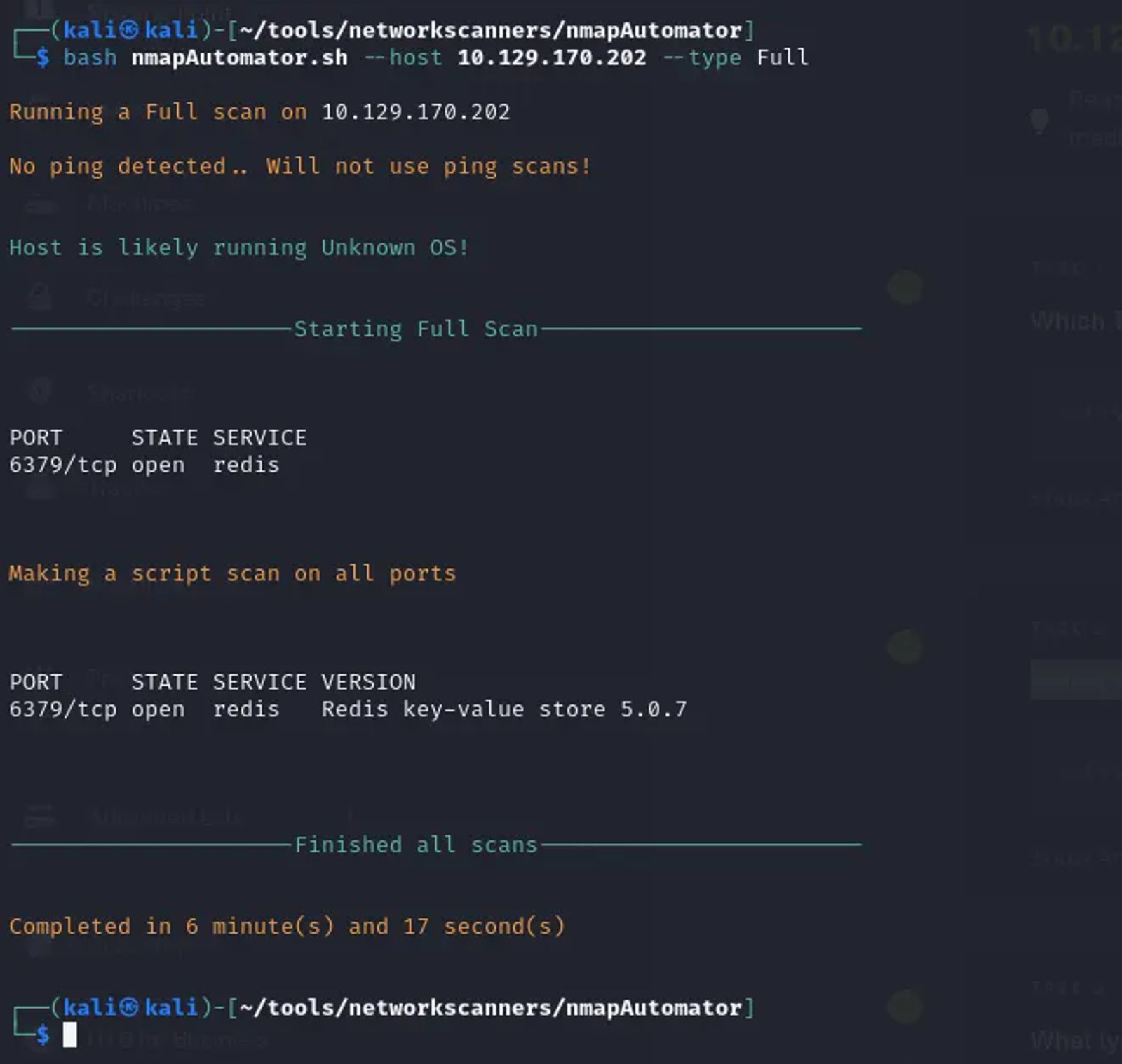
The TCP port is 6379, and it is managing the Redis service.
Task 2: Which service is running on the port that is open on the machine?
Answer: Redis
Walkthrough:
Redis is an open-source, in-memory data structure store, often used as a database, cache, or message broker. It supports various data structures such as strings, hashes, lists, sets, and sorted sets.
Task 3: What type of database is Redis? Choose from the following options: (i) In-memory Database, (ii) Traditional Database
Answer: In-memory Database
Walkthrough:
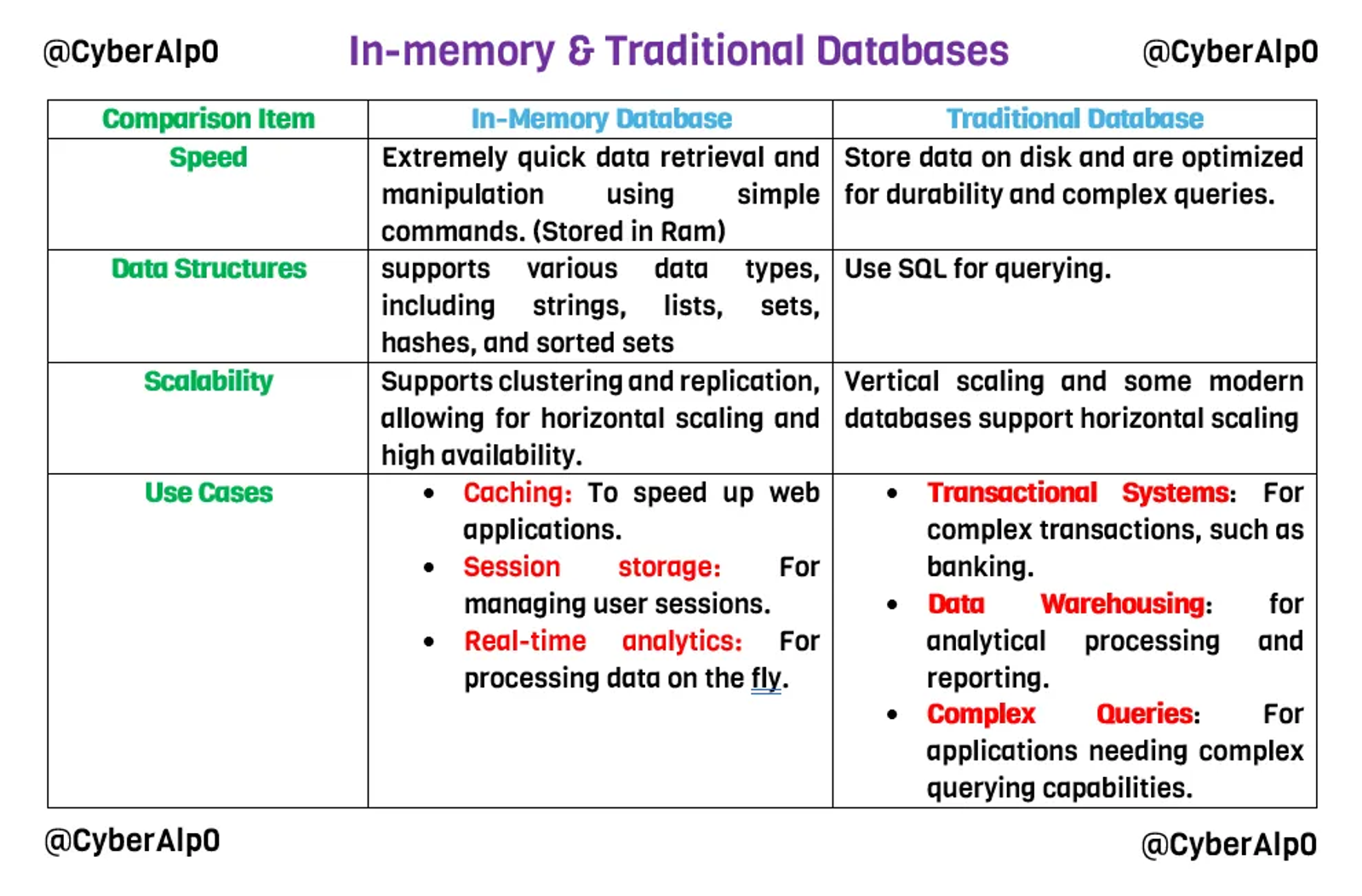
Redis is an in-memory database. Redis is particularly useful for scenarios where quick access to data is critical, making it a popular choice for modern applications that require both speed and flexibility.
Here is a comparison between an In-memory Database and a Traditional Database.
Task 4: Which command-line utility is used to interact with the Redis server? Enter the program name you would enter into the terminal without any arguments.
Answer: redis-cli
Walkthrough:
As mentioned before, Redis is an In-memory data structure tool that is used for databases that require quick access to the data with the ability to manipulate data.
In our case, to be able to interact with the database and manipulate the data using simple commands, you will use an interactive command called “redis-cli”. This command will launch an interactive shell where you can enter Redis commands directly.
redis-cli -h {target_IP} -p {port}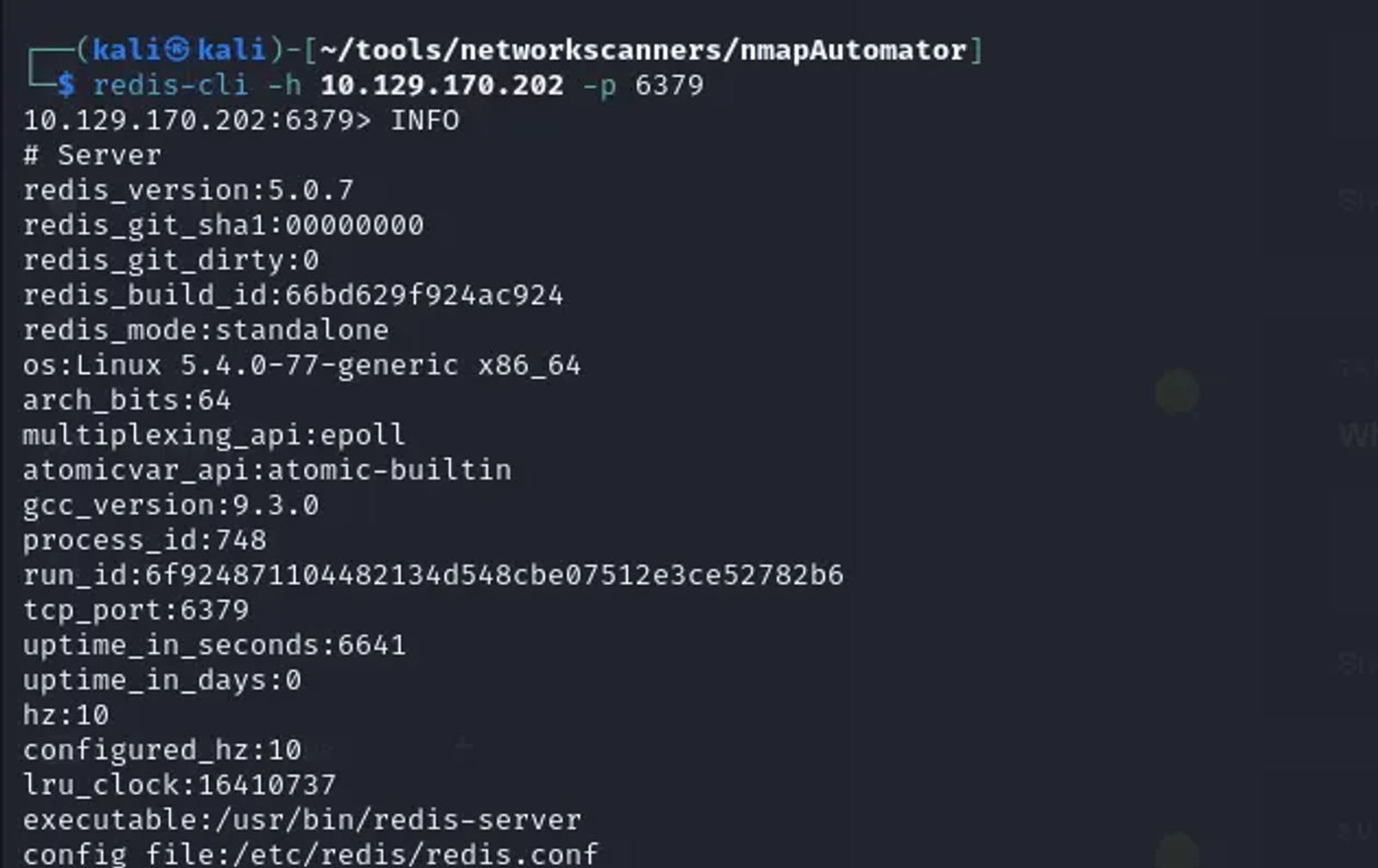
We have encountered such interaction cases before with several common databases that operate several services like MySQL and MongoDB.
MySQL: To interact with it, we use the following command “mysql -u superadmin -p”. We use the mongodb-clients to interact with the mongodb. Also, we solved a previous walkthough in which we interacted with MS SQL server, this machine is called Archtype. The command used for interaction is impacket-mssqlclient.
Task 5: Which flag is used with the Redis command-line utility to specify the hostname?
Answer: -h
Walkthrough:
There are lots of interaction flags that can be used with the redis-cli command. To view these flags, use the “ — help” option
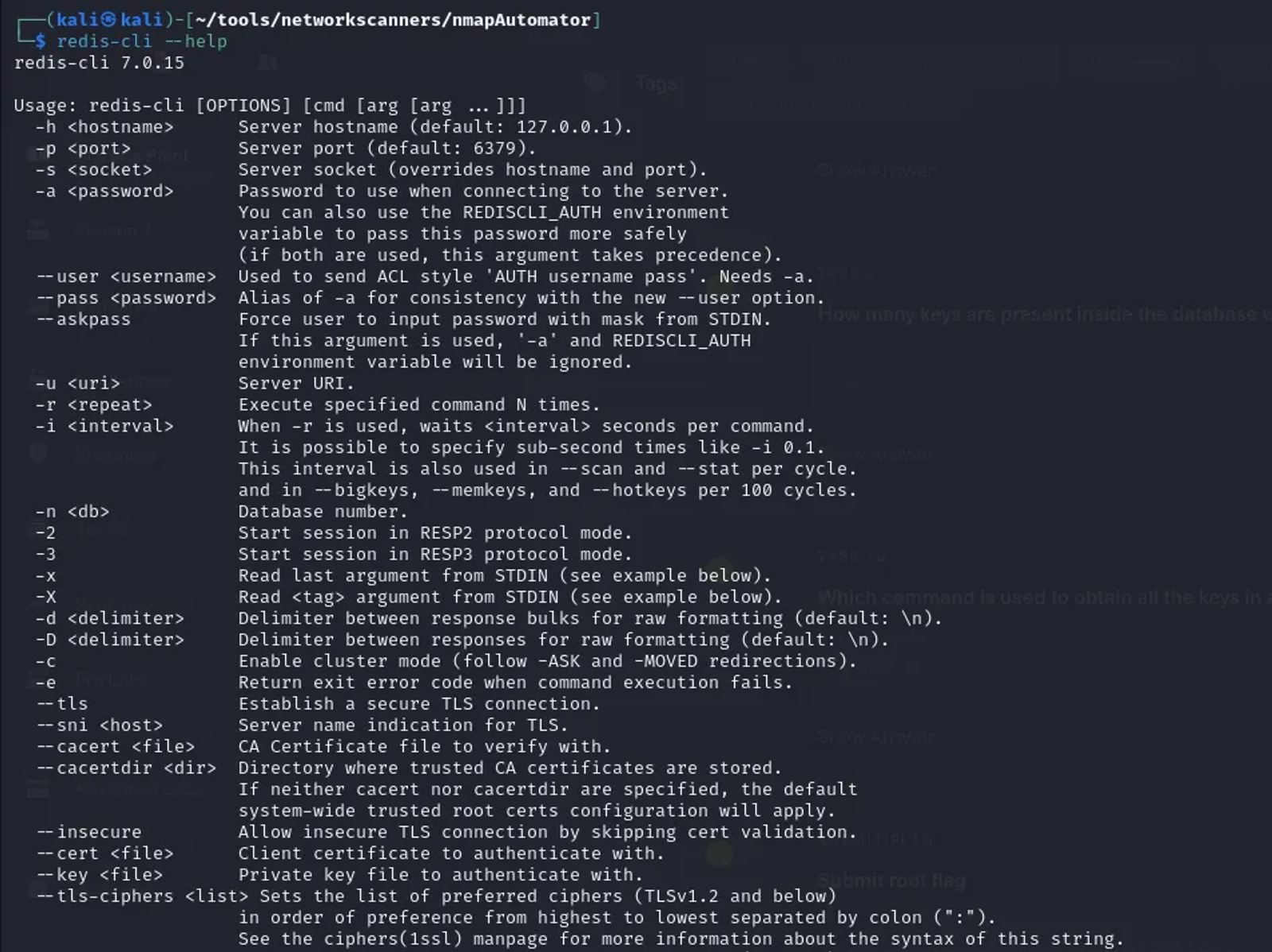
The flags we will be using for establishing the connection with the Redis service are the “-h” for the host and “-p” for specifying the port that services the Redis service.
redis-cli -h {target_IP} -p {Port}Task 6: Once connected to a Redis server, which command is used to obtain the information and statistics about the Redis server?
Answer: INFO
Walkthrough:
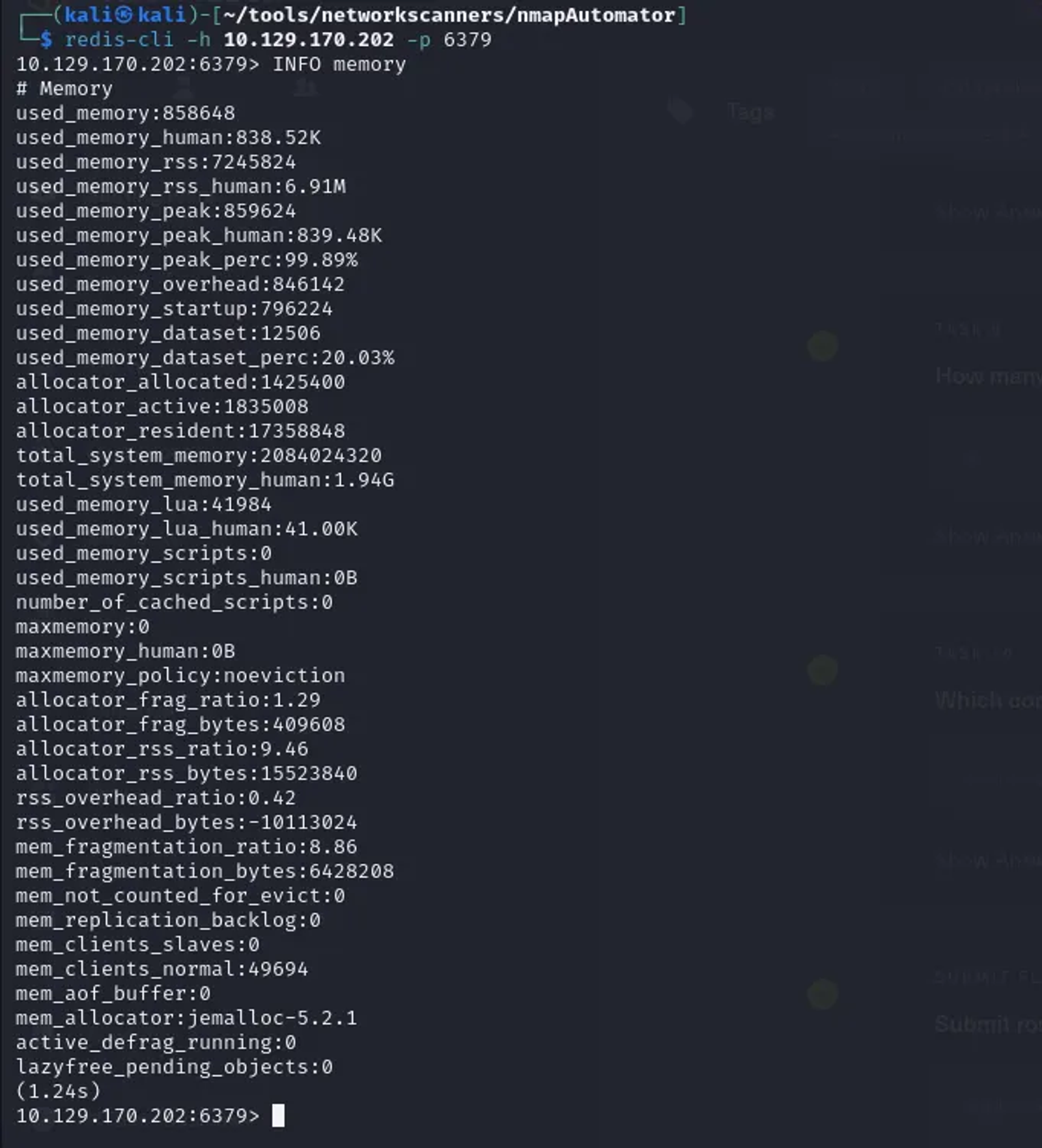
This command returns various details, including server statistics, memory usage, clients connected, and more. You can also specify a section like INFO memory or INFO stats to get information about a specific aspect of the server.
Task 7: What is the version of the Redis server being used on the target machine?
Answer: INFO
Walkthrough:
To view the version of the server, utilize the INFO command as follows:
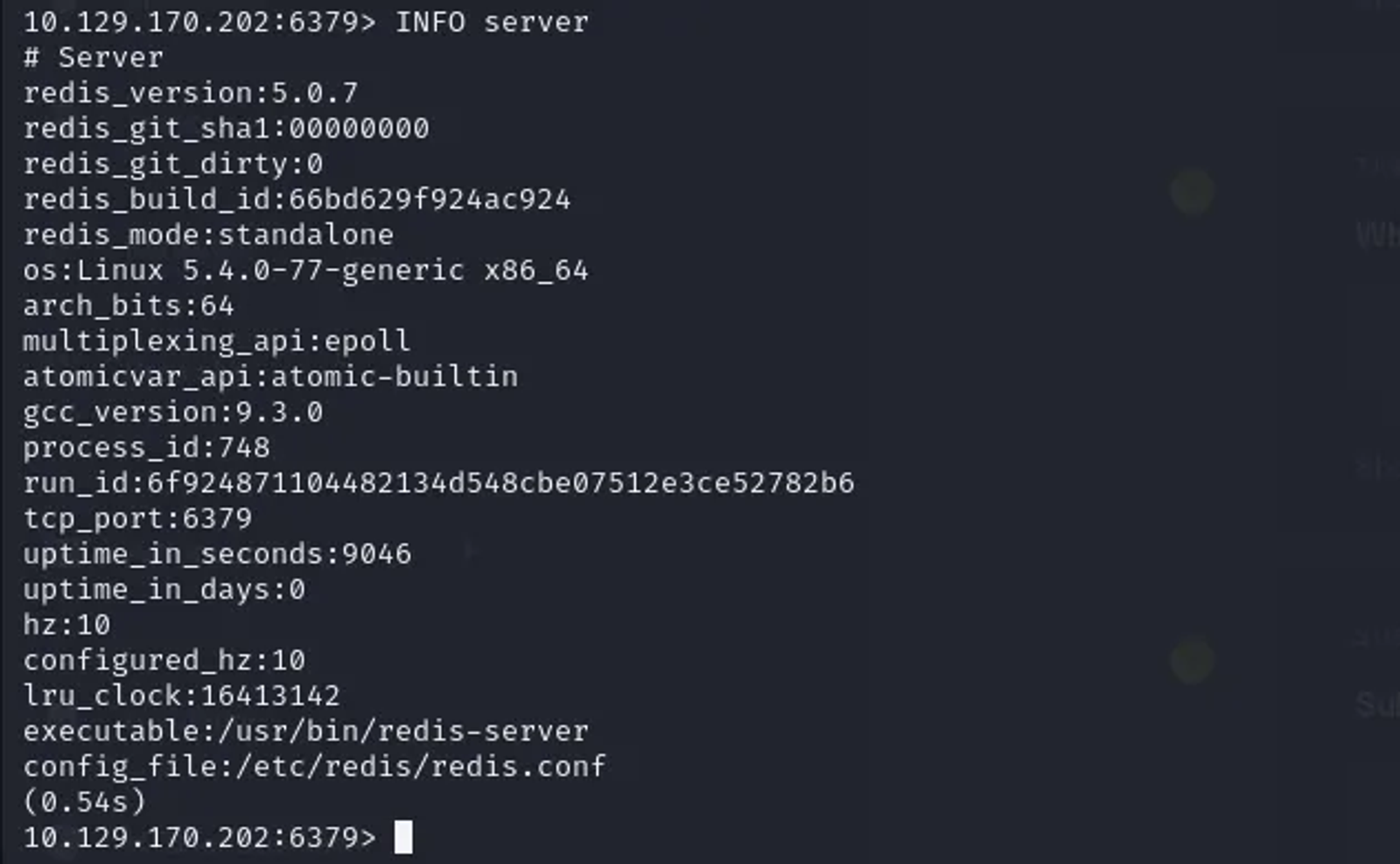
As shown, the version of the Redis server is 5.0.7.
Task 8: Which command is used to select the desired database in Redis?
Answer: SELECT
Walkthrough:
The command used to select the desired database is “select”. The usage of the command is as follows:
select {database_index}Replace the database index with the index number of the database you want to select (e.g., 1, 2, 3, etc.). By default, Redis has 16 databases indexed from 0 to 15.
Task 9: How many keys are present inside the database with index 0?
Answer: 4
Walkthrough:
To identify the keys that are in the database indexed with 0, we will use the select command, then the “DBSIZE” command to specify the number of keys that are present.

Task 10: Which command is used to obtain all the keys in a database?
Answer: KEYS *
Walkthrough:
This command will return a list of all keys in the currently selected database.

Task 11: Submitting the Root Flag
Answer: 03e1d2b376c37ab3f5319922053953eb
Walkthrough:
To view the content of the “flag” key, use the get command as shown below

The root flag of the “Redeemer” machine is “03e1d2b376c37ab3f5319922053953eb”
Hope you enjoyed reading my blog about solving the Redeemer machine from HTB — Tier 0— Starting Point Phase.
See you in another write-up!.